
Traveling with family often means a small mountain of gadgets, each demanding its own power supply. The key to avoiding a tangled mess and overpacking cables is simplification and smart consolidation. Focus on multi-port chargers, universal adapters, and bringing only essential devices. Identify shared charging needs among family members and invest in versatile cables. For instance, many modern phones, tablets, and even some laptops now use USB-C, allowing one cable type to serve multiple purposes. This approach significantly reduces bulk and simplifies powering up on the go.
You’ve done it before: you’re packing for a family vacation, the bags are almost closed, and then you remember all the tech. Suddenly, the last available space in the suitcase is filled with a spaghetti monster of charging bricks, tangled cables, and oddly shaped adapters. You know you need to keep everyone’s devices powered – from tablets for the kids to your camera and phone – but the sheer volume of cords quickly becomes overwhelming. It’s a common dilemma for families on the go, whether you’re heading to the beaches of South America or exploring ancient ruins in Europe.
The problem isn’t just the space; it’s the hassle. Fumbling for the right cable, realizing you left an adapter at home, or having a device die mid-road trip because you forgot the car charger. It’s frustrating and avoidable. The goal is to keep everyone connected and entertained without dedicating an entire carry-on to power accessories. This means adopting better habits and understanding the common traps that lead to overpacking cables.
Many families simply grab every charger from every device’s original box, leading to unnecessary duplicates and mismatched connectors. Instead, a little planning and a few smart investments can improve your travel tech setup from a chaotic jumble into an organized, efficient system that covers all your bases without weighing you down. We’ll explore practical strategies to streamline your charging needs for a smoother trip.
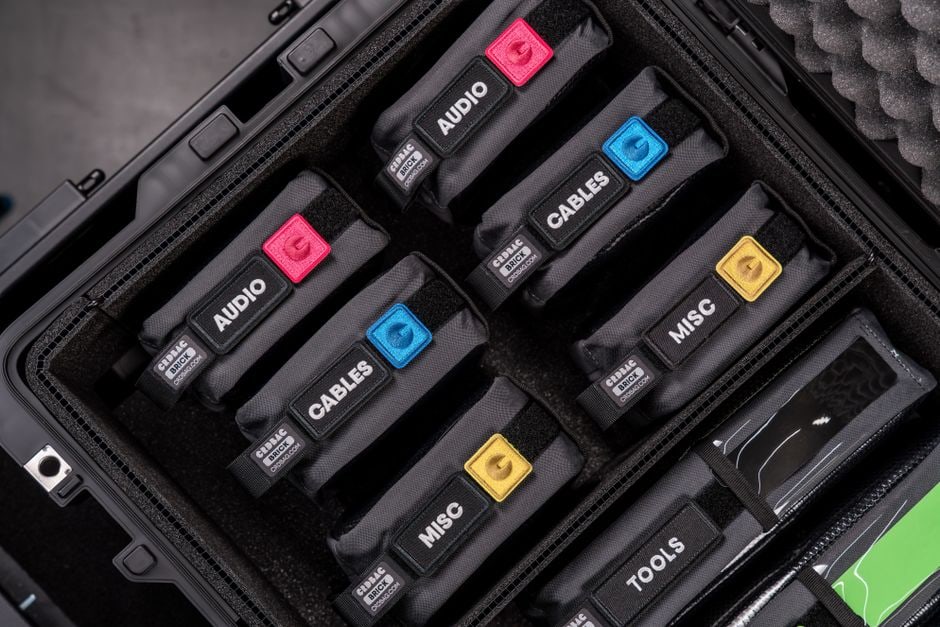
Caption: A family organizing their travel tech cables and adapters before a trip, ensuring a clutter-free journey.
Quick Overview: Smarter Travel Tech for Families
- Consolidate Chargers: Embrace multi-port chargers with high wattage.
- Embrace USB-C: Prioritize devices and cables using this universal standard.
- Universal Adapters: Invest in one or two good quality international plug adapters.
- Cable Management: Use small pouches or ties to keep cables tidy.
- Power Banks: A high-capacity power bank is essential for multiple devices.
- Digital Solutions: Leverage password managers and cloud storage to reduce physical reliance.
- Device Audit: Only bring absolutely essential devices for the trip.
Consolidating Power: The Multi-Port Charger Revolution
One of the most significant changes you can make to avoid overpacking cables is to switch from individual chargers for every device to powerful, multi-port chargers. Think about it: instead of packing five separate USB wall bricks for five phones/tablets, you can pack one brick with five ports. Not only does this save space, but it also reduces the number of outlets you need, which can be a lifesaver in hotel rooms with limited plugs.
GaN Technology: Smaller and More Powerful
Modern multi-port chargers often use Gallium Nitride (GaN) technology, which allows them to be much smaller and more efficient than older silicon-based chargers while delivering higher wattages. A single GaN charger, like an Anker Nano II or UGREEN Nexode, can often charge a laptop, two phones, and a tablet simultaneously. This eliminates the need for separate laptop power bricks for many users.
Matching Wattage to Devices
When choosing a multi-port charger, pay attention to the total wattage and the wattage per port. A 65W charger might be enough for a few phones and a small tablet, but if you’re bringing a MacBook Pro or a more powerful laptop, you’ll need something closer to 100W or even 140W. Look for chargers that can dynamically allocate power, meaning they can deliver higher wattage to a laptop when it’s the only device plugged in, and then distribute power efficiently when multiple devices are connected. For families, having at least one high-wattage (65W+) multi-port charger with 3-4 ports is a practical advantage.
The USB-C Advantage: One Cable to Rule Them All
USB-C has truly become a universal standard, and embracing it is perhaps the single best piece of advice for families looking to travel with tech without overpacking cables. Many modern smartphones (including iPhones since the iPhone 15), tablets (iPads, Android tablets), laptops (MacBooks, Dell XPS, HP Spectre, etc.), and even portable gaming consoles like the Nintendo Switch now use USB-C for charging and data transfer.
Simplifying Your Cable Pouch
Imagine packing just two or three USB-C to USB-C cables of varying lengths, and those cables can charge almost every device your family owns. This dramatically slims down your travel tech cable organization. You’ll still need a Lightning cable if you have older Apple devices or some specific accessories, but the overall reduction is significant. Ensure your USB-C cables are rated for the appropriate power delivery (PD) if you plan to charge laptops with them.
Deciding What to Know Before Buying Refurbished Tech: A Practical Guide for Small Businesses
USB-A Legacy: Don’t Forget It Entirely
While USB-C is king, many older or simpler devices (like kids’ headphones, some power banks, or travel cameras) still rely on USB-A. Consider a multi-port charger that includes at least one or two USB-A ports, or pack a couple of USB-A to USB-C/Lightning cables. The goal isn’t absolute purity, but intelligent consolidation.
Navigating Global Power: Adapters and Voltage
Traveling internationally, especially between continents like North America, Europe, and South America, means encountering different plug types and voltage standards. This is where universal travel adapters become indispensable.
Universal Travel Adapters: Your Best Bet
Forget packing a separate adapter for every country. A good quality universal travel adapter covers most plug types (Type A/B for North America, Type C/F for Europe, Type G for UK, etc.) in a single, compact unit. Look for ones that also include USB-A and USB-C ports, effectively combining an adapter and a mini-charger, reducing the items you need to carry even further.
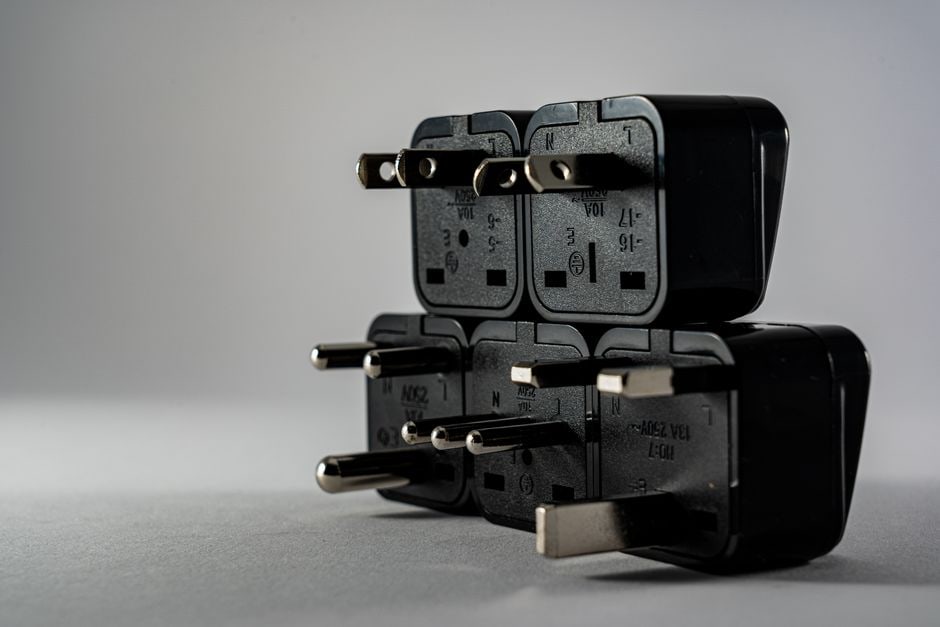
Caption: A hand plugging a universal travel adapter into a European wall socket, highlighting global power compatibility.
Understanding Voltage: 110V vs. 220V
Most modern tech chargers (phones, laptops, tablets) are ‘dual voltage’ or ‘auto-switching’, meaning they can handle both 100-240V. You’ll see this printed in small text on the charger itself. This is crucial because North America uses roughly 110-120V, while Europe and most of South America use 220-240V. As long as your charger specifies 100-240V, you only need a plug adapter, not a voltage converter. Appliances like hair dryers or curling irons, however, are often single voltage and will require a converter or simply be left at home.
The Power of Portability: Battery Packs and Digital Redundancy
Even with the best planning, sometimes an outlet isn’t available, or you’re on a long flight or bus ride. A high-capacity portable power bank (or two for a family) is your lifeline.
Choosing the Right Power Bank
For families, consider a power bank with at least 20,000mAh capacity and multiple output ports (USB-A and USB-C). This allows you to charge several devices or recharge a laptop once. Remember that larger capacity power banks might be heavier, and there are restrictions on carrying them in checked luggage on flights – they must be in your carry-on.
Digital First: Password Managers and Cloud Storage
Beyond physical cables, think about digital clutter. Are you still carrying printouts of confirmations, or are your passwords scribbled on paper? Tools like Microsoft Edge’s password manager, LastPass, or 1Password mean you only need to remember one master password. This reduces the need for physical documents and ensures your critical information is accessible across devices without carrying physical files.
Similarly, use cloud storage (Google Drive, OneDrive, Dropbox) for travel documents, photos, and backups. This makes them accessible from any device with an internet connection (or downloaded offline) and provides redundancy in case a device is lost or damaged.
Adopting Wi-Fi 7 and Other Connectivity Considerations
While not directly related to cables, connectivity is crucial for travel tech. Understanding Wi-Fi standards and how to stay connected efficiently can indirectly reduce your reliance on physical media and ensure your digital solutions work.
Clean Up Your Email Inbox Without Starting Over in Real Life
Wi-Fi 7: The Future of Fast Connectivity
Wi-Fi 7 (802.11be) is the latest Wi-Fi standard, offering significantly faster speeds, lower latency, and greater capacity than Wi-Fi 6E. While hotels and public hotspots are still catching up, some newer personal devices may support it. For travel, this means if you have a portable travel router (though many families skip this for simplicity), investing in one with Wi-Fi 7 could future-proof your setup. More practically, for now, simply ensuring your devices support Wi-Fi 6 or 6E will give you the best performance in places that offer it.
Local SIMs vs. eSIMs vs. Roaming
Staying connected without breaking the bank impacts how you use your tech. For international travel, buying a local SIM card upon arrival (common in Europe and South America) or using an eSIM service like Airalo or Holafly is often much cheaper than international roaming. This ensures your online password managers, cloud access, and communication apps work without hunting for hotel Wi-Fi, which can sometimes be slow or unreliable.
FAQ – Your Travel Tech Cable Organization Questions Answered
Here are answers to common questions about managing cables and tech for family travel.
What’s the best way to organize cables in luggage?
The best way is to use small, dedicated cable pouches or organizers. Silicone cable ties or Velcro straps also work wonders. Group cables by type (e.g., all USB-C together) and put them in a single pouch that’s easy to access. This prevents tangles and makes finding the right cable much quicker.
Do I really need a power bank for family travel?
Yes, a power bank is highly recommended for family travel. With multiple devices (phones, tablets, e-readers) in use, especially during long travel days, a power bank ensures everyone stays charged, preventing meltdowns over dead devices and keeping navigation or entertainment accessible.
How many travel adapters do I need for a family trip to Europe?
For a family trip to Europe, one or two good quality universal travel adapters with multiple USB ports should suffice. Most devices are dual-voltage, so you just need to adapt the plug shape. Having two provides a backup and allows for simultaneous charging in different locations within your accommodation.
Is Wi-Fi 7 important for travel tech?
While Wi-Fi 7 is the latest standard offering superior performance, it’s not yet critical for most travel. Most public Wi-Fi networks (hotels, airports) operate on older standards. Your devices supporting Wi-Fi 6 or 6E is more immediately beneficial for faster and more reliable connections when available.
Should I bring separate chargers for kids’ tablets?
Ideally, no. If your kids’ tablets use USB-C, they can share the same multi-port charger and USB-C cables as other family devices. If they use a proprietary charger, consolidate by bringing just one multi-port charger that also has a standard USB-A port for those specific cables.
Key Takeaways for Smarter Travel with Tech
Successfully navigating family travel with all your essential tech without overpacking cables boils down to a few core principles. First and foremost, consolidation is key. Embrace the power of multi-port, high-wattage GaN chargers that can handle multiple devices simultaneously, minimizing the number of bricks you need to carry. Secondly, actively lean into USB-C as the universal standard, as this significantly reduces the variety of cables required, simplifying your entire charging ecosystem. This single change will make the biggest impact on your travel tech cable organization.
Beyond hardware, smart habits play a crucial role. Invest in a quality universal travel adapter for international trips, reducing geopolitical power concerns to a single, compact item. Don’t underestimate the utility of a solid power bank for on-the-go charging, ensuring everyone’s devices stay powered through long travel days. Finally, leverage digital tools like password managers (e.g., Microsoft’s offering) and cloud storage to minimize reliance on physical documents and maintain access to critical information from anywhere, freeing up mental and physical space.
By adopting these strategies, your family can enjoy a connected, hassle-free journey, whether you’re navigating the bustling streets of North America, the historical sites of Europe, or the vibrant landscapes of South America. You’ll spend less time untangling cords and more time creating memories.
Read more useful technology guides on Le Daily Post.