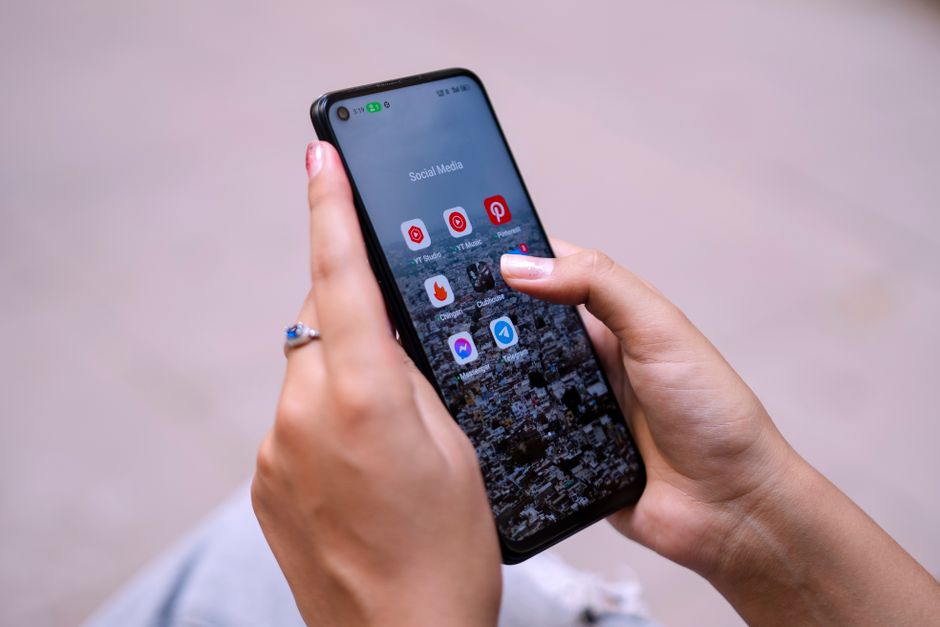
To make your phone less distracting without deleting essential apps, focus on strategic notification management, screen time limits, and interface simplification. This involves turning off non-essential notifications, utilizing ‘Do Not Disturb’ or Focus modes, setting app timers for time-consuming platforms like TikTok or Instagram, and decluttering your home screen to reduce visual triggers. By consciously curating your digital environment, you can significantly reduce the urge to constantly check your device, fostering better concentration whether you’re working from a café in London, commuting in Mexico City, or relaxing in Sao Paulo.
We’ve all been there: you pick up your phone to check a quick message, and suddenly, 20 minutes have vanished. You’ve scrolled through Instagram, checked three news apps, and somehow ended up watching a YouTube video about artisanal cheese making. It’s not that you lack willpower; it’s that your phone is designed to be engaging, to keep you hooked. The notifications, the bright icons, the endless feeds – they’re all carefully engineered to capture and hold your attention.
For many of us, especially those juggling family life and demanding careers in bustling urban centers, completely disconnecting isn’t a realistic option. Our phones are tools for work, communication, navigation, and even entertainment. The goal isn’t digital monasticism, but rather thoughtful digital hygiene. It’s about finding a balance where your phone serves you, instead of the other way around. The good news? You don’t need to delete all your social media apps or revert to a flip phone to make your phone less distracting.
This guide offers practical, actionable steps to help you regain control over your device and your attention. We’ll explore settings, habits, and mindset shifts that can significantly reduce your phone’s pull, allowing you to focus on what truly matters, whether that’s family time, a work project, or simply enjoying a quiet moment.
Understanding the Distraction Economy: Why Our Phones Are So Addictive
Before diving into solutions, it’s helpful to understand the underlying mechanics of phone addiction. Developers and platforms operate within what’s often called the ‘attention economy.’ Their success is directly tied to the amount of time you spend on their apps. This drives features like infinite scroll, notification badges, and personalized content feeds – all designed to keep you engaged for as long as possible. It’s not a moral failing on your part; it’s a sophisticated system at play.
Consider the average morning. Perhaps you’re waiting for the Line 4 Metro in Mexico City, or grabbing a quick coffee near London Bridge, or stuck in traffic on the Marginal Pinheiros in Sao Paulo. In those brief moments of downtime, the phone becomes the default ‘filler.’ It’s a convenient, ever-present source of stimulation, easily accessible in your pocket. Recognising this pervasive design – and your own conditioned responses to it – is the first step towards breaking free from its grip. It’s about consciously interrupting those ingrained habits.
Image Caption: A person using their phone, surrounded by abstract representations of notifications and digital noise, highlighting the constant pull for attention.
Practical Steps to Make Your Phone Less Distracting
The key here is incremental change and intentional setup. You don’t have to overhaul everything at once. Pick one or two tips to start with and build from there. The goal is to create friction between you and mindless phone use.
1. Master Your Notifications
This is arguably the most impactful change you can make. Go into your phone’s settings (Settings > Notifications on iOS, or Settings > Apps & Notifications on Android) and review every single app. Ask yourself: Do I absolutely need to be interrupted by this app in real-time? For most apps, the answer is no. Turn off banner notifications, sounds, and vibration for anything non-essential. Keep only critical communication (e.g., calls, urgent messages from family) on audible alerts. Everything else can be checked on your schedule. Think about the difference between a WhatsApp ping interrupting your family dinner and simply checking it later.
Finding Your Footing: Remote Work-Life Balance Lessons From Europe and the Americas
2. Curate Your Home Screen
Your home screen should be a toolbox, not a playground. Remove all social media apps, games, and time-wasting apps from your main screen. Instead, group them into a folder on a secondary screen, or even better, hide them in your app library (iOS) or app drawer (Android). Keep only essential utilities like your camera, calendar, maps, and phone dialer visible. This small friction – having to search for an app – can often be enough to deter mindless scrolling. Imagine your iPhone or Samsung Galaxy having only four icons on the main screen; it changes the whole interaction.
3. Utilize Focus Modes (Do Not Disturb on Steroids)
Both iOS (Focus Modes) and Android (Digital Wellbeing’s Focus Mode) offer powerful tools to silence specific apps or categories of notifications during set times. Set up modes for ‘Work,’ ‘Personal,’ or ‘Sleep.’ You can specify which apps are allowed to notify you in each mode and even which contacts can break through. For instance, during ‘Work’ focus, only messages from your team lead might come through, while during ‘Personal’ time, only family members can reach you. This is a practical advantage for reclaiming your evenings and weekends.
4. Embrace Grayscale or Dark Mode
Our brains are wired to be attracted to bright, vibrant colors. App designers know this and use red notification badges and colorful icons to draw your eye. Switching your display to grayscale (often found in Accessibility settings or Digital Wellbeing) can significantly reduce your phone’s allure. Suddenly, Instagram isn’t quite as captivating without its vivid filters. Dark mode, while primarily for eye comfort, can also subtly reduce visual stimulation.
5. Set App Timers
Most modern smartphones (iOS Screen Time, Android Digital Wellbeing) allow you to set daily limits for specific apps. If you find yourself spending an hour a day on TikTok or Twitter, set a timer for 30 minutes. Once the limit is reached, the app will block you, giving you a conscious choice to override or put the phone down. It’s a gentle nudge, a reminder of your own intentions, and it’s surprisingly effective for breaking unconscious habits.
6. Create Physical Barriers
Beyond digital settings, implement physical boundaries. Charge your phone outside your bedroom. If you’re having dinner with your family in Paris, put all phones in a basket in another room. During work, keep it face down, out of sight. The ‘out of sight, out of mind’ principle is powerful. Even simply putting it in a drawer during focused work blocks can make a huge difference.
7. Conscious Consumption: Review Your Apps
Periodically audit the apps on your phone. If you haven’t used an app in months, or if it consistently leaves you feeling worse after using it (e.g., endless comparisons on a certain social platform), consider deleting it. This isn’t about deleting everything, but curating your digital space. Do you really need five different news aggregators?
Comparing Digital Wellness Tools Across Platforms
While the core principles remain consistent, different operating systems offer unique implementations and strengths when it comes to managing phone distractions. Understanding these can help you leverage your device’s built-in capabilities more effectively.
| Feature/Platform | Apple (iOS/iPhone) | Google (Android/Pixel, Samsung, etc.) |
|---|---|---|
| Notification Management | Granular controls per app, Summary scheduling, Focus Modes with custom filters. | Per-app controls, Notification categories, Digital Wellbeing’s Focus Mode. |
| Screen Time Limits | ‘Screen Time’ for overall usage, app-specific limits, downtime scheduling, content & privacy restrictions. | ‘Digital Wellbeing’ for daily usage, app timers, ‘Wind Down’ mode. |
| Focus/DND | ‘Focus’ modes: customizable profiles (Work, Sleep, Personal) with specific app/contact allowances. | ‘Focus Mode’ in Digital Wellbeing: temporarily pause selected apps. ‘Do Not Disturb’ with exceptions. |
| Interface Simplification | App Library (hides apps from home screen), Widgets, Grayscale/Color Filters in Accessibility. | App Drawer (hides apps from home screen), Customizable launchers, Grayscale in Digital Wellbeing. |
Image Caption: A person actively engaging with their phone’s settings, illustrating the process of customizing digital wellness features.
Common Mistakes to Avoid When Trying to Make Your Phone Less Distracting
It’s easy to fall into traps when attempting to change ingrained habits. Being aware of these can save you frustration and help maintain your progress.
Practical Self-Care That Does Not Require a Perfect Schedule
A common mistake is trying to go cold turkey on everything. Suddenly deleting all social media or setting draconian screen time limits often leads to a quick rebound. Sustainable change comes from gradual, manageable adjustments. Start with one or two small changes, like silencing notifications for all non-essential apps, and build from there. Think of it as a marathon, not a sprint.
Another pitfall is not addressing the underlying reasons for phone use. Are you bored? Stressed? Loneliness? Your phone often fills a void. Simply removing the phone without finding alternative activities or coping mechanisms means you’ll likely just find another distraction. Consider what you gain when you put the phone down. Could you read a book, go for a walk in a local park in Lisbon, or connect with a family member in Montreal?
Ignoring your environment is also a significant oversight. If your phone is always next to your bed, charging overnight, you’re setting yourself up for failure. The temptation to check it first thing in the morning is immense. Similarly, if it’s on your desk, face-up, during work hours, every incoming notification light will grab your attention. Be intentional about where your phone lives when you’re not actively using it.
Finally, forgetting to regularly review and adjust your settings is a mistake. App updates can sometimes reset notification preferences, or new apps might creep onto your home screen. Treat your phone’s settings like a garden – it needs regular weeding and pruning to stay tidy and productive.
Frequently Asked Questions About Reducing Phone Distractions
Q: What is the single most effective way to make your phone less distracting?
A: The most effective way is to aggressively manage your notifications. Turn off all non-essential alerts, sounds, and vibrations for nearly every app. This prevents your phone from constantly demanding your attention and allows you to check apps on your own terms, not theirs.
Q: Should I delete all social media apps to make my phone less distracting?
A: Not necessarily. While a complete detox can be helpful for some, for most, it’s about intentional use. Try moving social apps to a hidden folder, setting app timers, and only checking them at specific times. If you find you still can’t control your usage, then deletion might be a temporary solution.
Q: How can I stop mindless scrolling without missing important updates?
A: Use ‘Focus Modes’ or ‘Do Not Disturb’ features to create specific windows when important contacts or work apps can reach you. For general updates, schedule specific times to check social media or news apps, rather than letting them dictate your attention throughout the day. This creates boundaries.
Q: Are third-party apps better than built-in phone features for reducing distraction?
A: For most users, the built-in features like iOS Screen Time and Android Digital Wellbeing are powerful and sufficient. Third-party apps can offer additional niche functionalities, but starting with your phone’s native settings is often simpler and more integrated into the operating system.
Q: How do I handle work notifications if I make my phone less distracting?
A: Create a specific ‘Work’ focus mode that allows notifications only from essential work apps (e.g., Slack, Outlook) and key contacts. Schedule this mode to activate during your work hours. Outside of those times, these notifications can be silenced, ensuring you maintain a clear boundary between work and personal life.
Making your phone less distracting isn’t about deprivation; it’s about empowerment. It’s about regaining agency over your attention and your time, allowing you to engage more fully with the people and world around you. By implementing even a few of these practical strategies, you’ll likely notice a significant shift in your daily focus and overall well-being. Read more practical lifestyle guides on Le Daily Post.