
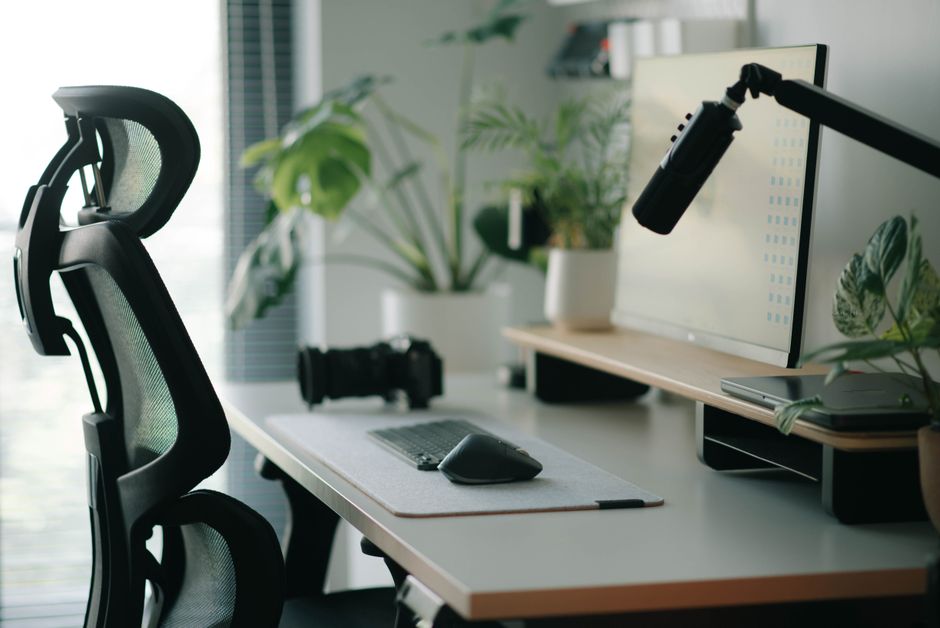
To effectively reduce neck pain caused by your desk setup, the key is to ensure proper alignment of your head, neck, and spine. This involves positioning your monitor at eye level, ensuring your keyboard and mouse are within easy reach to avoid slouching, and maintaining a chair height that allows your feet to be flat on the floor with knees at a 90-degree angle. Investing in an ergonomic chair, external monitor, and potentially a standing desk can significantly alleviate strain, but even small adjustments to existing furniture can make a big difference for parents juggling remote work.
Juggling remote work and family life often means your home office doubles as a playroom, dining table, or whatever space is available. For many parents, this translates directly into nagging neck pain, persistent stiffness, and that familiar ache that starts at the base of your skull and radiates across your shoulders. It’s not just an inconvenience; it can impact your focus, your mood, and your ability to be present with your children after work hours.
The truth is, many of us spend hours hunched over laptops, craning our necks to see screens that are too low, or reaching awkwardly for mice and keyboards. While the ideal ergonomic setup might feel out of reach—especially when you’re balancing budgets and childcare—there are concrete, practical steps you can take to create a desk setup that reduces neck pain without needing a complete overhaul or a professional ergonomics consultant. This guide is specifically designed for parents who need realistic solutions, not just aspirational advice.
Understanding the root causes of desk-related neck pain—primarily poor posture and sustained awkward positions—is the first step. By addressing these issues directly, you can achieve significant relief and prevent future discomfort. We’ll look at real-world scenarios and offer actionable advice that fits into a busy family life, whether you’re in a compact apartment in Paris, a suburban home in Ohio, or working from a makeshift office in Santiago.
Quick Wins for a Pain-Free Neck: Your Ergonomic Checklist
Before diving into the details, here’s a quick overview of the most impactful changes you can make to your desk setup to reduce neck pain:
- Monitor Height: Position the top third of your screen at eye level.
- Chair Posture: Sit with your feet flat on the floor, knees at 90 degrees, and lower back supported.
- Keyboard & Mouse: Keep them close, so your elbows are at 90-100 degrees and wrists straight.
- Regular Breaks: Stand up, stretch, and move every 30-60 minutes.
- Laptop Stands: Use one to improve your laptop screen, paired with an external keyboard and mouse.
- Lighting: Ensure adequate, glare-free lighting to prevent eye strain, which can lead to neck tension.
- Mindful Movement: Incorporate simple neck stretches throughout your day.
The Foundation: Your Chair and Seating Posture
Your chair is the anchor of your ergonomic setup. A good chair provides crucial support, reducing strain on your neck and spine. For parents, this often means making the most of what you have or choosing wisely if an upgrade is possible.
Adjusting Your Existing Chair
Even a basic office chair often has more adjustments than people realize. Start by:
- Height: Adjust your chair so your feet are flat on the floor, and your knees are at roughly a 90-degree angle. If your feet don’t reach, use a footrest. A stack of old textbooks or even a sturdy storage box can serve this purpose in a pinch.
- Backrest: Ensure your lower back is supported. Many chairs have lumbar support adjustments. If not, a rolled-up towel or a small cushion can work wonders. The goal is to maintain the natural S-curve of your spine.
- Armrests: Adjust them so your shoulders are relaxed and your elbows are at a 90-degree angle when typing. If they’re too high, they’ll push your shoulders up; too low, and you’ll slump. If your armrests aren’t adjustable, consider removing them if they prevent you from getting close enough to your desk.
Considering an Ergonomic Chair Upgrade
If budget allows, an ergonomic chair is a worthwhile investment. Brands like Herman Miller (popular in North America and Europe) or more affordable options like those from IKEA or specific regional brands in South America (e.g., Flexform in Brazil often has good office lines) offer significant adjustability. Look for chairs with adjustable height, lumbar support, armrests, and even seat depth. Before buying, try chairs out in person if possible. What feels comfortable for one person might not for another, especially when considering different body types.
Monitor Placement: The Primary Neck Pain Culprit
Perhaps the single biggest factor contributing to desk setup neck pain is an improperly positioned monitor. Cranking your neck down for hours is a recipe for disaster.
How to Stay Healthy While Traveling Across Different Climates
Eye-Level is the Key
The top third of your monitor screen should be roughly at eye level. This means your gaze is slightly downward, which is natural and comfortable. If you’re using a laptop as your primary screen, this is almost always too low. Solutions include:
- Laptop Stands: A simple laptop stand, like those from brands such as Rain Design or even basic plastic options, can improve your laptop. Crucially, you’ll then need an external keyboard and mouse to maintain proper arm and wrist posture.
- Monitor Risers: If you use an external monitor, a monitor arm or even a stack of sturdy books can raise it to the correct height. The cost-effective solution is often right in your home.
- Multiple Monitors: If you use two monitors, center your primary monitor directly in front of you. If you use both equally, place them side-by-side with the divide directly in front of your nose, then angle them slightly inward.
Distance Matters Too
Your monitor should be about an arm’s length away from you. This prevents you from leaning in, which pushes your head forward and stresses your neck. Adjust text size on your computer if needed rather than moving closer.
Keyboard and Mouse: Keeping Everything Within Reach
Reaching forward or out to the side for your keyboard and mouse puts unnecessary strain on your shoulders, arms, and consequently, your neck.
Optimizing Keyboard and Mouse Position
Your keyboard should be directly in front of you, close enough that your elbows are at a 90-100 degree angle and relaxed by your sides. Your wrists should remain straight, not bent up or down. Similarly, your mouse should be close to your keyboard, allowing you to use it without extending your arm too far.
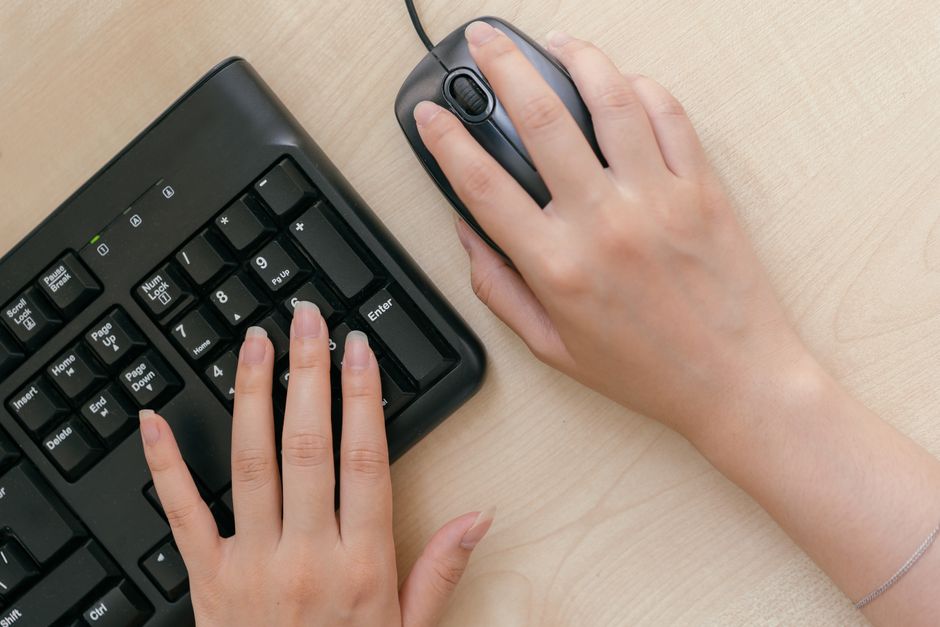
- External Peripherals: For laptop users, an external keyboard and mouse are non-negotiable for an ergonomic setup. Brands like Logitech or Microsoft offer a wide range of options, including ergonomic models that support a neutral wrist position.
- Ergonomic Keyboards/Mice: Consider split ergonomic keyboards or vertical mice if you experience wrist or forearm pain. These can indirectly help neck pain by promoting a more natural upper body posture.
- Desk Real Estate: Clear clutter from your desk to ensure you have enough space to position these items correctly. For parents, this might mean a quick daily tidy-up.
Incorporating Movement: Your Body’s Best Friend
No matter how perfect your setup, prolonged static posture is detrimental. Movement is vital for reducing desk setup neck pain.
Breaks and Micro-Movements
- The 20-20-20 Rule: Every 20 minutes, look at something 20 feet away for 20 seconds to rest your eyes.
- Stand Up and Stretch: Aim to stand up and move around every 30-60 minutes. Even a quick trip to the kitchen for water or to check on the kids can break the static posture.
- Simple Stretches: Gentle neck rotations, shoulder shrugs, and chin tucks can be done discreetly at your desk.
Standing Desks: A Game Changer for Some
While not strictly necessary, a standing desk can be a significant help for many. You don’t need a fancy electric one; manual crank models or even a desktop converter can be effective. The key is not to stand all day, but to alternate between sitting and standing. Many parents find this useful for managing energy levels and fitting in short bursts of movement, especially if they have young children who need attention.
Beyond the Desk: Lifestyle Factors that Influence Neck Pain
While your desk setup is critical, overall lifestyle choices significantly impact your susceptibility to neck pain. It’s a holistic approach, especially for busy parents.
Diet and Inflammation
Inflammation can exacerbate muscle pain and stiffness. Incorporating an anti-inflammatory diet, such as the Mediterranean diet, rich in fruits, vegetables, whole grains, and healthy fats, can support overall joint and muscle health. Think fresh produce from your local market, olive oil, and plenty of fish—staples whether you’re in Lisbon, Buenos Aires, or Vancouver.
Air Quality and Respiratory Health
Poor indoor air quality can contribute to general discomfort and even affect sleep quality, indirectly worsening pain perception. Ensuring good ventilation, using air purifiers if necessary, and regularly cleaning your home can improve air quality. Small changes like opening windows for a few minutes daily, even in urban environments, can make a difference.
Deciding What to Know About Heat Waves and Urban Health: A Practical Guide
The Power of Walking
Regular physical activity, particularly walking, strengthens core muscles, improves circulation, and helps maintain spinal health. A daily walk, even a short one around the block, can counteract the effects of prolonged sitting. It’s a simple, accessible form of exercise that most parents can fit into their schedules, often while spending time outdoors with their children. Even a brisk 20-minute walk through a park in Amsterdam or along a beach in Rio de Janeiro can be incredibly beneficial.
FAQ: Common Questions About Desk Setup and Neck Pain
Q: Can a poor mattress contribute to my neck pain, even if my desk setup is good?
A: Absolutely. A supportive mattress and pillow are crucial for maintaining proper spinal alignment while you sleep. If your mattress is old or unsupportive, or your pillow doesn’t properly support your neck’s natural curve, you can wake up with neck pain regardless of how good your desk setup is during the day.
Q: How often should I take breaks from my desk if I want to reduce neck pain?
A: Aim for a short break every 30-60 minutes. This doesn’t mean leaving your workspace entirely; even standing up, stretching, and walking a few steps can interrupt static posture, improve blood flow, and relieve accumulating tension in your neck and shoulders.
Q: Are ergonomic keyboards and mice really worth the investment for neck pain?
A: For many, yes. Ergonomic keyboards and mice promote a more neutral wrist and forearm position, which can reduce tension that travels up to the shoulders and neck. If you spend many hours typing, they can be a worthwhile investment in preventing or alleviating chronic pain.
Q: What’s the ideal distance between my eyes and my monitor screen?
A: Your monitor should be positioned approximately an arm’s length away from you. This typically ranges from 20 to 40 inches (50-100 cm), depending on your arm length and screen size. Adjust your text size if needed to avoid leaning in or straining your eyes.
Q: Can stress worsen my neck pain, even with a good ergonomic setup?
A: Yes, stress is a significant contributor to muscle tension, especially in the neck and shoulders. When stressed, people often unconsciously clench their muscles, leading to pain and stiffness. Incorporating stress-reducing practices like mindfulness or short relaxation exercises can complement your ergonomic setup.
Key Takeaways: Building a Sustainable, Pain-Free Workspace
Creating a desk setup that reduces neck pain isn’t about achieving perfection overnight; it’s about making incremental, sustainable changes that fit your reality as a parent. The most impactful adjustments often start with your **monitor height** and **seating posture**. By elevating your screen to eye level and ensuring your lower back is supported, you address the primary culprits of neck strain.
Remember that **movement is non-negotiable**. Even the best ergonomic setup can’t compensate for hours of static sitting. Regular breaks, simple stretches, and incorporating activities like walking into your daily routine are essential. Consider a standing desk if it aligns with your budget and space, but don’t underestimate the power of simply getting up and moving every hour.
Finally, look beyond your desk. Holistic health, including a healthy diet like the Mediterranean diet, good air quality, and consistent physical activity, plays a crucial role in managing and preventing chronic pain. By combining smart ergonomic choices with mindful lifestyle habits, you can significantly reduce neck pain and enjoy your work and family life with greater comfort.
Ready to discover more ways to improve your well-being? Read more health and wellness guides on Le Daily Post.