
For both students and working adults, the best note-taking apps worth considering now include Notion for its versatility as an all-in-one workspace, Microsoft OneNote for its free-form canvas and cross-platform accessibility, and Apple Notes for its simplicity and deep integration within the Apple ecosystem. Each offers distinct advantages for organizing thoughts, capturing meeting minutes, or preparing for exams, catering to diverse needs from a simple scratchpad to a complex project management tool, essential for professionals and academics across North America, Europe, and South America.
In an age where information bombards us from all sides—lecture halls, client meetings, online courses, and team huddles—the ability to effectively capture, organize, and retrieve notes is no longer a niche skill but a fundamental necessity. Whether you’re a university student in London trying to make sense of complex economic theories, a remote marketing professional in São Paulo brainstorming campaign ideas, or an engineer in Vancouver managing project specifications, a reliable note-taking system can make or break your productivity.
The sheer volume of digital tools available can be overwhelming, leading to a paralysis of choice. Many find themselves bouncing between apps, never quite settling on one that truly fits their workflow. This often results in fragmented information, lost ideas, and the frustration of not being able to find that one crucial detail when you need it most. Choosing the right tool isn’t just about features; it’s about finding a system that complements your thinking process and integrates smoothly into your daily life.
The most effective note-taking apps for students and working adults now are those that balance solid features with an intuitive interface, allowing you to focus on the content rather than the tool. We’ll explore the leading contenders, helping you cut through the noise and identify the best fit for your personal and professional demands.

Understanding Your Note-Taking Needs: A Quick Overview
Before diving into specific applications, it’s useful to outline what makes a note-taking app truly effective for different users. Consider these aspects:
- Capture Versatility: Can it handle text, images, audio, web clips, and handwritten notes?
- Organization: How easy is it to categorize, tag, and link notes for future retrieval?
- Accessibility: Is it available across all your devices (phone, tablet, laptop) and operating systems (Windows, macOS, Android, iOS)?
- Collaboration: Can you share notes and work with others in real-time?
- Search Functionality: How powerful is the search, and can it find text within images or PDFs?
- Offline Access: Can you access and edit your notes without an internet connection?
- Security & Privacy: How are your notes protected, especially sensitive information?
- Cost: Are there free tiers, one-time purchases, or subscription models?
Notion: The All-in-One Workspace for Serious Organizers
Notion isn’t just a note-taking app; it’s a flexible workspace that combines notes, tasks, wikis, and databases into a single, customizable platform. For many students managing complex research projects or working adults coordinating teams, Notion becomes the central hub for their digital life. Its power lies in its block-based editor, allowing you to mix and match different content types—text, to-do lists, images, code blocks, embedded files—within the same page. This modularity means you can build anything from a simple meeting agenda to a comprehensive project dashboard.
Customization and Database Power
What sets Notion apart is its database functionality. You can create tables that function as task trackers, content calendars, CRM systems, or even personal habit trackers. Each entry in a database can be opened as a full page, allowing for detailed notes and linked information. For a student in a European university, this might mean a database for all course readings, complete with notes, deadlines, and linked assignments. For a remote worker, it could be a project board tracking tasks across multiple team members from North America to South America, ensuring everyone is on the same page.
Collaboration and Templates
Notion excels at collaboration, allowing you to share pages or entire workspaces with specific permissions. Teams can brainstorm, edit documents, and manage projects together. The vast community-created template library also means you don’t have to start from scratch. Many users find templates for academic planning, content creation, or personal finance incredibly useful, jumpstarting their productivity. However, this power comes with a learning curve. New users often feel overwhelmed by the sheer number of options, and it can take time to design a system that truly works for them.
Microsoft OneNote: Free-Form Freedom and Cross-Platform Reach
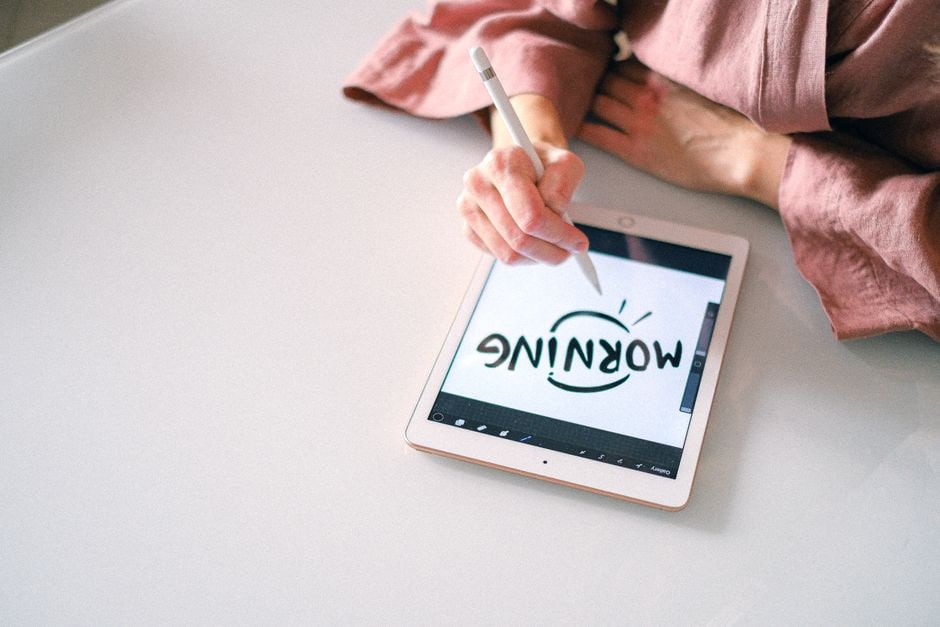
Microsoft OneNote has been a staple for students and professionals for years, offering a digital notebook experience that mimics a physical binder. Its free-form canvas allows you to type anywhere on the page, draw, handwrite with a stylus (fantastic for devices like a Microsoft Surface or an iPad with an Apple Pencil), insert images, web clips, and even record audio. This flexibility makes it ideal for lectures, brainstorming sessions, or client meetings where you might need to quickly sketch a diagram or annotate a screenshot.
Integration and Accessibility
As a Microsoft product, OneNote integrates well with other Microsoft Office applications, which is a significant advantage for many working adults and students already entrenched in that ecosystem. It’s truly cross-platform, available on Windows, macOS, Android, iOS, and as a web app, ensuring your notes are accessible whether you’re using a Google Pixel phone in Brazil or a Samsung tablet in Germany. The ability to sync notes via OneDrive means they’re always up-to-date across all your devices.
Browser Extensions That Help Productivity Without Stealing Focus
One common critique is its search functionality, which, while capable, isn’t always as lightning-fast or as granular as some dedicated database tools. Also, while great for individual note-taking, its collaboration features are less sophisticated than Notion’s, often feeling more like shared documents than truly integrated workspaces.
Apple Notes: Simplicity and Seamless Apple Ecosystem Integration
For users deeply embedded in Apple’s ecosystem, Apple Notes offers an incredibly fluid and convenient note-taking experience. It’s pre-installed on every iPhone, iPad, and Mac, making it immediately accessible. Its strength lies in its simplicity and deep integration with other Apple services. You can quickly jot down ideas, create checklists, scan documents with your iPhone camera, add drawings with an Apple Pencil, or even share notes with family members.
Quick Capture and Rich Media
Apple Notes shines for quick capture. You can pull up a new note directly from the lock screen on an iPad, making it perfect for those fleeting thoughts or immediate tasks. It supports rich media, allowing you to embed photos, videos, web links, and even maps directly into your notes. For a student taking notes in a lecture, snapping a photo of a whiteboard diagram and annotating it directly within the note is incredibly efficient.
The primary limitation, of course, is its platform exclusivity. If you regularly switch between a MacBook and a Windows PC, or an iPhone and an Android device, Apple Notes won’t provide the universal access you need. However, for those fully committed to Apple hardware, its ease of use, solid search (including handwritten text and text within images), and reliable iCloud syncing make it a highly compelling choice for everyday note-taking.
Evernote: The Veteran Note-Taker with Web Clipping Prowess
Evernote was one of the original trailblazers in digital note-taking, and despite increased competition, it remains a powerful tool, particularly for those who frequently capture information from the web. Its web clipper extension is arguably the best in the business, allowing you to save entire articles, simplified views, or just snippets directly into your notebooks with tags and annotations. This is invaluable for researchers, journalists, or anyone who needs to curate information from various online sources.
Organizing and Searching Vast Libraries
Evernote’s strength lies in its solid organization system of notebooks, stacks, and tags, coupled with incredibly powerful search capabilities. It can search not only typed text but also text within images (including handwritten notes), PDFs, and even attached documents. Imagine finding a specific phrase you vaguely remember from a scanned document taken during a client meeting in Bogotá—Evernote can likely find it. It’s cross-platform, available on pretty much any device you can think of, including Linux, though its free tier has become quite restrictive over the years.
For casual users, the subscription cost can be a deterrent, and some find its interface a bit dated compared to Notion’s modern aesthetic. However, for those with vast libraries of research material and a heavy reliance on web clipping, Evernote remains a top contender among note-taking apps for students and working adults.
Google Keep: Simple, Fast, and Integrated with Google Services
Google Keep offers a lightweight, colorful, and highly accessible note-taking experience, particularly suited for quick captures, reminders, and small lists. It operates like a digital bulletin board, with notes appearing as sticky pads that you can color-code and label. Its deep integration with other Google services is a major selling point for users already living in the Google ecosystem.
Reminders and Collaboration for Quick Tasks
You can set location-based reminders (e.g., remind me to buy milk when I arrive at the supermarket) or time-based reminders, making it a great companion for daily errands and short-term tasks. Collaboration is straightforward, allowing you to share notes and lists with others, making it perfect for grocery lists with a partner or shared task lists for a small team project. For a student juggling multiple modules, a quick note with a reminder tied to a specific library location can be incredibly handy.
Smart Rings vs Smartwatches: Which Makes More Sense for Your Family?
The trade-off for its simplicity is a lack of advanced organizational features. You won’t find hierarchical notebooks or sophisticated databases here. It’s designed for speed and convenience rather than deep, long-form writing or complex project management. For many, however, its ease of use and ubiquity (being pre-installed on most Android phones and accessible via any web browser) make it an indispensable tool for everyday notes and reminders, regardless of whether you’re in Canada or Chile.
FAQ: Common Questions About Note-Taking Apps
What makes Notion an effective note-taking app for students and working adults?
Notion stands out due to its incredible versatility as an all-in-one workspace. It combines notes, tasks, wikis, and databases, allowing users to build highly customized systems for academic projects, professional task management, and personal organization. Its block-based editor and collaborative features make it adaptable for diverse needs, from simple notes to complex project management.
Is Microsoft OneNote truly cross-platform for users across North America and Europe?
Yes, Microsoft OneNote is exceptionally cross-platform. It’s available on Windows, macOS, Android, iOS, and as a web application. This ensures users, whether in North America, Europe, or South America, can access and sync their notes across virtually any device they own, including Google and Samsung devices, making it a highly accessible choice.
Can Apple Notes be used effectively by students without an Apple Pencil?
Absolutely. While the Apple Pencil enhances the experience for handwritten notes and sketches, Apple Notes is highly effective for typing, checklists, scanning documents with the iPhone camera, and adding rich media like photos and web links. Its core functionality for text-based notes and organization is fully accessible without a stylus.
Does Google Keep offer any unique features for quick note capture?
Google Keep excels in quick note capture and reminder setting. Its sticky-note interface allows for rapid jotting of ideas, and it offers unique features like location-based reminders (e.g., remind me when I arrive at a specific store) and voice note transcription. It’s perfect for fleeting thoughts and short-term tasks that need immediate attention.
What are the primary benefits of using a USB-C compatible note-taking device?
While note-taking apps themselves aren’t USB-C compatible, devices that use USB-C offer universal charging, faster data transfer speeds, and reversible connectors. This simplifies cable management and improves efficiency for students and working adults who need to quickly charge or transfer files from their laptops or tablets, like a Samsung Galaxy Tab or a modern Google Chromebook, that run these note-taking apps.
Key Takeaways for Choosing Your Next Note-Taking App
Selecting the best note-taking app for students and working adults isn’t about finding a single ‘perfect’ solution, but rather the one that aligns best with your individual habits and requirements. If you thrive on customization and need an all-in-one workspace for complex projects, Notion is likely your top contender. Its database capabilities and collaborative features make it a powerhouse for organized individuals and teams.
For those who prefer a free-form digital canvas and deep integration with the Microsoft ecosystem, OneNote offers unparalleled flexibility, especially if you enjoy handwriting notes with a stylus. Apple users will find Apple Notes to be a surprisingly capable and deeply integrated solution for quick captures and media-rich notes, provided they stay within the Apple ecosystem.
Finally, for power users who regularly capture web content and need powerful search across a vast archive, Evernote remains a solid choice. If simplicity, speed, and Google ecosystem integration are your priorities for quick notes and reminders, Google Keep is an excellent, no-frills option. Consider your daily workflow, device usage (including USB-C charging devices), and collaborative needs to make an informed decision that truly boosts your productivity.
Read more useful technology guides on Le Daily Post.