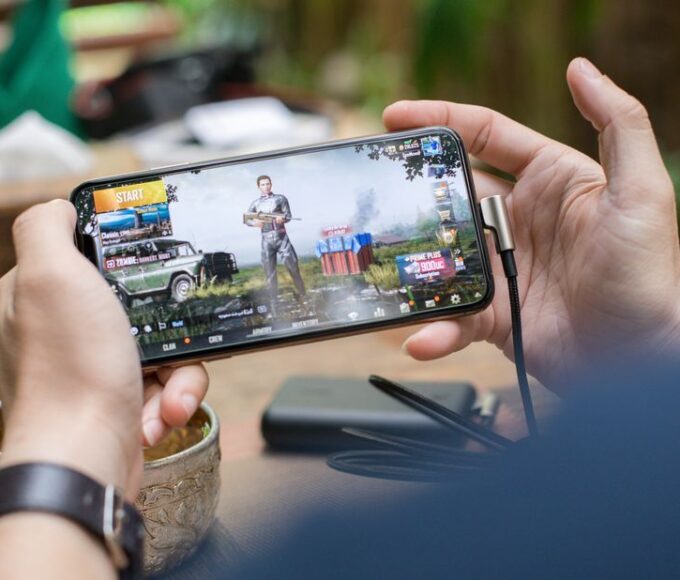
You’re scrolling through social media, maybe catching up on your favorite gaming news, when suddenly you see it: a post from a major game publisher, or so it seems, announcing an incredible giveaway. Free V-Bucks for Fortnite, thousands of Steam Wallet funds, or even a lifetime Game Pass subscription. Your heart flutters with excitement for a second, then a nagging voice in the back of your head pipes up: “Is this real?”
That moment of doubt is your best defense. The gaming world is rife with individuals and groups eager to exploit players’ enthusiasm and trust. From elaborate phishing schemes designed to steal your Steam account credentials to fake tournament registrations that demand personal information, the methods are constantly evolving. It’s not just about losing virtual currency; it’s about protecting your entire digital identity, which can often be linked across multiple platforms.
Understanding what actually helps when you need to spot gaming scams, fake giveaways, and account theft isn’t about being a cybersecurity expert. It’s about developing a healthy skepticism and knowing the tell-tale signs that something isn’t right. We’ll cover practical steps you can take to safeguard your gaming experience, whether you’re battling it out in Fortnite, exploring new worlds on Steam, or diving into the vast library of Game Pass.
Quick Overview: Your Scam-Spotting Checklist
- Verify the Source: Always check the URL, sender’s email, or social media handle.
- Too Good to Be True: Generous offers often hide malicious intent.
- Urgency and Pressure: Scammers thrive on panic and quick decisions.
- Requests for Personal Info: Legitimate giveaways rarely ask for passwords or credit card details directly.
- Spelling and Grammar: Professional companies maintain high standards.
- Unusual Payment Methods: Gift cards or cryptocurrency requests are red flags.
- Software Downloads: Be cautious of unexpected downloads, especially .exe files.
- Two-Factor Authentication (2FA): Enable it everywhere possible.
The Art of Verification: Unmasking Fake Giveaways
One of the most common entry points for scams is the alluring promise of free stuff. Fake giveaways for popular games like Fortnite, or platforms like Steam and Game Pass, proliferate across social media, forums, and even in-game chats. The core principle for what actually helps when you need to spot gaming scams, fake giveaways, and account theft here is simple: verify the source independently.
Social Media Impersonation: More Common Than You Think
Scammers are adept at creating social media profiles that look almost identical to official accounts. They’ll use similar profile pictures, names (e.g., “SteamCommunitv” instead of “SteamCommunity”), and even copy official posts. A common tactic involves creating a fake contest post, asking users to click a link, log in with their credentials, and share for more entries.
- Check the Handle: Is it
@FortniteOfficialor@FortniteGiveaways_Official? The latter is almost certainly fake. Look for verified badges (the blue checkmark) on platforms like X (formerly Twitter) and Instagram. - Examine Post History: Does the account consistently post about giveaways, or does it have a history of legitimate game news and interactions? A new account with only giveaway posts is a huge red flag.
- Official Website Cross-Reference: If an offer seems legitimate, go directly to the game’s official website (e.g., epicgames.com for Fortnite, steampowered.com for Steam) or the platform’s official social media via their website. If the giveaway isn’t mentioned there, it’s fake.
Email and In-Game Messages: Phishing for Your Credentials
You might receive emails or in-game messages promising exclusive items, beta access, or giveaway winnings. These are often phishing attempts designed to trick you into revealing your login information. For instance, a fake email might claim to be from Xbox Game Pass support, stating your subscription is about to expire and directing you to a malicious link to renew.
- Sender’s Email Address: Does it match the official domain?
[email protected]is real;[email protected]is not. - Hover Before You Click: On a desktop, hover your mouse over any links without clicking. Does the URL match where it claims to go? A link promising
steamcommunity.combut showingmalicious-site.xyzwhen you hover is a scam. - Grammar and Spelling: Major companies, whether in North America, Europe, or South America, have professional communications teams. Emails riddled with typos or awkward phrasing are suspicious.
The “Too Good to Be True” Trap: Understanding Scammer Psychology
The allure of a fantastic deal is powerful, and scammers know this. An offer that seems incredibly generous – a brand-new high-end PC for sharing a post, thousands of free in-game currency, or a lifetime subscription to services like Game Pass for a small “verification fee” – is almost always a scam. This is a critical point in what actually helps when you need to spot gaming scams, fake giveaways, and account theft.
The Free V-Bucks and Robux Illusion
Sites promising “free V-Bucks” for Fortnite or “free Robux” for Roblox are classic examples. They often require you to enter your game username, complete surveys, download suspicious apps, or even provide your password. Epic Games and Roblox Corporation explicitly state that you cannot legitimately earn V-Bucks or Robux outside of their official channels (in-game purchases, battle passes, gift cards bought from authorized retailers).
Practical Tip: If a third-party site claims to generate free in-game currency, it’s a scam. Full stop. They are either trying to steal your account, load malware onto your device, or trick you into completing endless surveys that benefit them, not you.
Mobile Gaming Trends: What’s Hot in Latin America, Europe, and North America?
“Verification” Fees and Personal Data Harvesting
Some fake giveaways might progress to a point where they ask for a small “verification fee” or shipping cost, often requesting payment via unusual methods like gift cards (e.g., Amazon, Steam, Google Play cards) or cryptocurrency. Legitimate companies do not ask for payment in this manner for giveaway prizes.
Equally dangerous is the harvesting of extensive personal information. A scammer might ask for your full name, address, phone number, date of birth, and even a copy of your ID for “prize verification.” This information can then be used for identity theft or sold on the dark web. Be extremely cautious about sharing any sensitive personal data for a gaming giveaway.
Account Security: Your Personal Fortress
Even if you avoid clicking suspicious links, your accounts can still be targets. Protecting your login credentials for platforms like Steam, Xbox, PlayStation, and Epic Games is paramount. This isn’t just about preventing unauthorized purchases; it’s about safeguarding your gaming history, digital purchases, and potentially linked payment information.

Strong, Unique Passwords Are Non-Negotiable
This point cannot be stressed enough. Using the same password across multiple accounts is like having one key for your house, car, and safe deposit box. If a scammer compromises one account, they can easily access all others. What actually helps when you need to spot gaming scams, fake giveaways, and account theft, and more importantly, prevent them, often comes down to this basic hygiene.
- Length and Complexity: Aim for at least 12-16 characters, combining uppercase and lowercase letters, numbers, and symbols.
- Uniqueness: Use a different password for every single gaming account and email address.
- Password Manager: Consider using a reputable password manager (e.g., 1Password, LastPass, Bitwarden) to generate and store strong, unique passwords securely. They simplify managing many complex logins.
Enable Two-Factor Authentication (2FA) Everywhere
Two-Factor Authentication (also called Multi-Factor Authentication or MFA) adds an extra layer of security. Even if a scammer gets your password, they can’t access your account without a second piece of information, usually a code sent to your phone or generated by an authenticator app.
- Steam Guard: Steam offers Steam Guard, which can send codes via email or through the Steam Mobile App. The mobile app method is generally more secure.
- Epic Games: Fortnite players should enable 2FA on their Epic Games account. This not only protects your account but often grants you free in-game items as an incentive!
- Microsoft/Xbox: For Game Pass users, enable 2FA on your Microsoft account. This protects your entire Microsoft ecosystem, including email, cloud storage, and your gaming profile.
- Other Platforms: Check for 2FA options on PlayStation Network, Nintendo, Battle.net, Riot Games, and any other platform you use. Enable it. Immediately.
Recognizing In-Game and Voice Chat Scams
Scams aren’t confined to external websites or emails. They can happen within the games themselves. Imagine you’re playing a multiplayer game and someone approaches you offering a rare item exchange for your account details, or a “free boost” service that requires you to log into their system. These are common ploys.
The “Free Boost” or “Item Duplication” Scam
Scammers will often approach players, especially those struggling or looking for quick gains, offering to “boost” their account level, provide rare items, or duplicate valuable inventory. To do this, they’ll claim they need your login credentials. This is a direct route to account theft. No legitimate service will ever ask for your password.
Fake Moderators and Admins
In some games, scammers might impersonate moderators or game administrators, often using names that look similar to official tags (e.g., “Mod_Name” vs. “M0d_Name”). They might threaten you with a ban for a fabricated infraction and then offer to “resolve” it if you visit a specific malicious website or provide personal details. Always remember that official moderators or support staff will never ask for your password or other sensitive information in-game, nor will they threaten you into clicking external links.
How Parents Can Choose Safe Online Games for Kids: A Practical Guide
Staying Informed: Your Best Defense
The landscape of gaming scams is dynamic. Scammers adapt their tactics as platforms enhance their security measures and players become more aware. What actually helps when you need to spot gaming scams, fake giveaways, and account theft is an ongoing commitment to staying informed.
- Follow Official Channels: Subscribe to the official news feeds, blogs, and social media accounts of the games and platforms you use. They often post warnings about current scam trends.
- Community Forums: Participate in legitimate gaming communities. Players often share warnings about scams they’ve encountered, which can be invaluable early alerts.
- Report Suspicious Activity: If you encounter a scam, report it to the platform or game developer. This helps protect other players. For example, Steam has solid reporting tools for phishing sites and impersonators. Epic Games also has clear guidelines for reporting suspicious activity related to Fortnite.
- Educate Yourself and Others: Share your knowledge with friends and family, especially younger gamers who might be more susceptible to persuasive scam attempts.
FAQ: What Actually Helps When You Need to Spot Gaming Scams?
What is the safest way to get free V-Bucks for Fortnite?
The safest and only legitimate ways to get free V-Bucks in Fortnite are through the official Battle Pass by earning V-Bucks tiers, participating in official Epic Games events or promotions, or redeeming legitimate V-Bucks gift cards purchased from authorized retailers. Any third-party site promising free V-Bucks is a scam.
Can a Steam admin or moderator ask for my password?
No, a legitimate Steam admin or moderator will never ask for your password or any sensitive personal information. Steam staff already have access to necessary account details for support. Any message or popup requesting your password, even if it looks official, is a phishing attempt.
How can I tell if a Game Pass giveaway is real?
Verify a Game Pass giveaway by checking if it’s announced on official Xbox channels like xbox.com, their verified social media accounts, or reputable gaming news sites. Be highly skeptical of direct messages, unfamiliar websites, or offers requiring personal information beyond your gamertag or email. Microsoft rarely gives away lifetime subscriptions.
What should I do if I accidentally clicked on a suspicious link?
If you clicked a suspicious link, do not enter any information. If you did, immediately change your password on that account and any other accounts using the same password. Enable two-factor authentication if you haven’t already. Run a full scan with reputable anti-malware software on your device.
Are all in-game item trades or offers safe?
No, not all in-game item trades or offers are safe. Scammers often use complex trade manipulation, impersonation, or offer “free” items that require you to visit external malicious sites or provide account details. Always conduct trades only within the official game interface and be wary of anyone asking you to step outside it.
Key Takeaways for Spotting Gaming Scams
Navigating the digital gaming landscape requires vigilance, but it doesn’t have to be a constant source of anxiety. What actually helps when you need to spot gaming scams, fake giveaways, and account theft boils down to a few core principles. First, always maintain a healthy skepticism, especially when an offer seems incredibly generous. If it looks too good to be true, it almost certainly is.
Second, prioritize account security above all else. Strong, unique passwords and ubiquitous two-factor authentication are your digital armor. Whether you’re playing on Steam, enjoying Fortnite, or exploring the vast library of Game Pass titles, these measures provide solid protection against unauthorized access. This applies equally to players in Europe, North America, and South America; the threat vectors are universal.
Finally, empower yourself with knowledge. Regularly checking official game and platform news, learning to spot common phishing tactics, and being aware of social engineering tricks will significantly reduce your risk. By understanding these fundamentals and staying informed, you can enjoy your gaming experience without falling victim to the persistent threats of scams and account theft.
Discover more gaming guides and security tips on Le Daily Post.