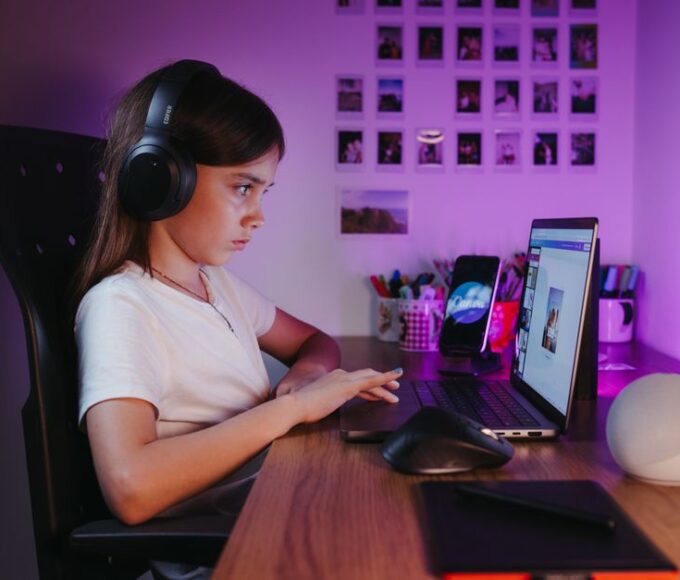
Parents can determine if an online game is safe for children by checking official age ratings from organizations like PEGI (Europe and Latin America) or ESRB (North America). These ratings indicate content suitability, not difficulty. Beyond ratings, look for strong parental control options within the game or console, assess in-game communication features, and research reviews from other parents. Understanding how the game handles user-generated content and in-app purchases is also crucial for ensuring a safe and positive experience.
For many parents, the digital world can feel a bit like the Wild West. Your kids want to play the same games their friends are talking about – whether it’s building elaborate worlds in Minecraft, teaming up in Fortnite, or exploring countless user-created experiences in Roblox. It’s natural to want your children to have fun and connect with friends, but the thought of what they might encounter online can be a source of real anxiety. We want to ensure they’re engaging with safe online games for kids, but sometimes knowing where to start feels overwhelming.
It’s not just about what they see on screen; it’s also about who they interact with and the financial implications of in-game purchases. With new games constantly emerging and online environments evolving, staying on top of what’s truly safe and appropriate requires a bit of research and a proactive approach. The good news is, with the right information and tools, you can confidently guide your children toward engaging and safe online gaming experiences.

Getting Started: A Quick Checklist for Safe Gaming
Before diving deep, here’s a rapid-fire checklist to help you evaluate potential games and set up a safer environment:
- Check Age Ratings: Always start with PEGI (Europe, Brazil, etc.) or ESRB (US, Canada, Mexico) for content guidance.
- Research the Game: Don’t just rely on the box. Watch gameplay videos, read parent reviews, and understand the core mechanics.
- Review Communication Features: Does the game allow open chat? Voice chat? Is it moderated?
- Understand In-App Purchases: Are there microtransactions? Loot boxes? How prominent are they?
- Explore Parental Controls: Most consoles and games offer built-in tools. Learn them, use them.
- Play Together (Initially): Join your child for a few sessions to see the game firsthand.
- Set Clear Rules: Establish boundaries around screen time, what information to share, and reporting bad behavior.
- Keep the Conversation Open: Encourage your child to talk about their online experiences, both good and bad.
Understanding Game Ratings: Your First Line of Defense
Game ratings are designed to be your primary tool for understanding content suitability. Think of them like movie ratings, but for interactive experiences. It’s a common mistake for parents to assume a low number rating means the game is easy; instead, it indicates content deemed appropriate for that age group. Different regions have different rating systems, and it’s essential to familiarize yourself with the one relevant to where you live.
PEGI (Pan European Game Information)
For parents in Europe and many parts of South America, PEGI is the standard. You’ll see numerical ratings like PEGI 3, PEGI 7, PEGI 12, PEGI 16, and PEGI 18. Crucially, PEGI also uses content descriptors, which are small icons indicating specific elements like violence, bad language, fear, sex, drugs, discrimination, gambling, and in-game purchases. For example, a PEGI 7 game with a ‘violence’ descriptor means it contains mild, non-realistic violence. A PEGI 12 game with a ‘gambling’ descriptor warns about elements simulating gambling.
ESRB (Entertainment Software Rating Board)
In North America (the United States, Canada, and Mexico), the ESRB system is prevalent. Their ratings include Everyone (E), Everyone 10+ (E10+), Teen (T), Mature (M), and Adults Only (AO). Similar to PEGI, ESRB provides content descriptors like ‘Fantasy Violence,’ ‘Mild Language,’ ‘Blood,’ ‘Drug Reference,’ and ‘In-Game Purchases’ to give parents a more detailed picture. For example, a game rated ‘T for Teen’ with ‘Fantasy Violence’ and ‘Mild Language’ descriptors tells you exactly what kind of content to expect.
Why Ratings Aren’t Enough (But Are Still Essential)
While ratings are invaluable for understanding a game’s inherent content, they don’t cover everything. They typically don’t account for online interactions, user-generated content, or the persuasive design of in-app purchases. This is where your further research and active involvement come in. Think of ratings as the foundational step in choosing safe online games for kids.
Diving Into the Game: Research and Community Insight
Once you’ve checked the official rating, it’s time to dig a little deeper. The internet is a vast resource, and leveraging it can provide invaluable insights into a game’s actual online environment.
Watch Gameplay Videos and Read Reviews
YouTube and Twitch are full of gameplay videos. Watching a few minutes can give you a much clearer picture of the game’s tone, mechanics, and typical player interactions than any description. Look for videos that feature younger players or parent reviews. Websites like Common Sense Media (which operates globally) offer reviews specifically from a parent’s perspective, often highlighting safety concerns, educational value, and age appropriateness beyond just the official ratings.
Uninterrupted Entertainment: The Best Games to Play Offline During Flights and Train Trips
Consider popular games like Minecraft. While rated E10+ by ESRB and PEGI 7, its online multiplayer servers vary wildly. Some are tightly moderated family-friendly realms, while others are open to all ages and content. Reading reviews and understanding specific server types is key here.
Understand In-Game Communication and Social Features
Many online games for kids thrive on social interaction. This can be a wonderful way for children to connect, but it’s also where risks can emerge. Ask these questions:
- Text Chat: Is it filtered for inappropriate language? Can players send private messages?
- Voice Chat: Is it an option? Can it be turned off? Are there age restrictions?
- Friend Requests: Can anyone send a friend request, or only mutual friends?
- User-Generated Content (UGC): Games like Roblox are built entirely on UGC. While fantastic for creativity, it means content quality and appropriateness can vary significantly. Does the game have solid moderation systems for UGC?
For example, Fortnite has solid parental controls for voice chat, allowing parents to restrict communication to only friends, or even disable it entirely. Roblox also offers account settings where parents can limit who their child can chat with and what types of experiences they can access. It’s crucial to explore these settings.
The Power of Parental Controls: Your Digital Safety Net
Modern gaming platforms and many individual games offer a suite of parental controls designed to give you significant oversight. These tools are often underutilized but are essential for creating a safe gaming environment.
Console-Level Parental Controls
Major consoles like PlayStation, Xbox, and Nintendo Switch all have comprehensive parental control settings. These allow you to:
- Set Age Restrictions: Automatically block games above a certain PEGI or ESRB rating.
- Manage Screen Time: Set daily play limits or specific play schedules.
- Control Communication: Restrict or disable online chat features.
- Limit Spending: Require a password for all purchases or set spending limits for in-game content.
- Filter Web Browsing: If the console has a browser, you can often filter content.
Taking the time to set these up on each device your child uses is perhaps the most impactful step you can take. For example, a PlayStation in Buenos Aires, Argentina, will have similar parental control features to one in Berlin, Germany, although the regional content available might differ slightly.
In-Game and Platform-Specific Controls
Beyond consoles, many popular online games and platforms also have their own parental controls. Roblox, as mentioned, allows parents to restrict communication and content. Minecraft realms can be set up privately. Understanding these layers of control is key. A common mistake is only setting controls on the console and forgetting about the game-specific settings, which can sometimes override or complement the console’s settings.

Navigating In-App Purchases and Microtransactions
In-app purchases (IAPs) and microtransactions are pervasive in many free-to-play online games. While they fund game development, they can also lead to unexpected costs and potentially exploit impulsive behaviors. Many games offer ‘loot boxes’ or ‘gacha mechanics’ which are essentially gambling-like systems designed to entice players to spend money for a chance at rare virtual items. Regulations around these are tightening, particularly in Europe, with countries like Belgium having stricter laws regarding loot boxes.
Strategies for Managing Spending:
- Disable Purchases: Use parental controls on your console or device to require a password for all purchases. This is the simplest and most effective method.
- Set Spending Limits: Some platforms allow you to set a monthly spending limit for your child’s account.
- Use Gift Cards: If you allow purchases, consider using gift cards for specific platforms (e.g., Xbox gift cards, PlayStation Store cards) to control the budget directly.
- Educate Your Child: Explain how in-game purchases work and the value of real money. Help them understand that virtual items often have no real-world value.
Open Communication: Your Best Tool for Online Safety
No technological safeguard can replace an open, trusting relationship with your child. This is arguably the most important aspect of ensuring safe online games for kids.
Talk About Online Experiences
Regularly ask your children about the games they are playing. Who are they playing with? What are they building, achieving, or exploring? What’s fun about it? What challenges do they face? This open dialogue helps you stay informed and makes them more likely to come to you if they encounter something uncomfortable or inappropriate.
Mobile Gaming Trends: What’s Hot in Latin America, Europe, and North America?
Establish Clear Ground Rules
Work with your children to set clear rules about online gaming, including:
- Screen Time Limits: How much time can they play each day or week?
- Information Sharing: Never share personal information like their real name, age, school, or location with strangers online.
- Reporting Bad Behavior: Teach them how to use in-game reporting tools and to tell you immediately if someone says or does something that makes them uncomfortable.
- Appropriate Conduct: Remind them to be kind and respectful to other players.
These conversations should be ongoing, adapting as your children grow and their gaming interests evolve. Remember, you’re not just restricting; you’re educating and empowering them to navigate the digital world responsibly.
FAQ: Common Questions About Safe Online Games
How can parents tell if an online game is safe for children?
Parents can assess game safety by checking official age ratings (PEGI for Europe/Latin America, ESRB for North America), researching online reviews and gameplay videos, and understanding the game’s communication features. It’s also vital to explore available parental controls on consoles and within the game itself to manage content, interaction, and spending. Open communication with your child about their online experiences is key.
What are the key features to look for in parental controls for gaming?
Key parental control features include the ability to set age restrictions on content, manage screen time with daily limits or schedules, restrict or disable online chat and voice communication, and control or password-protect in-app purchases. Many systems also offer reporting tools for inappropriate content or behavior, giving parents comprehensive oversight.
How do age ratings like PEGI and ESRB help parents choose safe online games?
PEGI and ESRB ratings provide an initial content guide, indicating the minimum age considered appropriate based on themes, language, and violence. They also feature content descriptors (icons or short phrases) that detail specific elements like ‘violence,’ ‘bad language,’ or ‘in-game purchases.’ While not a complete solution, they are an essential first step in evaluating a game’s suitability for children.
Is it necessary to play online games with my child to ensure their safety?
While not strictly necessary for every game, playing with your child, especially when they start a new online game, is highly recommended. It allows you to observe interactions, understand game mechanics, and see the online environment firsthand. This shared experience fosters communication and makes it easier for your child to discuss any uncomfortable situations they might encounter.
What should I do if my child encounters inappropriate content or harassment online?
If your child encounters inappropriate content or harassment, the first step is to listen calmly and assure them it’s not their fault. Next, utilize the game’s built-in reporting features to report the player or content. Block the offending user if possible. Document the incident with screenshots if appropriate. Finally, reinforce your family’s rules about online conduct and reassure your child that they did the right thing by telling you.
Key Takeaways for Choosing Safe Online Games
Navigating the world of online games for kids doesn’t have to be a source of constant worry. By taking a proactive and informed approach, you can ensure your children have positive and engaging experiences. Remember that a combination of tools and strategies works best.
Start with the official age ratings – whether it’s PEGI in Europe and Latin America or ESRB in North America – as your foundational guide. Always dig deeper by researching the specific game, watching gameplay, and reading parent reviews. These steps will give you practical insights into the game’s actual online environment and community.
Leverage parental controls diligently. Console and in-game settings are powerful tools that allow you to manage screen time, restrict communication, and control spending on in-app purchases. Don’t underestimate their effectiveness. Most importantly, foster an environment of open communication with your child. Encourage them to talk about their online experiences, good or bad, and ensure they know they can always come to you with concerns without fear of judgment. This ongoing dialogue is your most solid defense against online risks.
For more insights and helpful resources on keeping your family safe in the digital world, explore more gaming guides on Le Daily Post.