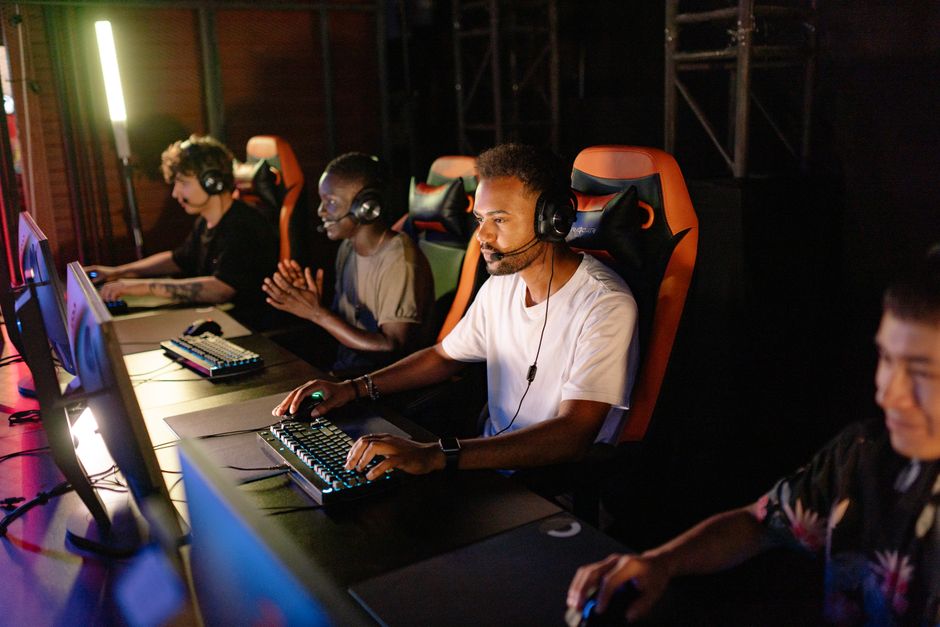
We’ve all been there: logging into a new multiplayer game, excited to team up, only to be met with an instant barrage of aggressive comments, unsolicited advice, or worse, outright harassment in public chat. It sours the experience, makes you question why you even bothered, and often pushes you back to single-player escapism. For many PC gamers, especially those across Europe, North America, and South America, the dream of a truly social online gaming experience often clashes with the reality of widespread toxicity. But what if there was a way to make gaming more social without toxic chats, fostering genuine connections instead of enduring abuse?
It’s not just a pipe dream; it’s a practical goal achievable with a bit of intentionality and the right strategies. Forget the idea that ‘toxicity is just part of online gaming.’ By being proactive, leveraging existing tools, and building the right communities, you can absolutely enjoy the camaraderie of multiplayer games without the constant dread of encountering negativity. Let’s look at how to realistically improve your online interactions into something genuinely positive.

Building Your Sanctuary: Curated Friend Groups and Private Channels
The simplest, most effective way to avoid toxic public chats is to bypass them entirely. This means focusing your social gaming efforts on private, pre-vetted groups. Think of it less as avoiding people and more as carefully selecting your company, just like you would in real life.
Recruit From Within Existing Circles
Start with people you already know and trust. Friends, family, or colleagues who also game are your safest bet. If they don’t play your current favorite title, introduce them! A common scenario is getting a group of friends together for a game that one person enjoys, like diving into Helldivers 2 with your mates or building bases in Rust on a private server. The shared history and trust automatically create a positive environment. Many players in Germany or Brazil, for instance, often form WhatsApp groups to coordinate gaming sessions, ensuring everyone joining a lobby is already familiar.
Leverage Trusted Communities and LFG Tools
Beyond immediate friends, look for established, moderated communities. Discord is king here. Search for Discord servers dedicated to specific games you play, but critically, prioritize those with clear rules, active moderation, and an application process or vetting system. Many communities in the UK or Canada, for example, have strict codes of conduct and channel structures that promote healthy interaction. Similarly, in-game LFG (Looking For Group) features, particularly those on Xbox or Steam, often allow you to specify preferred communication styles or even a ‘no mic’ preference, filtering out potential toxicity. For instance, the Xbox ‘Looking For Group’ feature allows you to specify ‘Party Chat Only’ or ‘Casual,’ which helps avoid random voice chat encounters.
Smart Communication: Using Mics and Text Chat Strategically
Communication is essential for most multiplayer games, but how and where you communicate makes all the difference.
Party Chat and Private Voice Channels
If you’re playing with your curated friend group, always use private party chat. On Xbox, this is built-in. For PC gamers using Steam, Discord is the go-to. Set up a private voice channel for your group. This ensures that only your trusted friends can hear or speak to each other, completely bypassing the potential for public in-game voice chat toxicity. This approach is widely adopted by competitive gamers in North America and casual players in France alike, as it offers a clean, focused communication line.
Pinging and Emotes Over Public Text
Many games offer solid non-verbal communication systems. Utilize these! Pinging locations, using contextual emotes, or even pre-set quick messages can convey critical information without needing to type a single word into public chat. In games like League of Legends or Valorant, the ping system is incredibly powerful and often sufficient for strategic communication. This is especially useful in regions like South America where language barriers can sometimes exacerbate miscommunication in public text chats.
PC vs Console vs Handheld: Which Gaming Setup Fits Your Lifestyle?

Platform-Specific Tools: Xbox Game Pass, Steam, and Beyond
Major gaming platforms offer a suite of tools designed to manage your online experience. Knowing and using them is crucial.
Xbox and Game Pass Features
- Block and Report: The most immediate defense. If someone is being toxic, block and report them. Xbox takes these reports seriously, and repeat offenders face consequences.
- Party Invites: Only accept party invites from people you know or trust. Public party invites are often breeding grounds for uninvited toxicity.
- Privacy Settings: Dive into your Xbox privacy settings. You can restrict who can send you messages, who can join your game sessions, and even who can see your online status. Set your preferences to ‘Friends Only’ for most communication options to significantly reduce unwanted interactions.
Steam’s Community Controls
- Friends List: Carefully curate your Steam friends list. Only add people you genuinely want to interact with.
- Mute Options: Most games on Steam integrate Steam’s friend and chat systems. Learn how to mute specific players in-game, either through the scoreboard or a dedicated menu option.
- Community Hubs: While official Steam community hubs can be public, many developers host private forums or Discord links from there. Use these as jumping-off points to find more controlled environments.
- Group Invites: Similar to Xbox, be selective about Steam group invites. Many groups exist purely for trade or specific game events, but some can be less moderated.
In-Game Moderation and Player Tools
Beyond platform-level tools, many individual games offer excellent features:
- Mute All/Voice Chat Off: The nuclear option, but sometimes necessary. Many games, like Call of Duty titles, allow you to mute all voice chat with a single click.
- Text Chat Filters: Enable profanity filters. While not perfect, they catch a lot of common abusive language.
- Reputation Systems: Some games implement a ‘karma’ or ‘reputation’ system. Actively give positive feedback to good teammates and avoid negative marks unless truly warranted. This subtly helps foster a better community over time.
The Mindset Shift: Proactive Community Building
Ultimately, making gaming more social without toxic chats isn’t just about avoiding bad actors; it’s about actively building and participating in positive spaces. It requires a mindset shift from passively accepting whatever the internet throws at you to proactively shaping your own experience.
Be the Change You Want to See
If you see a new player struggling, offer help constructively. If someone makes a good call, praise them. Your positive contributions can subtly influence the tone of a game session, especially if you’re playing with randoms. Even a simple ‘Good job team!’ can cut through the tension of a rough match. This is particularly effective in team-based games popular across North America, where morale can dictate performance.
Seek Out Niche Groups and Events
Sometimes, smaller, more focused communities offer a better experience. Look for groups that organize specific events, like weekly co-op runs, themed role-playing sessions, or even charity streams. These tend to attract players with shared interests beyond just the game itself, fostering deeper connections. Think about how players in Europe might organize a specific Elder Scrolls Online guild event or a local Minecraft server based on shared interests.
The journey to make gaming more social without toxic chats is an ongoing one, but with these strategies, you can improve your online interactions. It’s about being intentional, leveraging the solid tools available on platforms like Xbox and Steam, and committing to building positive communities around the games you love.
Frequently Asked Questions About Social Gaming Without Toxic Chat
Can I really enjoy multiplayer games without engaging in public voice or text chat?
Absolutely. Many gamers successfully enjoy multiplayer titles by relying on private party chats, in-game ping systems, and coordinated external communication like Discord with trusted friends. Games often provide enough non-verbal communication tools for effective teamwork, making public chat optional for a great experience.
How Parents Can Choose Safe Online Games for Kids: A Practical Guide
What are the best platforms for finding non-toxic gaming communities?
Discord is generally considered the best platform for finding and creating non-toxic gaming communities due to its solid moderation tools and ability to create private servers. Many official game communities, and even smaller niche groups, use Discord to foster positive environments with strict rules against toxicity.
Does Game Pass offer specific features to help avoid toxic players?
Yes, Game Pass games often integrate with Xbox’s platform-level features. This includes strong privacy settings to control who can communicate with you, the ability to easily block and report disruptive players, and the ‘Looking For Group’ feature which allows you to specify preferred communication and playstyles.
Are there any specific games known for having less toxic communities?
While toxicity can exist anywhere, cooperative-focused games like Deep Rock Galactic, Factorio, and many MMORPGs (especially within established guilds) often have more welcoming communities. Games where success heavily relies on collaboration rather than direct competition tend to foster better behavior.
How can I encourage my existing friend group to adopt these non-toxic communication strategies?
Start by leading by example. Always default to private party chat. Politely suggest using pings over public text, or creating a dedicated Discord channel for your group. Frame it as improving focus and fun, rather than just avoiding toxicity, and most will likely be on board.
What if I encounter toxicity despite taking precautions?
If you encounter toxicity, immediately use the in-game or platform’s mute and report functions. Do not engage with the toxic player. Engaging often escalates the situation. Focus on enjoying the game and connecting with positive players; your peace of mind is more valuable.
In summary, while the online gaming world can sometimes feel overwhelming with its challenges, you have significant power to shape your own experience. By being deliberate about who you play with, how you communicate, and leveraging the tools at your disposal, you can truly make gaming more social without toxic chats. It’s about making conscious choices to foster positive connections and enjoy the games you love in a healthier environment.
Discover more gaming guides on Le Daily Post.