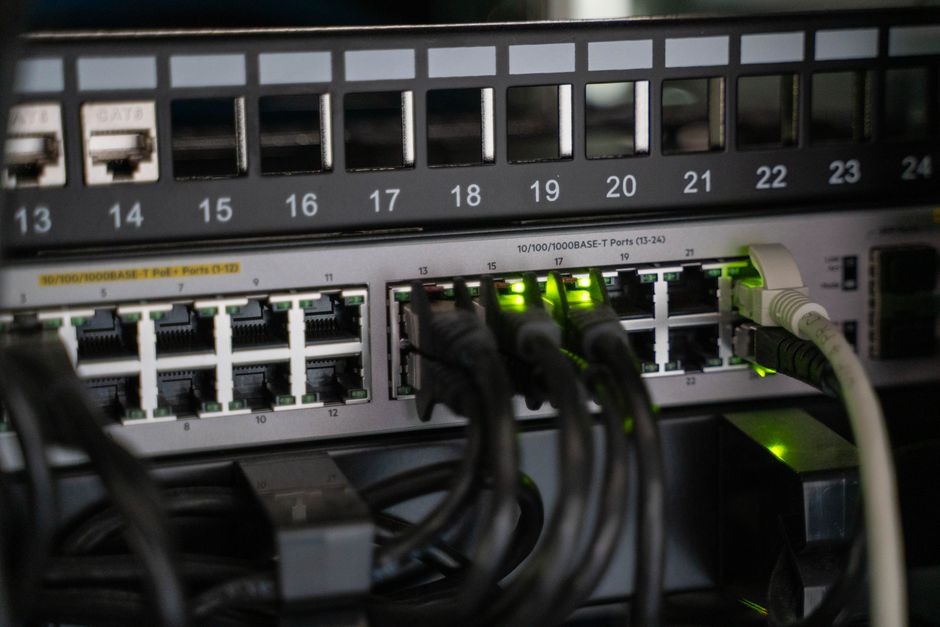
When choosing a router for apartments with thick walls, the primary consideration should be a mesh Wi-Fi system. Traditional single routers often can’t penetrate dense materials like concrete or brick effectively, leading to poor coverage and dead zones. A mesh system, like those from Eero or TP-Link Deco, uses multiple units strategically placed throughout your home to create a unified network, extending reliable signal to every corner. Look for systems that support Wi-Fi 6 or Wi-Fi 7 for optimal performance, especially in congested urban environments.
Getting reliable Wi-Fi in an apartment, especially one with thick concrete or brick walls, can be a real headache. Standard routers often struggle to push signals through these obstacles, leading to dead zones and frustratingly slow speeds. Before you choose a router for apartments with thick walls, it’s crucial to understand how different technologies handle interference and what features truly matter for your living space. This guide cuts through the tech jargon to help you pick the right equipment.
Many apartment buildings, particularly older ones in cities across Europe, North America, and South America, were constructed with materials designed for sound dampening and structural integrity, not Wi-Fi signal propagation. This often means that a single, powerful router, while effective in open-plan homes, can fall short when faced with multiple dense barriers. The good news is that modern networking solutions are specifically designed to tackle these challenges.

In practice, the key to overcoming thick walls isn’t necessarily a ‘more powerful’ single router (which can run into regulatory power limits anyway), but rather a smarter distribution of Wi-Fi signals. This is where mesh Wi-Fi systems shine.
Understanding the Challenge: Why Thick Walls Kill Wi-Fi
Wi-Fi signals are essentially radio waves. Like any radio wave, they struggle to pass through dense materials. Concrete, brick, plaster, and even metal studs commonly found in apartment walls act like signal sponges or blockers. Each wall your Wi-Fi signal has to penetrate degrades its strength, reducing speed and range. Imagine trying to shout through several closed doors – your voice gets weaker and less clear with each one. Wi-Fi works similarly.
The Difference Between 2.4 GHz and 5 GHz Bands
Most modern routers operate on two primary frequency bands: 2.4 GHz and 5 GHz.
- 2.4 GHz: This band has a longer wavelength, meaning it can penetrate walls more effectively than 5 GHz. However, it’s also more susceptible to interference from other devices (like microwaves, cordless phones, and Bluetooth) and offers slower maximum speeds. In a dense apartment complex, the 2.4 GHz band is often very congested due to neighbors’ networks.
- 5 GHz: This band offers much faster speeds and less interference, but its shorter wavelength means it’s easily blocked by walls and other obstacles. It has a shorter effective range.
When you’re trying to choose a router for apartments with thick walls, you’ll often find a compromise: 2.4 GHz offers better penetration but slower speeds, while 5 GHz offers speed but poor penetration. A good solution tries to leverage the strengths of both.
Mesh Wi-Fi Systems: The Go-To Solution for Challenging Spaces
For most apartments with thick walls, a mesh Wi-Fi system is hands down the best approach. Instead of one central router broadcasting a signal, a mesh system uses multiple nodes (often called satellites or points) that communicate with each other to create a single, unified Wi-Fi network. These nodes are placed strategically throughout your apartment, ensuring consistent coverage.
How Mesh Systems Work and Why They’re Superior
Each node in a mesh system acts as a repeater and an access point. The main router connects to your internet service provider (ISP) modem, and the other nodes wirelessly extend the signal. When you move around your apartment, your devices automatically switch to the node with the strongest signal without you having to manually reconnect. This is particularly useful in multi-level apartments or those with unusual layouts common in older buildings found in cities like Buenos Aires or Rome.
Popular mesh systems include:
- Eero (Amazon): Known for its simplicity and reliable performance. Eero Pro 6E offers Wi-Fi 6E, while newer models will support Wi-Fi 7.
- Google Nest Wifi: Integrates well with the Google ecosystem, offering smart speaker functionality in some nodes.
- TP-Link Deco: Offers a range of options from budget-friendly to high-performance Wi-Fi 6 and Wi-Fi 7 models.
- Netgear Orbi: Often uses a dedicated backhaul channel (a separate wireless connection between nodes) for even better performance, which can be critical for speed in a home office setup.
When selecting a mesh system, consider the number of nodes you’ll need. For a typical two-bedroom apartment with thick walls, a 2-pack or 3-pack system is usually a good starting point. You can almost always add more nodes later if you find dead zones persist.
What About Traditional Routers and Range Extenders?
While mesh systems are often ideal, some people might wonder about other options.
High-Powered Traditional Routers
A single, very powerful traditional router might seem like a solution, but its effectiveness is often limited by physics and regulations. While some gaming routers boast impressive range, thick walls will still degrade the signal significantly. You might get a strong signal near the router, but it will drop off sharply through a concrete wall. Furthermore, transmitting power is regulated to prevent interference with other devices and networks, meaning a router can only be so ‘powerful’ before it hits legal limits.
Wi-Fi Range Extenders (Repeaters)
Range extenders are simpler devices that pick up an existing Wi-Fi signal and re-broadcast it. The problem with extenders is twofold: they often cut your Wi-Fi speed in half (because they use the same radio to receive and transmit), and they create a separate network name, forcing your devices to manually switch. They can also amplify a weak signal, which doesn’t improve its quality or speed. While they are cheaper, they rarely provide a satisfactory experience when you need a router for apartments with thick walls.
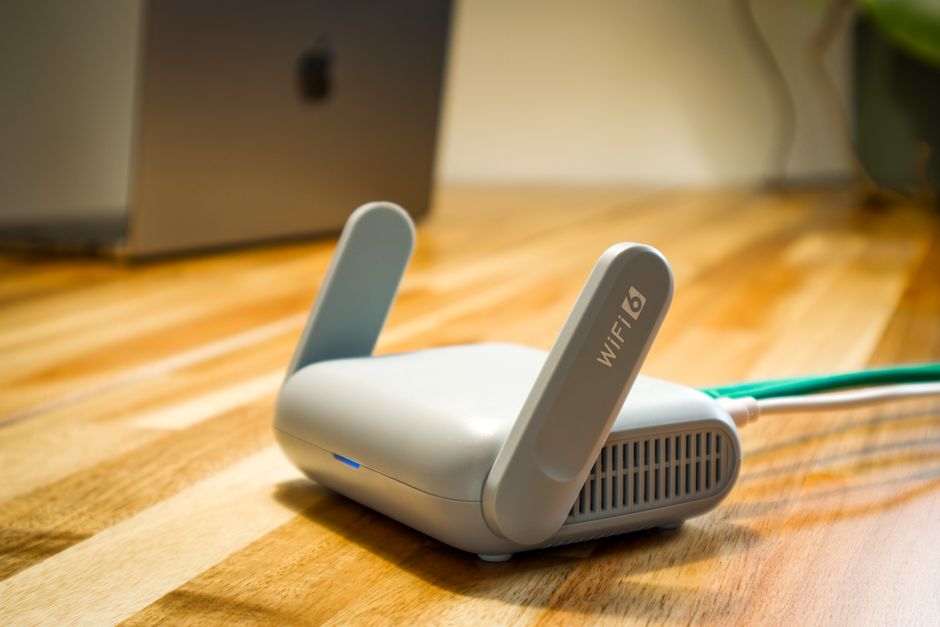
Key Features to Look For in a Router for Apartments With Thick Walls
Beyond the mesh architecture, several other features are important:
Wi-Fi Standards: Wi-Fi 6, Wi-Fi 6E, and Wi-Fi 7
- Wi-Fi 6 (802.11ax): This is the current standard found in most new devices. It offers better performance in congested environments, higher speeds, and improved efficiency compared to Wi-Fi 5 (802.11ac). It’s an excellent choice for apartments with many connected devices.
- Wi-Fi 6E: Extends Wi-Fi 6 by adding support for the 6 GHz band. This band is far less congested than 2.4 GHz or 5 GHz, offering incredibly fast speeds with minimal interference. If your apartment is in a densely populated area, Wi-Fi 6E can be a significant upgrade, assuming your devices also support it.
- Wi-Fi 7 (802.11be): The newest standard, also known as Ultra-High Reliability and Throughput (UHRT), is just starting to appear in premium devices. It promises even greater speeds, lower latency, and better efficiency, especially for demanding applications like VR and 8K streaming. For those who want to future-proof their network, especially if they plan to live in the apartment for a long time, Wi-Fi 7 is worth considering.
While Wi-Fi 7 is exciting, most users will find Wi-Fi 6 or 6E perfectly adequate for their needs right now. Remember that older devices won’t automatically benefit from newer Wi-Fi standards; they will connect at their highest supported standard.
MU-MIMO and Beamforming
- MU-MIMO (Multi-User, Multiple-Input, Multiple-Output): This technology allows a router to communicate with multiple devices simultaneously, rather than one at a time. This significantly improves efficiency and speed, especially in households with many connected gadgets.
- Beamforming: Instead of broadcasting Wi-Fi signals in all directions equally, beamforming directs the signal towards your connected devices. This focuses the signal strength, improving range and performance.
Ethernet Ports for Wired Connections
Even with great Wi-Fi, wired connections are always faster and more reliable. Look for mesh nodes that include Gigabit Ethernet ports. You can use these to connect devices like smart TVs, gaming consoles, or desktop PCs directly to the network, freeing up Wi-Fi bandwidth for mobile devices. Many ISPs in Europe, for example, recommend wired connections for their highest-tier internet plans to ensure maximum performance.
Setting Up Your Router for Apartments With Thick Walls
Once you’ve chosen your system, placement is critical. Here are a few tips:
- Central Placement: Start by placing the main router in as central a location as possible.
- Strategic Node Placement: Position mesh nodes about halfway between the main router and any known dead zones. Try to avoid placing them directly behind thick walls if possible. Instead, place them in doorways or hallways that lead into problem areas.
- improve Your Router: Place the router and nodes on shelves or desks, not directly on the floor. Obstacles like furniture can also impede signals.
- Avoid Obstructions: Keep your router and nodes away from large metal objects, aquariums, and other electronics that might cause interference.
Many mesh systems have companion apps that help you find optimal placement by showing signal strength readings for each node.
USB-C Confusion: Cables, Chargers, and What Actually Matters
Security Considerations: Protecting Your Apartment Network
Your home Wi-Fi is your first line of defense against online threats. Ensure your router supports WPA3 encryption, which is more secure than older WPA2. Always change the default administrator password to something unique. Speaking of passwords, for managing all your online accounts, a good password manager like 1Password or Bitwarden is invaluable. It helps you create and store strong, unique passwords for everything, from your Wi-Fi settings to your Microsoft account login.
Regularly update your router’s firmware. Manufacturers like Linksys, Asus, and Ubiquiti frequently release updates that patch security vulnerabilities and improve performance. Treat your router like any other piece of critical software – keep it updated.
FAQ: Routers for Apartments
What is the best type of router for a large apartment with thick walls?
For large apartments with thick walls, a mesh Wi-Fi system is highly recommended. These systems use multiple access points to blanket your entire living space with a strong, consistent Wi-Fi signal, effectively bypassing the limitations of a single router trying to penetrate dense construction materials.
Can a Wi-Fi 7 router improve connectivity through concrete walls?
While Wi-Fi 7 offers significant speed and efficiency improvements, it doesn’t fundamentally change how radio waves penetrate physical barriers like concrete. The primary benefit of Wi-Fi 7 is its capacity and speed in clear line-of-sight. For thick walls, a multi-node mesh system (even if it’s Wi-Fi 6 or 6E) will be more effective than a single Wi-Fi 7 router.
How many mesh nodes do I need for a 1000 sq ft apartment with thick walls?
For a 1000 sq ft apartment with thick walls, a 2-pack or 3-pack mesh system is typically a good starting point. The exact number depends on the wall materials and layout. You might place one node near the modem and the others strategically in areas that need better coverage, such as a bedroom or home office.
Do I need a special modem for a mesh Wi-Fi system?
No, you generally don’t need a special modem for a mesh Wi-Fi system. Your existing cable, fiber, or DSL modem will work fine. Most mesh systems connect to your modem and then create their own Wi-Fi network. If your modem is also a router, you might want to put it into ‘bridge mode’ to avoid network conflicts, though many mesh systems can handle this automatically.
Are there specific brands better for thick walls?
Brands like Netgear Orbi, Eero, and TP-Link Deco are consistently praised for their mesh systems that excel in challenging environments. The ‘best’ brand often comes down to budget, specific features, and ecosystem preference. Focus on a system with dedicated backhaul or strong 6 GHz band support if available.
Can I use my existing router as part of a mesh system?
Generally, no. Most mesh systems are proprietary, meaning you need to buy nodes from the same brand to expand the network. While some newer standards like EasyMesh aim for interoperability, it’s not widely supported across all consumer devices yet. Your existing router would likely need to be replaced by the main mesh node.
Final Thoughts on Choosing Your Apartment Router
Navigating the world of home networking can feel daunting, but when faced with the specific challenge of thick apartment walls, understanding the core principles makes the decision much clearer. A mesh Wi-Fi system is almost always the most effective and least frustrating solution. By prioritizing Wi-Fi 6 or 6E (or Wi-Fi 7 for future-proofing) and strategic placement, you can improve your internet experience from spotty and slow to fast and reliable, even in the most challenging environments. Don’t let thick walls dictate your connectivity.
Ready to dive deeper into tech solutions for your home and office? Read more useful technology guides on Le Daily Post.