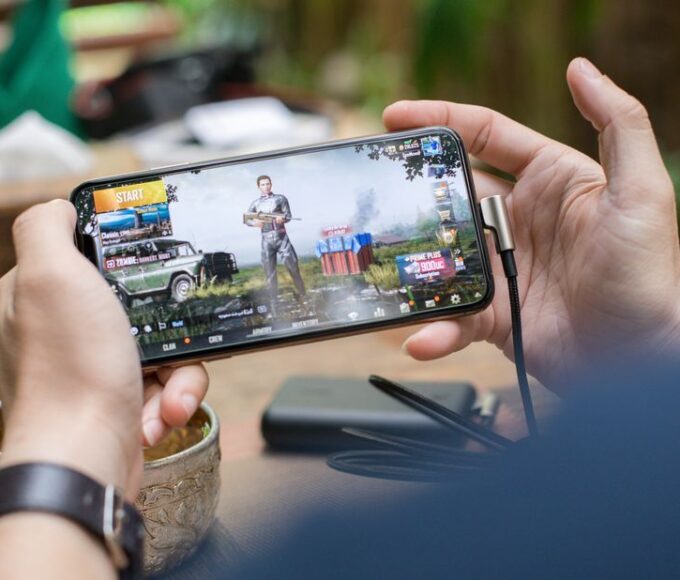
To effectively avoid in-game spending traps, parents should implement a multi-pronged approach that combines robust parental controls on gaming platforms like Steam and console storefronts, establishing clear family rules about microtransactions, and fostering open communication with children about the value of money. Limiting access to payment methods, utilizing gift cards for controlled spending, and understanding the psychological tactics games employ are also crucial. These strategies help manage gaming budgets and prevent impulse purchases, empowering parents to maintain control over their children’s digital spending habits across various popular games and platforms.
It’s a familiar scenario for many parents: a child’s intense request for the latest V-Bucks bundle in Fortnite, the discovery of unexpected charges on a credit card statement linked to a mobile game, or the subtle pressure to buy ‘skins’ to fit in with friends online. The world of digital games, while offering incredible entertainment, is also a sophisticated ecosystem designed to encourage spending. Microtransactions, battle passes, and cosmetic upgrades are now central to many popular titles, and understanding how to navigate this without breaking the bank or creating constant conflict is a real challenge for families.
Successfully managing this means more than just saying ‘no.’ It requires proactive strategies, open communication, and an understanding of how these systems work. Our goal here is to help you avoid in-game spending traps, providing practical, actionable advice that allows your children to enjoy their games while keeping your finances – and your sanity – intact.

Understanding the Allure: Why Kids Want to Spend
Before we dive into solutions, it’s important to grasp the underlying appeal. Kids aren’t just spending impulsively; they’re often responding to social pressures, the thrill of customization, or the desire for perceived advantages. Games like Fortnite, for instance, excel at creating a sense of urgency and exclusivity around new ‘skins’ and emotes. If ‘everyone’ has the new Travis Scott skin, a child naturally wants it too. This isn’t just about showing off; it’s about social belonging within their digital community.
Other games, particularly those on mobile, might use ‘energy’ systems or ‘wait timers’ that can be bypassed with a small purchase, creating a direct link between spending and continued play. This is particularly prevalent in free-to-play titles. The psychological engineering behind these systems is incredibly sophisticated, drawing on behavioral economics to encourage repeated, small purchases that quickly add up. Recognizing these tactics is the first step in helping your children – and yourself – resist them.
The Power of FOMO (Fear Of Missing Out) and Scarcity
Many games leverage FOMO by introducing limited-time offers, seasonal battle passes, or daily shop rotations. This creates a sense that if you don’t buy something now, you might miss out forever. For children, whose perception of time and value is still developing, this can be incredibly potent. A ‘Black Friday’ sale on an in-game currency might seem like a great deal, but it’s still spending money that wasn’t budgeted for.
Social Status and Customization
In multiplayer games, a unique character skin or a rare item isn’t just cosmetic; it’s a social signal. It shows dedication, success, or simply that you have the ‘coolest’ gear. For many kids, expressing individuality through their in-game avatar is as important as their real-world clothing choices. Understanding this intrinsic desire helps parents empathize, even as they set boundaries.
Practical Steps to Avoid In-Game Spending Traps
The good news is that there are many effective strategies to implement. These range from technical controls to open family discussions, and a combination of approaches usually works best.
Manage Screen Time Without Turning Games Into a Fight in Real Life
1. Secure Your Payment Methods and Enable Parental Controls
This is arguably the most critical technical step. Most gaming platforms offer solid parental control features designed to prevent unauthorized purchases. Whether your child plays on a console (PlayStation, Xbox, Nintendo Switch), a PC via platforms like Steam, or a mobile device, take the time to set these up.
- Console Controls: On Xbox, PlayStation, and Nintendo Switch, you can restrict purchases, require a password for every transaction, or set spending limits. For instance, on a Nintendo Switch, you can link family accounts and approve all eShop purchases from a parent’s device.
- Steam Settings: For PC gaming, Steam allows you to remove saved payment information and set up Family View, which can restrict access to the store or require a PIN for purchases. This is particularly useful as the Steam market for items can be quite active.
- Mobile App Stores: Both Apple’s App Store and Google Play Store have settings to require a password or biometric authentication for every purchase. Ensure these are enabled on any device your child uses.
- Remove Saved Cards: A simple but powerful deterrent is to remove all credit or debit card details from accounts children use. If a purchase requires re-entering card details, it creates a significant barrier.
2. Implement a ‘Gift Card Only’ Policy for In-Game Purchases
This is a highly effective way to manage spending. Instead of linking a credit card, only allow in-game purchases using gift cards for specific platforms or currencies (e.g., PlayStation Store cards, Xbox gift cards, Steam Wallet codes, V-Bucks cards). This approach has several benefits:
- Pre-Set Budget: You decide exactly how much money is available for spending. Once the card is used up, there are no more purchases until the next agreed-upon time.
- Teaches Budgeting: Children learn to prioritize their spending. If they have a $20 Steam card, they have to choose between that new cosmetic or saving for a bigger game.
- No Surprise Bills: Your credit card statement remains free of unexpected charges.
Many retailers in North America, Europe, and South America sell these physical and digital gift cards, making them easily accessible. For example, parents in France can find PlayStation Store cards at their local Fnac, while those in Brazil can pick up Xbox gift cards at Lojas Americanas.
3. Establish Clear Family Rules and Expectations
Technology alone isn’t enough. Children need to understand the ‘why’ behind the rules. Sit down and have an open conversation about in-game spending.
- Define ‘Allowance’ for Gaming: Decide if you will provide a specific allowance for in-game purchases and how often. Is it monthly? For birthdays only?
- Discuss Value: Help them understand that digital items often have no real-world resale value. A virtual sword, while cool, isn’t an investment like a physical toy might be.
- Consequences: Clearly outline the consequences of unauthorized spending, such as losing gaming privileges.

4. Monitor Account Activity and Be Aware of ‘Loot Boxes’
Even with controls in place, it’s wise to periodically check account purchase histories. Many platforms allow you to review all transactions. Furthermore, be particularly cautious about ‘loot boxes’ or ‘surprise mechanics.’
- What are Loot Boxes? These are virtual items that players can purchase with real money, but the contents are randomized. You don’t know what you’ll get until you open them. This gambling-like mechanic has faced scrutiny, particularly in Europe, with countries like Belgium banning certain types of loot boxes.
- Discuss the Odds: Explain to your child that loot boxes are designed to be addictive and that the chances of getting a desirable item are often very low. It’s like buying a lottery ticket for a digital sticker.
5. Leverage Game Pass and Similar Subscription Services
Services like Xbox Game Pass or PlayStation Plus Extra/Premium can be excellent value propositions that reduce the pressure for individual game purchases, and by extension, some in-game spending. For a single monthly fee, players get access to a large library of games.
- Xbox Game Pass: Offers hundreds of games for a monthly subscription. While some games might still have microtransactions, the core experience is often included, and the sheer volume of games reduces the need to buy new titles frequently. This is available globally, from Canada to Chile to Germany.
- PlayStation Plus: Similar to Game Pass, offering a rotating catalog of games.
By providing access to a wide variety of content, these services can often satisfy the desire for ‘new things’ without constant microtransaction prompts. Just be aware that some subscription games still heavily feature cosmetic purchases.
Regional Considerations: What Parents Should Know
While the core strategies remain consistent, some regional nuances are worth noting, especially concerning regulations and cultural approaches to spending.
Uninterrupted Entertainment: The Best Games to Play Offline During Flights and Train Trips
North America (USA, Canada, Mexico)
In North America, the self-regulatory approach by the gaming industry is prominent, though consumer protection groups and parents advocate for more stringent controls. Companies like Epic Games (Fortnite) and Valve (Steam) operate under broad terms of service. Parents here should be especially vigilant with platform-level controls and direct communication, as external regulations on microtransactions are less restrictive than in some parts of Europe.
Europe
Europe has seen more governmental intervention regarding in-game purchases, particularly concerning loot boxes. Countries like Belgium have outright banned loot boxes in some forms due to their resemblance to gambling. The UK, while not banning them, has had extensive discussions about classification. Parents in Europe may find local consumer protection agencies offer specific advice or resources related to gaming spending, and some game publishers are more transparent about odds in these regions to comply with regulations.
South America (Brazil, Argentina, Colombia)
In South America, gaming is hugely popular, and mobile gaming, often free-to-play with in-app purchases, is particularly prevalent. While specific regulations on microtransactions are less developed than in parts of Europe, consumer awareness is growing. Parents should rely heavily on setting strong parental controls on devices and app stores, as well as fostering open dialogue with children about digital spending. The affordability of in-game items can also be a factor, sometimes making smaller, frequent purchases seem less significant than they add up to be.
Frequently Asked Questions About In-Game Spending
What are microtransactions in games?
Microtransactions are small purchases made within a video game, often for virtual goods like cosmetic items (character skins, emotes), virtual currency, or time-savers. They are common in free-to-play games but also appear in full-price titles and are a primary revenue stream for many game developers.
How do I stop my child from buying V-Bucks in Fortnite?
To stop V-Bucks purchases, remove all payment methods from the Epic Games account and set up strong parental controls on the gaming platform (console, PC, mobile) that require a password for every transaction. Consider using a ‘gift card only’ policy for any V-Bucks spending to control the budget directly.
Can I get a refund for accidental in-game purchases on Steam?
Steam has a refund policy that often covers accidental in-game purchases, especially if the content hasn’t been used, and the request is made within a short timeframe (e.g., 48 hours for many items). You typically initiate the refund process directly through Steam Support, detailing the accidental purchase.
Are ‘loot boxes’ considered gambling?
The debate around whether ‘loot boxes’ constitute gambling is ongoing globally. Some jurisdictions, like Belgium, classify certain loot boxes as gambling due to their randomized nature and real-money cost. Others, including the UK, are reviewing the matter but haven’t universally classified them as such, leading to varied regulations.
What is Game Pass and how does it help avoid spending?
Xbox Game Pass is a subscription service that provides access to a large, rotating library of video games for a monthly fee. It helps avoid spending by reducing the need to purchase individual games, although many games within the service may still offer their own microtransactions or DLC that costs extra.
How can I teach my child about the value of money with in-game purchases?
Teach your child about the value of money by setting a fixed budget for in-game purchases, preferably through gift cards, and making them choose how to spend it. Discuss the difference between real money and virtual currency, explain opportunity cost, and distinguish between needs and wants regarding digital items.
Final Thoughts: A Balanced Approach is Key
Navigating the world of in-game spending doesn’t have to be a constant battle. By implementing a combination of technical controls, clear family rules, and open communication, you can effectively avoid in-game spending traps. Remember, the goal isn’t necessarily to ban all spending, but to manage it, teach financial literacy, and ensure that gaming remains a fun, healthy part of your child’s life without unexpected financial shocks. Empower yourself with these strategies, and you’ll be well on your way to a more controlled and enjoyable gaming experience for the whole family. Discover more gaming guides on Le Daily Post.