Managing screen time for games doesn’t have to devolve into a daily fight. The key is to establish clear, consistent boundaries, involve children in the rule-making process, and prioritize balance rather than outright restriction. By understanding the games your children play, utilizing parental controls on platforms like PlayStation or Nintendo Switch, and encouraging alternative activities, parents can foster healthy gaming habits. This approach helps children develop self-regulation and ensures that popular titles like Minecraft remain enjoyable without consuming their entire day, promoting a more harmonious family environment around technology use.
For many parents today, the phrase “screen time” often conjures up images of endless battles, hushed negotiations, and the pervasive glow of a tablet or console. It’s a challenge that spans continents, from bustling European cities to quiet North American suburbs and vibrant South American communities. You’re not alone if you’ve found yourself locked in a stalemate over another hour of Minecraft, or if the Nintendo Switch has become the de facto third parent in your household, constantly demanding attention. The truth is, games are a huge part of modern childhood, offering connection, creativity, and problem-solving, but balancing their appeal with real-world responsibilities and other activities can feel like navigating a minefield.
The goal isn’t to demonize games or declare war on them. Instead, it’s about finding a way to manage screen time without turning games into a fight in real life. It’s about creating a framework where games are enjoyed as part of a balanced life, not as the sole focus. This requires a shift in perspective, moving from an adversarial stance to one of partnership and understanding. Let’s explore practical strategies that work, acknowledging that every family dynamic is unique, but core principles remain universal.
A Quick Overview: Key Principles for Healthy Gaming Habits
Before diving into the specifics, here are some foundational principles to keep in mind when approaching the topic of gaming screen time with your children:
- Understand the ‘Why’: Why do your kids love these games? What social, creative, or challenge-based needs are they fulfilling?
- Collaborate, Don’t Dictate: Involve your children in setting rules. They’re more likely to follow rules they helped create.
- Be Consistent: Rules mean little without consistent enforcement. This is often the hardest part, but also the most crucial.
- Lead by Example: Your own screen habits matter. Kids watch and learn.
- Focus on Balance: It’s not just about limiting game time, but promoting other activities like outdoor play, reading, and family time.
- Educate Yourself: Learn about the games and platforms (e.g., PlayStation, Nintendo Switch) your kids use. Understand parental controls.
- Flexibility is Key: Life happens. Be prepared to adjust rules for special occasions or circumstances.
- Positive Reinforcement: Acknowledge and praise adherence to rules, rather than just punishing infractions.
Understand the Games and Platforms Your Kids Play
You wouldn’t send your child to an unknown location without knowing anything about it, right? The same logic applies to their digital playgrounds. Taking the time to understand the games and platforms your children are engrossed in is fundamental. This isn’t about becoming a hardcore gamer yourself, but rather gaining a foundational knowledge that allows for informed decisions and meaningful conversations.
Exploring the World of Minecraft
Take Minecraft, for example. It’s often more than just a game; it’s a creative sandbox, a social hub, and a problem-solving environment. Children can build elaborate structures, experiment with Redstone engineering, or embark on survival adventures with friends. Understanding that Minecraft fosters creativity and collaboration can help you see its value beyond just ‘screen time.’ Ask your child to show you what they’ve built or achieved. Play a round with them. You might be surprised at the complexity and ingenuity involved. Knowing this allows you to praise specific achievements, like ‘Wow, that castle you built is amazing!’ instead of just saying ‘Turn off that game.’
Navigating Consoles: PlayStation and Nintendo Switch
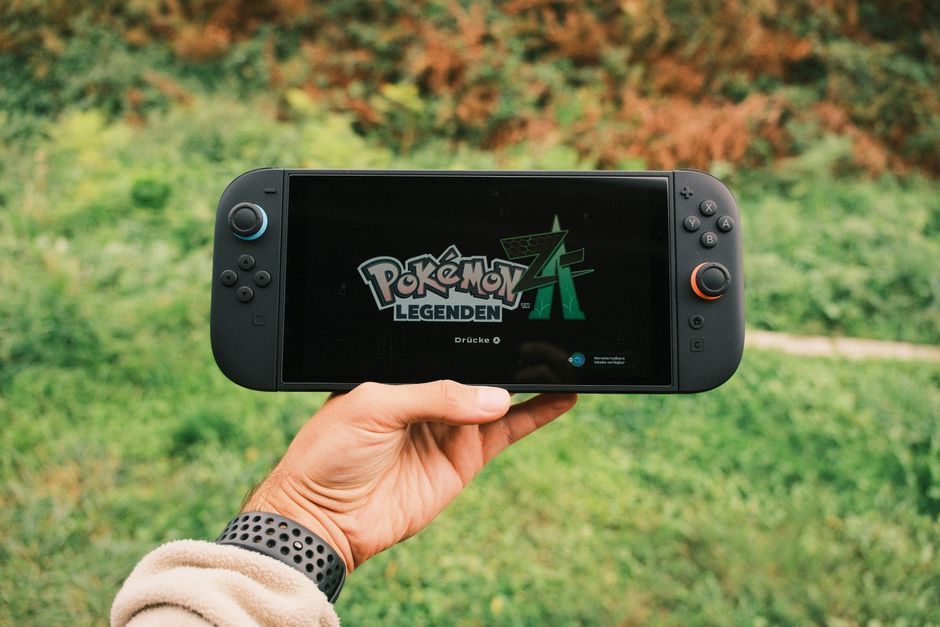
Consoles like the PlayStation and Nintendo Switch come with solid parental control features designed to help you manage gaming screen time. Many parents in Europe, North America, and South America are leveraging these tools effectively. On a PlayStation 5, for instance, you can set daily play limits, restrict access to certain games based on age ratings, and even control spending on the PlayStation Store. The Nintendo Switch offers similar functionalities through the ‘Nintendo Switch Parental Controls’ app on your smartphone, allowing you to set play time limits, suspend software, and review play activity remotely. Don’t let these tools intimidate you; they are designed to be user-friendly. A quick search on the console’s support website or a YouTube tutorial can walk you through the setup process. Utilizing these controls consistently removes the burden of constant verbal reminders and puts the technology itself in charge of the limits, which can often reduce arguments.
Collaborate on Rules and Expectations
One of the biggest shifts you can make is moving from a ‘dictator’ role to a ‘collaborator.’ When children feel involved in the rule-making process, they develop a sense of ownership and are far more likely to adhere to the agreements. This isn’t about letting them set their own screen time, but rather discussing and agreeing upon reasonable limits and conditions.
Family Gaming Contract
Consider creating a ‘Family Gaming Contract’ together. Sit down as a family and discuss:
How to Reduce Gaming Lag: Essential Internet Tips for Gamers
- When gaming is allowed: Is it after homework? Only on weekends? For a set period after school?
- How long gaming sessions should be: For younger children, shorter, more frequent sessions might work. Older kids might prefer a longer block.
- Consequences for not following rules: What happens if the agreement is broken? Make sure it’s proportional and agreed upon beforehand.
- What activities come first: Homework, chores, outdoor play, family meals, and sleep should always be prioritized.
Writing it down and even having everyone sign it (even with a scribble for the little ones) gives it weight. Display it somewhere visible, like on the fridge. This clear document becomes the reference point, helping to manage screen time without turning games into a fight in real life.
Implement Consistent, Predictable Boundaries
The human brain thrives on predictability, especially for children. Consistent boundaries provide a sense of security and clarity, reducing anxiety and the impulse to test limits. Inconsistency, on the other hand, often leads to frustration and endless negotiation. If Monday allows two hours but Tuesday only 30 minutes for no clear reason, you’re inviting an argument.
The Power of a Schedule
Establish a regular schedule for gaming, and stick to it. For example, ‘Gaming is allowed from 4 PM to 5:30 PM on weekdays after your homework and chores are done.’ Or, ‘Weekend gaming is split into two one-hour blocks, one in the morning, one in the afternoon.’ Use visual timers or the parental controls on devices like the Nintendo Switch to signal when time is nearly up and when it’s completely over. A 5-minute warning can make a huge difference in avoiding meltdowns. Across diverse cultures, from families in Rio de Janeiro to those in Berlin, structured routines prove invaluable.
It’s important to remember that ‘consistent’ doesn’t mean ‘inflexible.’ There will be special occasions – a friend’s sleepover, a rainy holiday afternoon, a long journey – where you might relax the rules. Explain these exceptions clearly. ‘Today is special because… but tomorrow we go back to our regular schedule.’ This teaches adaptability while reinforcing the core rules.
Encourage and Prioritize Alternative Activities
Simply restricting gaming time isn’t enough; you also need to fill that time with appealing alternatives. Kids will always seek engagement, and if the only option presented is ‘don’t play games,’ they’ll likely find that boring.
Beyond the Screen: Real-World Engagement
Think about what your child genuinely enjoys doing away from screens. Do they love building with LEGO? Reading adventure books? Playing football in the park? Painting? Make sure these opportunities are readily available and encouraged. Suggest family bike rides, trips to the local library, or even just creative free play in the backyard. In many places, from Vancouver to Buenos Aires, communities offer free or low-cost activities like swimming lessons or arts and crafts workshops that can be great alternatives. The goal is to show them that a rich, fulfilling life exists beyond the digital realm. It’s about helping them cultivate a diverse range of interests that contribute to their overall well-being and development. When children have genuinely engaging alternatives, the pull of the screen naturally lessens, making it easier to manage screen time without turning games into a fight in real life.
Lead by Example: Your Own Screen Habits Matter
Children are observant. They learn more from what you do than what you say. If you’re constantly glued to your phone, tablet, or television, it’s hard to credibly enforce limits on their gaming. This isn’t about perfection, but conscious awareness.
Digital Role Modeling
Consider implementing ‘device-free’ times or zones in your home. This might mean no phones at the dinner table, putting devices away an hour before bed, or designating certain family times (like weekend mornings) as screen-free. Talk openly about your own struggles with screen time and how you manage it. For instance, ‘I’m putting my phone away for an hour to focus on you because I know it’s important to be present.’ This models self-regulation and shows that screen time management is a lifelong skill, not just a childhood punishment. It’s a powerful way to teach the importance of balance, whether you’re in a bustling city like London or a quiet town in the Andes.
FAQ: Answering Your Top Questions About Gaming Screen Time
How much screen time is appropriate for a 10-year-old playing Minecraft?
For a 10-year-old playing Minecraft, a common recommendation is 1-2 hours per day on weekdays, with more flexibility on weekends. This allows for creative play while ensuring time for school, outdoor activities, and family engagement. Prioritize tasks like homework first.
Can parental controls on PlayStation or Nintendo Switch help with daily limits?
Absolutely. Both PlayStation and Nintendo Switch offer solid parental controls that allow you to set daily play time limits, restrict game content by age rating, and even manage online interactions. These tools are highly effective for consistent enforcement of agreed-upon screen time rules.
What are the signs that my child’s gaming is becoming a problem?
Signs of problematic gaming include neglecting schoolwork, chores, or personal hygiene; losing interest in previously enjoyed hobbies; significant changes in mood (irritability, anxiety) when unable to play; or consistently lying about gaming time. These indicate a need for intervention.
Should I ban games like Minecraft completely if screen time is an issue?
Outright banning games like Minecraft is rarely the most effective long-term solution. It can lead to resentment and secretive gaming. Focus instead on setting healthy boundaries, understanding the appeal of the game, and fostering a balanced approach to screen time that includes other engaging activities.
How can I make my child turn off their Nintendo Switch without a meltdown?
To avoid meltdowns when ending Nintendo Switch time, provide clear warnings (e.g., ’10 minutes left, then 5 minutes left’), use a visual timer, and stick to consistent schedules. Give a positive activity to transition to. Involve them in setting the rules beforehand.
Key Takeaways for Managing Gaming Screen Time
Navigating the world of children and video games doesn’t have to be a source of constant conflict. The core message is clear: managing screen time without turning games into a fight in real life is achievable through a combination of understanding, collaboration, and consistency. By educating yourself on platforms like PlayStation and Nintendo Switch, engaging with games like Minecraft, and establishing clear family agreements, you empower your children to develop healthy digital habits.
Remember that your role is not just to limit, but to guide. Encourage a diverse range of activities, lead by example with your own screen habits, and always keep communication channels open. This approach fosters a positive relationship with technology, ensuring that games remain a source of joy and learning, rather than a point of contention.
Ultimately, it’s about finding a sustainable balance that works for your unique family, creating a home environment where both digital and real-world experiences are valued and integrated harmoniously.
Discover more gaming guides and strategies for family tech use on Le Daily Post.