
Setting up a home office, especially a small one, often feels like a balancing act between necessity, budget, and available space. You’re trying to juggle client calls, deep work sessions, and managing everyday tasks, all from a corner of your living room or a dedicated nook. The default tech often feels… just adequate. Perhaps you’re still squinting at a laptop screen, typing on a cramped keyboard, or pixelating your way through video meetings with a built-in webcam that makes you look like you’re calling from a cave.
It’s a common scenario, and many assume that significant improvements require significant spending. But that’s not always true. You can make some seriously impactful budget tech upgrades for a small home office without needing to remortgage your house or expand your physical footprint. The trick is knowing where to focus your limited resources for maximum return on investment in comfort, productivity, and professional presentation.
This guide will cut through the noise and highlight the specific areas where a little investment goes a long way, transforming your cramped corner into a highly functional workspace. We’re talking about real, tangible improvements you’ll feel every single day.
Prioritizing Your Small Office Tech Investments
Before diving into specific recommendations, let’s establish a framework for smart spending. When considering budget tech upgrades for a small home office, think about what directly impacts your daily work and well-being. Here’s a quick overview of key areas:
- Ergonomics First: Reduce strain and improve comfort. This impacts your health and long-term productivity.
- Visual Clarity: Less squinting, more focus. Essential for any screen-heavy work.
- Communication Quality: Clear audio and video make a professional impression.
- Connectivity Reliability: Ensure your internet and peripherals work consistently.
- Space Efficiency: Choose compact and versatile devices that don’t overcrowd your small area.
- Value Over Brand: Often, mid-tier or even refurbished items offer 90% of the performance at 50% of the price.
The Cornerstone of Productivity: Monitors
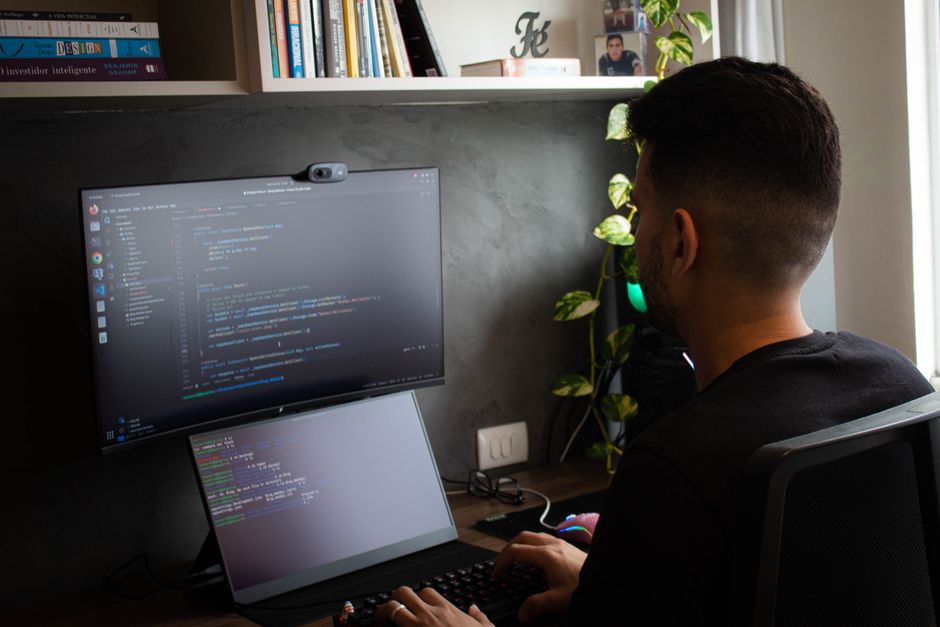
If you’re still relying solely on your laptop screen, a dedicated external monitor is arguably the most transformative budget tech upgrade you can make. It immediately doubles or triples your screen real estate, reducing constant tab switching and improving workflow dramatically. For a small office, aim for something between 24 and 27 inches. Larger than that can feel overwhelming in a confined space.
Why an External Monitor Matters
Working on a single laptop screen forces you into inefficient habits. You’re constantly minimizing and maximizing windows, breaking your focus. With a second screen, you can have your main application open on one and reference material, email, or a communication app on the other. This isn’t just about convenience; it’s about sustained focus. Companies like Dell, HP, and even Samsung offer excellent entry-level 1080p monitors that often go on sale for under $200 USD/€200 EUR.
Key Considerations for Small Spaces
- Resolution: 1080p (Full HD) is perfectly fine for most tasks at 24-27 inches. 4K is nice but often overkill and more expensive, especially if your laptop struggles to drive it.
- Panel Type: IPS panels offer better color accuracy and wider viewing angles compared to TN panels, crucial if you share your screen or do any design work. VA panels offer good contrast.
- VESA Mount Compatibility: This is huge for small spaces. A VESA-compatible monitor allows you to attach it to an arm clamp (like those from Amazon Basics or Ergotron) that clamps to your desk, freeing up valuable desk space. Look for monitors with 75x75mm or 100x100mm VESA patterns.
- Connectivity: Ensure it has the ports your laptop uses (HDMI is standard, DisplayPort is better if available, USB-C is ideal for single-cable solutions).
A specific recommendation would be a 24-inch Dell Ultrasharp U2422H. While not strictly ‘budget’ new, refurbished models are fantastic value across North America and Europe, offering excellent color and ergonomics. For a more budget-friendly new option, consider something like the AOC 24G2 or a similar offering from BenQ or Acer; these regularly hit good price points in many South American markets too.
Typing Comfort: Keyboards That Won’t Break the Bank (or Your Wrists)
Your laptop keyboard, while portable, is often a compromise in terms of comfort and ergonomics. Prolonged typing on a flat, often cramped keyboard can lead to discomfort or even repetitive strain injuries. A good external keyboard is a critical budget tech upgrade for a small home office.
Mechanical vs. Membrane: The Practical Choice
While mechanical keyboards have a dedicated following for their tactile feedback and durability, they can be pricey. For budget-conscious users, a good quality membrane or scissor-switch keyboard often offers a very comfortable typing experience. Brands like Logitech and Microsoft make excellent ergonomic options that are much friendlier on the wallet.
Space-Saving Keyboards
In a small office, size matters. Consider a 75% or Tenkeyless (TKL) keyboard, which omits the number pad on the right, saving significant desk space. If you rarely use a number pad, this is a smart move. If you do use one frequently, a full-size ergonomic keyboard like the Microsoft Sculpt Ergonomic or a Logitech K-series might be better, even if it means slightly less desk space.
Smart Home Devices That Actually Save Time in Apartments and Small Homes
Look for features like quiet keys if you’re in a shared living space, and consider wireless options to reduce cable clutter – just remember to keep spare batteries or a charging cable handy. A personal favorite for quiet comfort and space-saving is the Logitech MX Keys Mini, which often goes on sale and offers multi-device connectivity, a boon if you switch between a work laptop and a personal tablet.
Clarity on Camera: Webcams That improve Your Presence
The built-in webcam on most laptops is notoriously mediocre. It’s often low resolution, struggles in poor lighting, and makes you look like a blurry ghost. In an era dominated by video calls, a dedicated external webcam is one of the most impactful budget tech upgrades for a small home office to improve your professional image.
Why Your Webcam Matters More Than You Think
Whether you’re interviewing, meeting clients, or collaborating with colleagues across continents (from Europe to South America), clear video and audio convey professionalism and confidence. A good webcam ensures you’re seen clearly, even in less-than-ideal lighting, and often comes with a better microphone than your laptop’s built-in array.
What to Look For
- Resolution: Aim for at least 1080p (Full HD) at 30 frames per second (fps). Some budget webcams offer 720p, which is acceptable, but 1080p is the sweet spot for clarity.
- Autofocus and Auto Light Correction: These features are crucial. Autofocus keeps you sharp, while auto light correction ensures you don’t look underexposed or overexposed, even with varying room lighting.
- Field of View (FOV): A wider FOV (e.g., 90 degrees) is good if you want to show more of your background or have multiple people on camera. For a single person in a small office, a narrower FOV (e.g., 78 degrees) is often better to keep the focus on you and minimize distracting background elements.
- Built-in Microphone: While a dedicated USB microphone is superior, many mid-range webcams have surprisingly decent mics, far better than most laptop equivalents.
The Logitech C920 series (C920s, C922) has been the gold standard for years and is consistently available for under $80-100 USD/€80-100 EUR in most markets. For an even more budget-friendly option, look for offerings from brands like Anker (e.g., Ankerwork C200) or Razer (e.g., Kiyo X), which often pack good features for their price point. These are widely available across major retailers, from Currys PC World in the UK to Best Buy in Canada and Mercado Libre in Brazil.
The Unsung Heroes: Connectivity and Power
It’s easy to overlook the infrastructure of your small home office, but reliable connectivity and power management are foundational. These budget tech upgrades prevent frustration and ensure everything runs smoothly.
Reliable Wi-Fi & Ethernet
While not strictly a ‘tech upgrade’ in the same vein as a monitor, optimizing your internet connection is crucial. If your Wi-Fi is spotty in your small office nook, consider a Wi-Fi extender or, ideally, a powerline adapter (like those from TP-Link or Netgear) to bring a wired Ethernet connection to your desk using your home’s electrical wiring. This is often more stable and faster than Wi-Fi, especially for video calls and large file transfers. Powerline adapters are readily available and simple to set up, offering a significant performance boost for under $50-70 USD/€50-70 EUR.
USB Hubs and Docking Stations
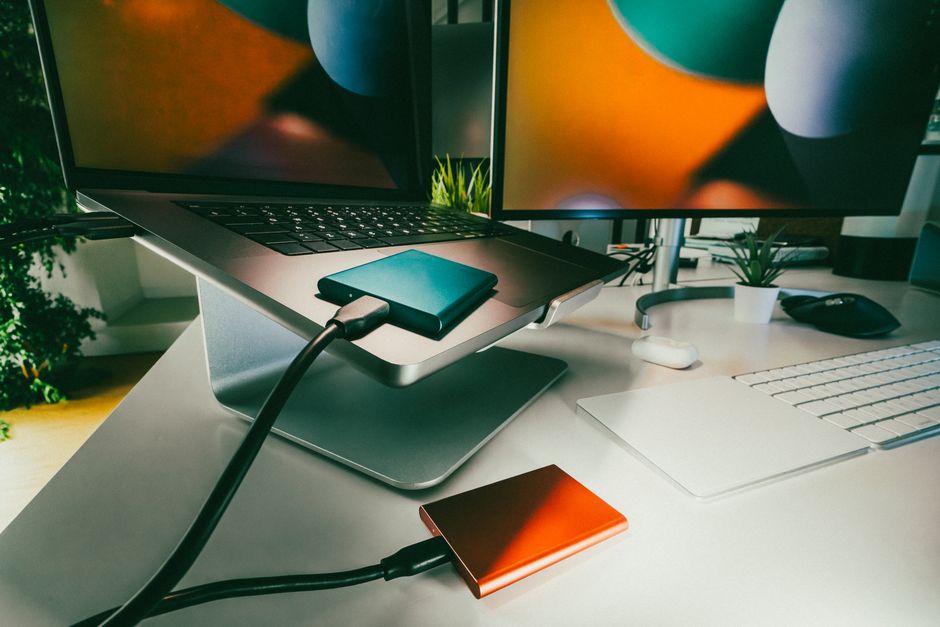
Modern laptops, especially thin ones, often skimp on ports. A USB hub or a simple docking station (especially if your laptop has USB-C with power delivery) can drastically reduce cable clutter and expand connectivity. A basic USB-C hub with HDMI, a few USB-A ports, and maybe an SD card reader can be found for under $40-60 USD/€40-60 EUR. This allows you to connect your monitor, keyboard, webcam, and other peripherals with just one cable to your laptop, making setup and pack-down incredibly simple in a small, flexible space.
Smart Home Integration for Productivity (and Sanity)
While often associated with comfort and entertainment, smart home devices can surprisingly be valuable budget tech upgrades for a small home office. They streamline routine tasks and create a more focused environment.
Smart Lighting
Controlling your office lighting with smart bulbs (like Philips Hue, TP-Link Kasa, or even Google’s own Nest devices in some regions) or smart plugs can enhance focus. Set scenes for ‘work focus’ with bright, cool light, or ‘evening wind-down’ with warmer, softer light. Automate lights to turn on when you start work or off when you leave the office area. This is particularly useful in a small space that serves multiple functions. A smart bulb costs around $15-25 USD/€15-25 EUR, and a smart plug even less, working with Google Assistant or Samsung SmartThings for easy voice control.
How to Build a Simple Digital Filing System Without Overcomplicating It
Noise Cancellation
If you’re in a busy household or apartment building, a good pair of noise-canceling headphones (even budget-friendly ones from Anker, Soundcore, or older models from Sony/Jabra) can be a practical advantage. They aren’t strictly a ‘smart home’ device, but they connect to your digital ecosystem. They create a pocket of quiet, allowing you to focus on your work or calls without distractions. Look for refurbished models or sales; you can often find decent active noise cancellation for under $100 USD/€100 EUR.
FAQ – Budget Tech Upgrades for a Small Home Office
What’s the single most impactful budget tech upgrade for a small home office?
Without a doubt, an external monitor is the most impactful. It dramatically increases your screen real estate, reducing the need to constantly switch windows and improving your ability to multitask and focus. Even a basic 24-inch 1080p monitor will make a massive difference to daily productivity and comfort.
Can I use my TV as a monitor for my home office?
Yes, you can, but with caveats. TVs often have higher input lag and poorer text clarity compared to dedicated monitors, which can cause eye strain during prolonged use. While it works in a pinch, for daily work, a proper computer monitor is a better investment for your eyes and productivity in the long run.
Are refurbished tech items reliable for budget home office upgrades?
Absolutely, reputable refurbished tech can be an excellent way to save money. Look for items sold by the manufacturer directly (like Dell Refurbished) or by certified retailers that offer a warranty, similar to how many consumers buy used iPhones or Samsung devices. This ensures quality and provides peace of mind.
How can I improve my Wi-Fi signal in my small office without buying a new router?
Consider a Wi-Fi extender to boost the signal to your specific area, or a powerline adapter which uses your home’s electrical wiring to deliver a stable, wired Ethernet connection. Both are relatively inexpensive and can significantly improve connection reliability without replacing your main router.
Are smart plugs truly useful for a home office, or just a gimmick?
Smart plugs are genuinely useful for controlling non-smart devices, like desk lamps or fans, with voice commands (via Google Assistant, for example) or schedules. This can streamline your routine, help manage energy use, and create a more professional and comfortable workspace with minimal effort, especially in a small area.
Key Takeaways for Your Small Home Office Upgrades
Transforming a small home office doesn’t require a bottomless budget or a renovation project. The key is to be strategic with your spending, prioritizing items that offer the biggest bang for your buck in terms of comfort, efficiency, and professional presentation. Focus on fundamental improvements that directly impact your daily work experience.
Remember, a larger, ergonomic monitor significantly boosts productivity by giving you more screen space. A comfortable, external keyboard prevents strain and improves typing speed. A clear, external webcam ensures you look and sound professional on every video call. These are not luxuries; they are foundational elements for a productive home office in today’s remote-first world.
By making smart, targeted budget tech upgrades for a small home office, you can create a workspace that not only feels more comfortable but also genuinely enhances your ability to perform at your best. Don’t underestimate the power of these focused improvements to make a real difference.
Ready to discover more ways to optimize your digital life? Read more useful technology guides on Le Daily Post.