
An effective travel tech checklist for Europe and the Americas centers on connectivity and power. Essential items include a universal travel adapter with USB-C ports, a high-capacity power bank, an international eSIM for data, and durable charging cables for all your devices. Considering the varying power outlets (Type C/F in Europe, Type A/B in North America, often Type A/B/C/L in South America), a versatile adapter is non-negotiable. For remote workers, reliable internet via eSIM or a portable hotspot is key, alongside backup power solutions for uninterrupted work.
Embarking on an adventure across Europe or through the bustling cities and scenic routes of the Americas requires more than just a passport and a suitcase. In an increasingly connected world, your travel tech checklist is just as crucial. From keeping your phone charged to ensuring you have reliable internet for remote work, the right gadgets make all the difference between a smooth journey and a series of frustrating power outages or data dead zones.
Getting your tech sorted before you go means less stress on the road. We’re talking about the practical stuff: what kind of chargers you actually need, why an eSIM is a practical advantage, and how to keep all your devices alive when you’re far from a wall outlet. This guide will walk you through the non-negotiables, with specific considerations for your adventures across various continents.
The goal isn’t to pack every gadget under the sun, but to strategically select the items that will genuinely enhance your travel experience, whether you’re navigating the streets of Paris, hiking in Patagonia, or working from a cafe in New York City. A well-prepared traveler is a happy traveler, and that often starts with a fully charged phone and a stable internet connection.
Powering Up: Adapters, Converters, and Chargers
One of the most common mistakes travelers make is underestimating the complexity of international power. It’s not just about the shape of the plug; it’s also about the voltage. While most modern electronics (laptops, phones, tablets) are dual-voltage (100-240V), smaller appliances like hair dryers or curling irons might not be. Always check your device’s power brick for ‘INPUT: 100-240V’ to confirm.
The Universal Travel Adapter: Your Best Friend
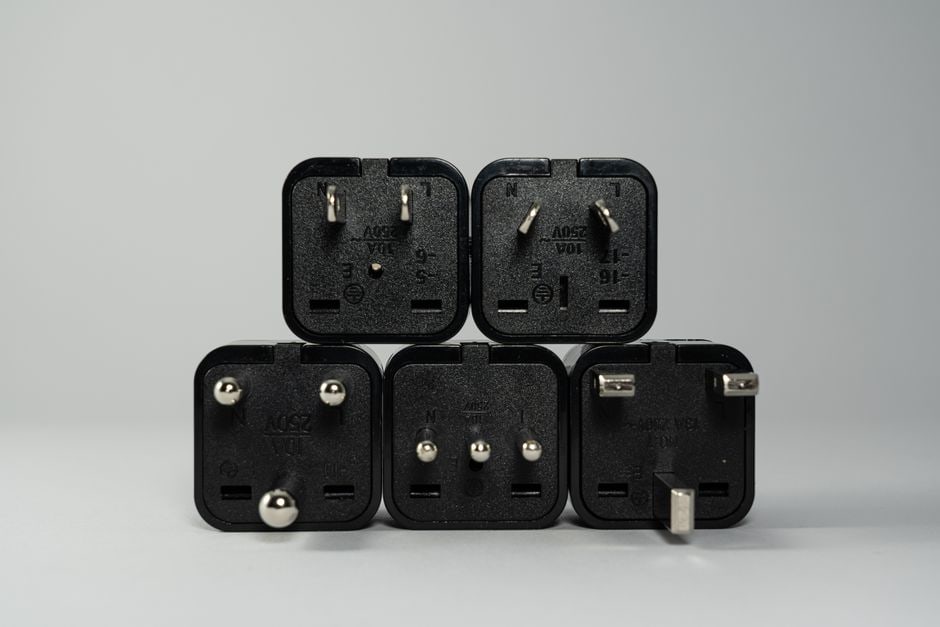
For trips to both Europe and the Americas, a universal travel adapter is indispensable. Europe primarily uses Type C and Type F plugs (two round pins), while North America uses Type A and Type B (two flat pins, or two flat pins and a round grounding pin). South America is a mix, often using Type A/B, but also Type C, and even Type L (Italy/Chile). A good universal adapter will have interchangeable pins for various regions and, crucially, built-in USB ports.
- What to look for: Choose an adapter with multiple USB-A and at least one or two USB-C ports. USB-C is rapidly becoming the standard for modern devices, including many Samsung phones, new iPhones, and most laptops. Brands like Anker or Mophie often make reliable multi-port adapters.
- Voltage Converters: Unless you’re bringing a very old hair dryer or a medical device with specific voltage requirements, you likely won’t need a voltage converter. Stick to dual-voltage electronics to avoid damaging them.
The Right Charging Cables
Don’t just rely on the cables that came with your devices. They’re often short and can fray easily. Invest in a few high-quality, durable cables, preferably longer ones (6-10 feet) for convenience in hotels where outlets might be far from the bed or desk. Prioritize USB-C to USB-C for fast charging your laptop or newer phone, and USB-A to Lightning/USB-C for other gadgets.
For Samsung users, ensure you have a few extra USB-C cables. If you’re traveling with an older iPhone, don’t forget your Lightning cables. Having backups is always a smart move.
Tech Gifts That People Actually Use That Are Worth Your Time
Stay Connected: eSIMs and Portable Wi-Fi
Staying connected while abroad used to mean hunting for local SIM cards or paying exorbitant roaming fees. Not anymore. eSIM technology has revolutionized international data access, especially for remote workers who depend on a stable internet connection.
Embrace the eSIM
An eSIM is a digital SIM card embedded in your phone, allowing you to switch carriers and data plans without physically swapping SIM cards. This is a massive convenience for travelers. For Europe, providers like Airalo or eSIM.net offer regional or country-specific plans that can be activated instantly upon arrival. For the Americas, similar options exist, often with multi-country plans covering the USA, Canada, and Mexico, or specific plans for South American nations like Brazil or Argentina.
- Benefits for remote workers: Instant data, no language barrier issues buying a local SIM, and the ability to keep your primary number active for calls/texts while using the eSIM for data.
- How it works: You purchase a data plan online, scan a QR code, and you’re good to go. Just make sure your phone supports eSIMs (most newer iPhones, Samsung Galaxy S series, and Google Pixel phones do).
Portable Wi-Fi Hotspots (and When to Use Them)
While an eSIM is often sufficient for individual use, a portable Wi-Fi hotspot (like a Skyroam Solis or a local MIFI device) can be useful if you’re traveling with multiple people or have several devices (laptop, tablet, phone) that all need constant internet access. They typically come with their own data plans or allow you to insert a local SIM. Just remember it’s another device to charge!
Portable Power: Power Banks are Non-Negotiable
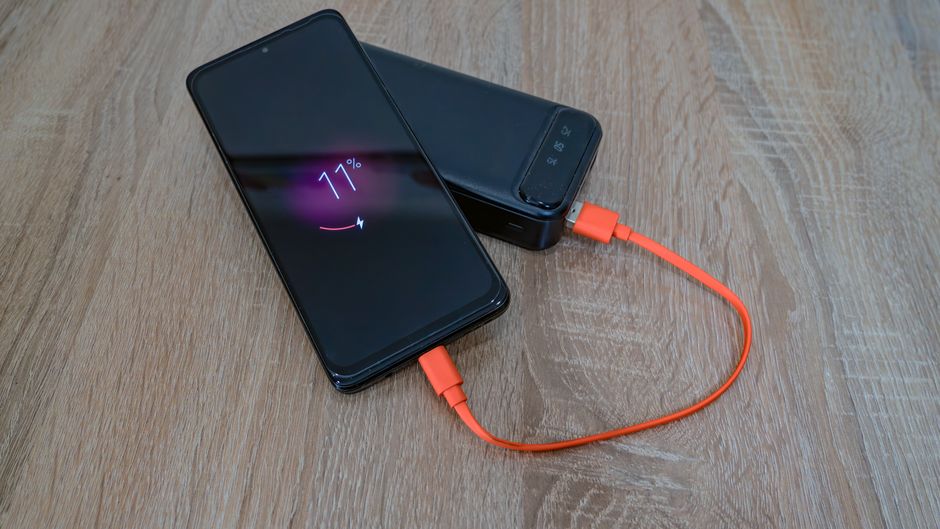
Even with the best planning, you’ll encounter situations where an outlet isn’t available. Long flights, train journeys, hiking trails, or simply a busy day of sightseeing can drain your devices. A high-capacity power bank is a crucial part of any travel tech checklist.
Choosing the Right Power Bank
Look for power banks with capacities ranging from 10,000 mAh to 20,000 mAh. This is usually enough to fully charge a smartphone 2-4 times. Ensure it has fast-charging capabilities (Power Delivery – PD – for USB-C, Quick Charge for USB-A) to quickly top up your devices.
- For laptops: If you need to charge your laptop on the go, you’ll need a much larger power bank, typically 25,000 mAh or more, with a high-wattage USB-C PD output (at least 45W, ideally 60W or more). Brands like Anker and RAVPower offer solid options.
- Airline rules: Remember that airlines have restrictions on the size of power banks you can carry in your checked luggage. Generally, power banks under 100 Wh (watt-hours, which can be calculated from mAh and voltage) are allowed in carry-on luggage only. Always check with your airline.
Beyond the Basics: Smart Home & Security Tech on the Road
While a full smart home setup isn’t practical for travel, certain smart devices and security tech can significantly enhance your experience and peace of mind.
Smart Home Away From Home
When someone mentions ‘smart home,’ they usually think of voice assistants and automated lighting. But for travelers, especially remote workers, it can mean a few key items:
- Smart Water Bottle: Brands like HidrateSpark connect to your phone and remind you to drink water, crucial for staying hydrated when crossing time zones or exploring new climates.
- Portable SSD (Solid State Drive): For backing up photos and important documents quickly, a portable SSD (like a Samsung T7 or SanDisk Extreme Portable SSD) is faster and more durable than traditional external hard drives. It’s not strictly ‘smart home’ but operates in a smart way for data management.
- Noise-Cancelling Headphones: Essential for long flights, noisy hostels, or focusing in busy cafes. Brands like Bose and Sony offer excellent options. While not strictly ‘smart home,’ they leverage smart audio processing.
Security and Privacy Tools
Your digital security is paramount, especially when connecting to public Wi-Fi networks in hotels or cafes.
Choosing a Tablet for Reading, Work, and Entertainment: A Practical Buying Guide
- VPN (Virtual Private Network): A VPN encrypts your internet traffic, protecting your data from potential snoopers on public networks. It can also help you access geo-restricted content. Services like NordVPN or ExpressVPN are popular choices.
- Privacy Screen Protector: For your laptop or phone, a privacy screen limits the viewing angle, preventing curious eyes from seeing your work or personal information, particularly useful on planes or in crowded spaces.
- Cable Lock: For your laptop, a Kensington lock can deter opportunistic thieves in hostels or co-working spaces.
Pre-Departure Digital Prep: Software and Apps
The best hardware is only as good as the software supporting it. Before you even pack, ensure your digital life is ready for travel.
- Offline Maps: Download offline maps for your destinations on Google Maps or MAPS.ME. This saves data and ensures you can navigate even without an internet connection.
- Translation Apps: Google Translate or DeepL Translate with offline language packs can be invaluable, especially in regions of South America or Europe where English isn’t widely spoken.
- Cloud Backup: Ensure all your important documents (passport copies, flight details, insurance) are backed up to a cloud service (Google Drive, Dropbox) and accessible offline.
- Banking Apps & Alerts: Notify your bank of your travel dates to avoid card freezes. Download your bank’s app for easy monitoring and set up international transaction alerts.
FAQ: Your Travel Tech Questions Answered
What is the most crucial item on a travel tech checklist for Europe?
For Europe, the most crucial item is a reliable universal travel adapter, specifically one that accommodates Type C/F plugs and offers multiple USB-C and USB-A charging ports. This ensures you can charge all your devices, including Samsung phones and laptops, despite the different outlet types found across the continent, keeping you powered and connected.
Can I use my Samsung phone charger in North America and South America?
Yes, most modern Samsung phone chargers are dual-voltage (100-240V) and will work in North America (120V) and most of South America. However, you will need a physical plug adapter to convert the charger’s plug shape to fit the local outlets (typically Type A/B in North America, and a mix in South America, including A/B/C/L).
Do I really need an eSIM for international travel?
While not strictly mandatory, an eSIM is highly recommended for international travel, especially for remote workers. It provides instant, flexible, and often more affordable data connectivity compared to traditional roaming or hunting for local physical SIM cards. This eliminates language barriers and ensures you’re always online for work or navigation.
What should I look for in a power bank for long trips?
For long trips, look for a power bank with at least 10,000 mAh capacity for phones, or 20,000 mAh+ with Power Delivery (PD) for laptops. Prioritize models with multiple USB-C and USB-A outputs for versatility. Also, check airline regulations regarding power bank size and ensure it’s allowed in carry-on luggage.
How can smart home tech help me while traveling abroad?
While you won’t bring your entire smart home, specific smart-enabled devices can assist. Examples include smart water bottles for hydration tracking, portable SSDs for smart data backup, or high-quality noise-cancelling headphones that leverage smart audio processing for focus. These enhance comfort, productivity, and data management on the go.
Are there specific tech considerations for remote workers traveling to different time zones?
For remote workers, managing time zones is key. Beyond reliable internet (via eSIM) and power banks, consider a travel-friendly external monitor for productivity, a portable ergonomic keyboard/mouse, and ensure your VPN is set up to access company resources securely. Also, pre-downloading large files can save valuable bandwidth.
Ready for Your Global Journey
Preparing your travel tech checklist for Europe and the Americas isn’t just about accumulating gadgets; it’s about smart, intentional choices that enhance your safety, productivity, and enjoyment. From ensuring you have the correct adapters for every outlet to embracing the convenience of an eSIM, each item plays a role in making your journey smoother. Prioritize quality, versatility, and reliability, especially if you’re working remotely, and you’ll find yourself well-equipped for any adventure the world throws your way.
For more useful technology guides and insights to power your digital life, read more useful technology guides on Le Daily Post.