Choosing a controller for PC, console, or mobile gaming involves balancing ergonomics, compatibility, and features with your budget and preferred game genres. For PC, Xbox and PlayStation controllers offer broad compatibility, especially via Steam. Mobile gamers should prioritize Bluetooth connectivity and secure phone mounts. Dedicated console controllers are always the best bet for their respective systems. Ultimately, the best choice enhances your gameplay comfort and precision, preventing you from getting lost in a sea of options by focusing on your core needs.
So, you’re ready to dive into some serious gaming, but that old keyboard and mouse just aren’t cutting it for certain titles, or maybe your phone screen feels too cramped. The world of game controllers is enormous, and figuring out which one is right for your PC, console, or mobile device can feel like a quest in itself. Do you go wired or wireless? Branded or third-party? What about haptics and extra buttons?
It’s easy to get bogged down by the sheer number of options. From high-end, competitive esports controllers to budget-friendly options for casual play, the market is saturated. This guide will help you cut through the noise, offering practical advice and real-world examples to ensure you make an informed decision without getting lost in the technical jargon or marketing hype.
Whether you’re looking to dominate online matches, enjoy a relaxing single-player adventure, or get the most out of your Game Pass subscription on the go, picking the right gamepad is crucial for comfort, precision, and overall enjoyment. Let’s demystify the process of choosing a controller for PC, console, and mobile gaming.

Understanding Your Core Gaming Needs
Before you even start looking at specific models, take a moment to consider how and what you play. This foundational step is often overlooked, leading to buyers’ remorse. Are you a competitive PC gamer who needs hair-trigger responses, or do you prefer the tactile feel of an arcade stick for fighting games? Do you game mostly on your couch with a console, or are you looking to improve your commute into a mobile gaming session?
PC Gaming: The Wild West of Controllers
PC gaming offers the most flexibility, but also the most potential for confusion when choosing a controller. Almost any controller can technically connect to a PC, but compatibility and ease of use vary wildly. For most users, a simple plug-and-play experience is preferred.
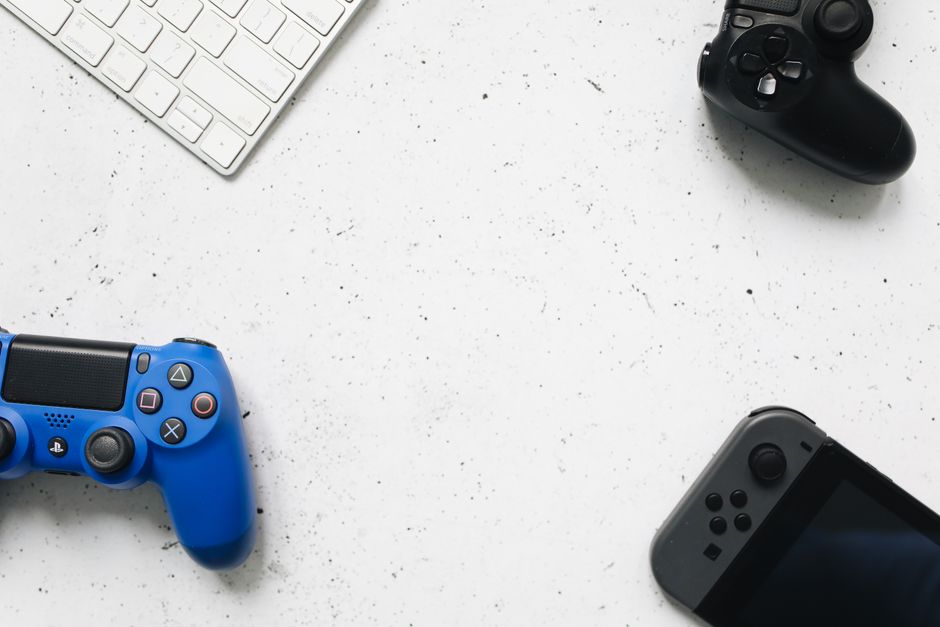
- Xbox Controllers: For decades, Microsoft’s Xbox controllers have been the gold standard for PC gaming. They offer native support on Windows, excellent ergonomics for most hands, and are widely recognized by games, especially those on Steam and through PC Game Pass. The Xbox Series X|S controller, with its improved D-pad and textured grips, is a fantastic all-rounder. Connectivity is either via USB-C cable or an Xbox Wireless Adapter for low-latency wireless play.
- PlayStation Controllers: Sony’s DualShock 4 and DualSense controllers (for PS4 and PS5 respectively) are also highly popular on PC. The DualSense, in particular, offers impressive haptic feedback and adaptive triggers, which some PC titles now support, adding another layer of immersion. While not as natively integrated as Xbox controllers, Steam has excellent built-in support for PlayStation controllers, often mapping them automatically. For non-Steam games, third-party software like DS4Windows can bridge the gap, but it requires a bit more setup.
- Third-Party Options: Brands like SteelSeries, Razer, and Logitech offer high-quality PC-specific controllers with features like extra programmable buttons, swappable components, and custom profiles. These are often geared towards competitive players who want to fine-tune their input.
Console Gaming: Sticking to the Originals (Mostly)
For dedicated console gamers, the choice is generally straightforward: stick with the controller that came with your console. These are optimized for their respective systems and offer the best integration.
- Xbox Series X|S Controller: The standard for current-gen Xbox. Comfortable, reliable, and perfectly integrated with the Xbox ecosystem.
- PlayStation 5 DualSense Controller: A marvel of haptic technology and adaptive triggers. It truly enhances games designed to take advantage of its features.
- Nintendo Switch Pro Controller: If you’re tired of Joy-Cons for extended play, the Pro Controller is a must-have for the Switch. It offers a more traditional, ergonomic grip and precise controls.
However, if you’re looking for an edge or a different feel, there are licensed third-party controllers from brands like Nacon and PowerA that offer features like back paddles, interchangeable thumbsticks, and custom mapping, often at a lower price point than premium first-party alternatives. For serious competitive players in North America and Europe, brands like SCUF and Battle Beaver offer highly customized pro controllers.
Best Cozy Games for Stress Relief After Work: Your Digital Escape
Mobile Gaming: Bringing Console Comfort to Your Pocket
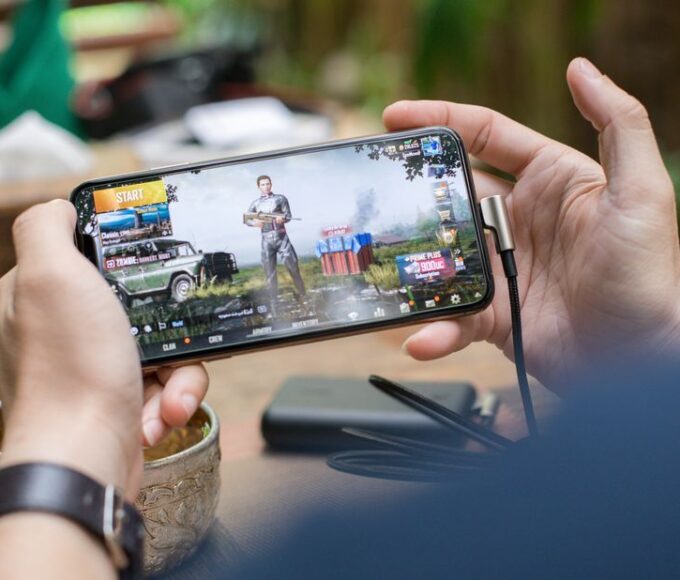
Mobile gaming has evolved dramatically, with many complex titles now available on iOS and Android. Touchscreen controls are fine for many games, but for action, racing, or fighting games, a physical controller makes a world of difference.
Key Considerations for Mobile Controllers
- Bluetooth Connectivity: This is non-negotiable. Ensure the controller uses Bluetooth 4.0 or higher for stable, low-latency connections.
- Phone Mounts: Many mobile-specific controllers come with an integrated clip to hold your phone, turning it into a handheld console. Examples include the Backbone One or the Razer Kishi. These provide a balanced, integrated experience.
- Ergonomics: Just like with PC and console, comfort matters. Try to find a controller that feels good in your hands for extended periods, especially if you’re traveling.
- Battery Life: Mobile controllers are often used on the go, so good battery life is essential. Look for controllers that offer 10+ hours on a single charge.
Many standard console controllers, like the Xbox Wireless Controller or the PS4 DualShock 4, can also connect to mobile devices via Bluetooth. This is a great option if you already own one and don’t mind using a separate phone clip. In regions like South America, where mobile gaming is particularly popular, the versatility of a console controller doubling as a mobile one is a huge plus.

Wired vs. Wireless: A Question of Latency and Convenience
This is a perennial debate among gamers, and the ‘best’ choice often comes down to personal preference and use case.
The Advantages of Wireless Controllers
- Freedom of Movement: Play from anywhere in the room without worrying about cable length. This is particularly great for couch gaming or mobile setups.
- Clutter-Free: No cables means a tidier gaming space.
The main drawback is battery life and potential input lag, though modern wireless technologies (like Xbox Wireless or Bluetooth 5.0) have significantly reduced latency concerns for most players. For competitive esports, some still prefer wired for absolute minimal delay.
The Case for Wired Controllers
- No Latency: Direct USB connection ensures the lowest possible input lag, crucial for frame-perfect inputs in certain genres.
- No Batteries: Never worry about running out of power mid-game. Just plug and play.
- Often Cheaper: Wired versions of controllers can sometimes be more affordable.
For most casual and even many serious gamers, wireless controllers offer enough performance without the hassle of cables. However, if you’re chasing every millisecond, or simply hate dealing with charging, wired remains a solid choice.
Ergonomics and Build Quality: Feel in Your Hand
A controller is an extension of yourself during gameplay, so how it feels in your hands is paramount. What feels great to one person might be uncomfortable for another. Try to get your hands on controllers if possible – visit an electronics store or ask a friend. Consider:
- Hand Size: Smaller hands might prefer controllers with a more compact design, while larger hands might find comfort in bulkier options.
- Weight: Some prefer a heavier, more substantial controller, while others like a lighter one for longer sessions.
- Button Layout and Tactility: The placement of face buttons, triggers, and thumbsticks, along with how clicky or soft they feel, impacts your experience. Xbox’s asymmetrical stick layout and PlayStation’s symmetrical layout both have their loyal fans.
- Grip Texture: Textured grips can prevent slipping during intense sessions.
Build quality directly impacts durability. First-party controllers from Xbox, PlayStation, and Nintendo generally boast excellent build quality. When looking at third-party options, research reviews for common issues like stick drift or button failures, especially in regions like Europe where consumer protection laws are strong and product longevity is often expected.
Budgeting for Your Gamepad
Controller prices range from under $30/€30 to well over $200/€200 for professional-grade models. A common mistake is buying the cheapest option only to find it lacks essential features or falls apart quickly. Another is overspending on features you’ll never use.
Bridging the Distance: A Realistic Look at Board Game Apps for Remote Friends
- Entry-Level (under $50/€50): Often wired, basic features. Good for casual play or a secondary controller.
- Mid-Range ($50-100/€50-100): This is where most first-party console controllers sit. Excellent value, reliable, and comfortable. This is usually the sweet spot for most gamers.
- High-End ($100+/€100+): ‘Pro’ controllers with extra paddles, swappable components, customizability, and advanced haptics. Aimed at competitive players or those who demand the absolute best experience.
FAQ: Answering Your Controller Questions Directly
Can I use an Xbox controller for Game Pass on PC?
Yes, an Xbox controller is the ideal choice for Game Pass on PC. It offers native plug-and-play support on Windows, ensuring seamless compatibility with nearly all Game Pass titles, often without any additional setup required. This provides the most consistent and reliable experience.
Are PlayStation controllers good for Steam games on PC?
Absolutely. Steam has excellent built-in support for both DualShock 4 and DualSense controllers. It automatically detects and configures them, often allowing you to customize button layouts and even utilize some of the DualSense’s advanced features like haptic feedback in supported titles.
What’s the best controller for mobile gaming if I want an Xbox-like experience?
For an Xbox-like experience on mobile, you have a couple of great options. The Xbox Wireless Controller connects to most mobile devices via Bluetooth. Alternatively, consider a dedicated mobile controller like the Backbone One (Xbox Edition) or the Razer Kishi, which physically clamp around your phone, mimicking a handheld console with Xbox-style buttons.
Do I need a special adapter to use my console controller on PC?
For wired connections, most console controllers (Xbox, PlayStation) simply connect via a USB-C or Micro-USB cable. For wireless use, an Xbox controller usually requires an Xbox Wireless Adapter for Windows for optimal performance, though Bluetooth works. PlayStation controllers can connect wirelessly via standard Bluetooth, often without an adapter.
Is it worth buying a ‘pro’ controller with extra buttons?
It depends on your gaming habits. ‘Pro’ controllers with extra paddles or programmable buttons are most beneficial for competitive multiplayer games where quick, complex inputs are common, like shooters or fighting games. For casual single-player experiences, the added cost and complexity might not be worth it.
How do I know if a controller is compatible with my device?
Always check the product description for listed compatibility (PC, Xbox, PlayStation, iOS, Android, Switch). For PC, look for ‘XInput’ support, which guarantees broad compatibility with most modern games. For mobile, ensure it uses standard Bluetooth connectivity and specifies support for your operating system.
Choosing a controller doesn’t have to be a source of stress. By understanding your specific gaming habits, prioritizing ergonomics, and considering your budget, you can easily navigate the vast array of options available. Whether you’re enhancing your PC setup for Steam, upgrading your Game Pass experience, or transforming your phone into a portable powerhouse, the right gamepad will significantly improve your gameplay.
Want to discover more practical gaming guides and insights to enhance your play? Discover more gaming guides on Le Daily Post.