
For most remote workers, the best laptop for remote work balances performance, portability, and price. Key specifications that matter most include 8GB to 16GB of RAM for smooth multitasking, an SSD (Solid State Drive) for fast boot and app loading, and a reliable battery life of 8+ hours. An Intel Core i5 or AMD Ryzen 5 processor is typically sufficient, though creative professionals might need more. Prioritize these core components over premium features you won’t use to avoid overspending and ensure your investment is practical and long-lasting.
So, you’ve landed that dream remote job, or perhaps you’re taking your freelance career on the road from a café in Berlin to a co-working space in Buenos Aires. The first thing on your mind, after a stable internet connection, is probably your laptop. It’s your office, your window to colleagues, and your primary tool. But with so many options, from sleek MacBooks to versatile Windows machines and budget-friendly Chromebooks, how do you pick the best laptop for remote work without signing away your next three paychecks?
It’s a common dilemma. Many folks assume they need the most expensive, most powerful machine out there. In practice, that’s often overkill. What you really need is a reliable workhorse that fits your specific needs, your workflow, and, crucially, your budget. Let’s break down how to make an informed decision that will serve you well, wherever your remote work takes you.

Understanding Your Remote Work Needs First
Before you even glance at a price tag or a spec sheet, take a moment to honestly assess your daily tasks. This isn’t about guesswork; it’s about what you actually do, hour by hour.
What Laptop Specs Matter Most for Remote Work?
For most remote professionals, certain specifications are non-negotiable for a smooth experience:
- RAM (Random Access Memory): Aim for at least 8GB. If you’re constantly juggling multiple browser tabs, video calls (like Zoom or Microsoft Teams), and application suites (think Adobe Creative Cloud, Figma, or heavy Excel sheets), 16GB is a noticeable upgrade and highly recommended. It prevents your machine from slowing to a crawl.
- Storage: An SSD (Solid State Drive) is paramount. Forget traditional HDDs. An SSD dramatically improves boot times, application loading, and overall system responsiveness. A 256GB SSD is the minimum, but 512GB gives you more breathing room for files and software. Cloud storage (Google Drive, Dropbox, OneDrive) can supplement smaller local storage.
- Processor (CPU): An Intel Core i5 or AMD Ryzen 5 is the sweet spot for most users. These offer plenty of power for productivity tasks, web browsing, and video conferencing. If you’re doing heavy video editing, 3D rendering, or complex data analysis, then a Core i7/Ryzen 7 or even an i9/Ryzen 9 might be justified, but for general office work, it’s an unnecessary expense.
- Battery Life: This is crucial for portability, whether you’re working from a café in Lisbon or during a power outage in São Paulo. Look for laptops advertising 8 hours or more of real-world usage. Manufacturers often inflate these numbers, so check reviews for actual performance.
- Screen Size and Resolution: 13-inch to 14-inch laptops offer a great balance of portability and screen real estate. A 15-inch display is good if you rarely move your laptop, but it adds weight. Aim for Full HD (1920×1080) resolution for clear text and images.
Identifying Your Workflow: Who Are You, Really?
- The Email & Document Warrior: If your day involves emails, Word, Excel, PowerPoint, web browsing, and video calls, you don’t need a powerhouse. An entry-level Windows laptop or even a good Chromebook might be perfect.
- The Creative Professional (Designer, Editor): Photo or video editing, graphic design, and music production demand more. You’ll want 16GB+ RAM, a powerful processor (i7/Ryzen 7 or better), a dedicated GPU (graphics processing unit) if you’re serious about video, and a high-resolution display with good color accuracy.
- The Developer/Engineer: Running virtual machines, compiling code, and complex simulations require strong processors and ample RAM (16GB+). A solid cooling system is also a plus to prevent throttling.
Choosing Your Ecosystem: Windows, macOS, or ChromeOS?
This is often a personal preference, but each has its pros and cons, particularly concerning cost and software availability.
Windows Laptops: The Versatile Workhorse
Windows laptops dominate the market for good reason. They offer the most choice in terms of brands (Dell, HP, Lenovo, Acer, Asus, Microsoft Surface), price points, and configurations. You can find everything from €400 budget models to €2,000+ powerhouses.
- Pros: Unbeatable software compatibility, vast hardware selection, competitive pricing, great for gaming if that’s a secondary use.
- Cons: Can be prone to malware (though easily mitigated with good practices), quality varies greatly between manufacturers.
- Good For: Anyone needing specific software (e.g., AutoCAD, specific corporate applications), budget-conscious buyers, and those who like hardware customization.
MacBook: The Premium Experience
MacBooks, particularly those with Apple’s M-series chips (M1, M2, M3), offer incredible performance-per-watt, excellent battery life, and a seamless ecosystem if you own other Apple devices. They are renowned for their build quality, displays, and often, better resale value.
Your Beginner Guide to Passkeys and Passwordless Login: Ditching the Digital Dilemma
- Pros: Exceptional performance (especially M-series), long battery life, premium build, strong security, intuitive macOS.
- Cons: High upfront cost, limited hardware customization, fewer port options often requiring adapters.
- Good For: Creative professionals, users already in the Apple ecosystem, those prioritizing design and long-term reliability. A MacBook Air is often the best laptop for remote work for many creative roles, offering a balance of power and portability.
Chromebooks: The Budget-Friendly Cloud Machine
Chromebooks run ChromeOS, an operating system primarily based on Google’s Chrome browser. They are typically much less expensive than Windows laptops or MacBooks and excel at web-based tasks. Most of your work will live in the cloud.
- Pros: Very affordable, excellent battery life, fast boot times, strong security (less susceptible to viruses), lightweight.
- Cons: Limited offline functionality for certain apps, software options restricted to web apps and Android apps, not suitable for heavy-duty tasks like video editing or CAD.
- Good For: Basic productivity (emails, Google Docs/Sheets), students, sales professionals primarily using CRM in a browser, anyone whose workflow is almost entirely cloud-based.
Finding the Best Laptop for Remote Work on a Budget
Overspending is easy. Smart spending requires focus. Let’s look at how to get value across different regions.
The Budget Laptop Sweet Spot (Under €800 / $900 USD / R$4,500 BRL)
At this price point, you’re looking for efficiency. Prioritize an SSD (128GB or 256GB), 8GB of RAM, and at least an Intel Core i3/i5 or AMD Ryzen 3/5 processor. Brands like Acer, Asus, Lenovo, and sometimes HP offer excellent value.
- Europe: Look for deals on models like the Lenovo IdeaPad series, Acer Swift 3, or basic HP Pavilion models during sales events (e.g., Black Friday, Amazon Prime Day). Retailers like MediaMarkt, Fnac, or Currys PC World often have good promotions.
- North America: Dell Inspiron, HP Pavilion, or Acer Aspire 5 are solid choices. Keep an eye on promotions from Best Buy, Amazon, or even Costco for member deals.
- South America: In countries like Brazil or Argentina, local brands or entry-level models from international brands like Samsung, Positivo (Brazil), or LG often provide better local support and financing options. Prices can be higher due to import taxes, so comparing online retailers like Mercado Livre or local stores is key.
Mid-Range Magic (Up to €1,500 / $1,700 USD / R$8,500 BRL)
Here, you start getting into premium features without hitting flagship prices. Expect 16GB RAM, 256GB-512GB SSD, and an Intel Core i5/i7 or AMD Ryzen 5/7. You might also find better displays, keyboards, and build quality.
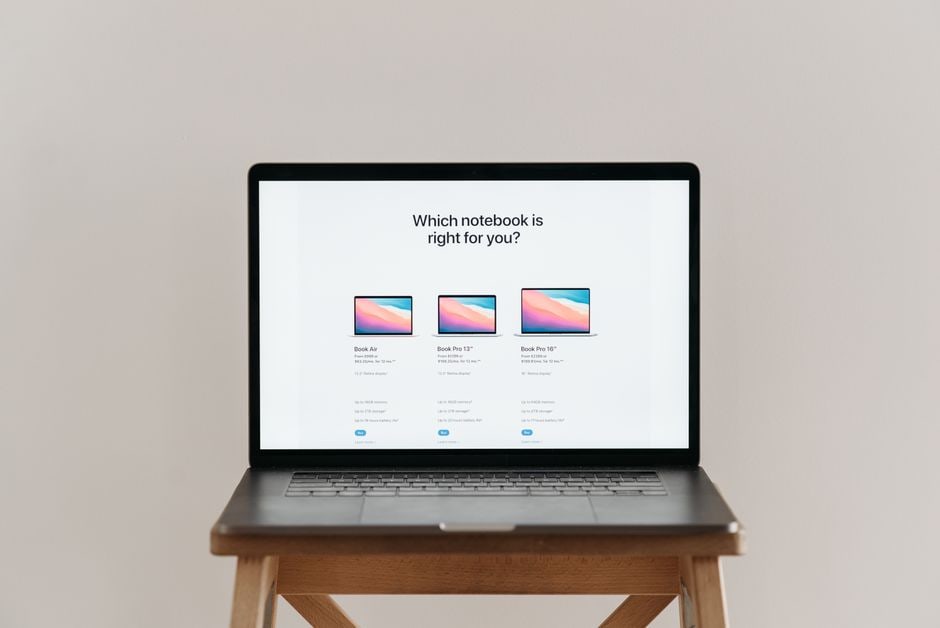
- Recommended Models: The MacBook Air with an M1/M2 chip (often on sale), Dell XPS 13, HP Spectre x360, Lenovo ThinkPad X or T series (known for excellent keyboards and durability), Microsoft Surface Laptop series. These often strike a good balance, making them a strong contender for the best laptop for remote work in their category.
- Value Proposition: This tier often offers the best long-term value, as these machines are powerful enough to handle future software updates and more demanding tasks for years.
Practical Considerations Beyond Specs
Keyboard and Trackpad
You’ll be spending hours typing. A comfortable, responsive keyboard is not a luxury; it’s a necessity. Test it if you can. Look for good key travel and tactile feedback. Similarly, a precise trackpad can save you from carrying an external mouse constantly.
Portability and Build Quality
If you’re truly remote, you’ll be moving your laptop around. Weight matters. A 1.2 kg (2.6 lbs) laptop feels very different from a 2.5 kg (5.5 lbs) one after an hour in your backpack. Also, consider the build material. Aluminium or magnesium alloy bodies are more durable than plastic.
Webcam and Microphone Quality
In a remote setting, your webcam and microphone are your primary means of communication. While external webcams and microphones offer superior quality, a decent built-in setup is important for impromptu calls. Check reviews for microphone noise cancellation and webcam clarity.
Connectivity
Ensure it has the ports you need (USB-A, USB-C/Thunderbolt, HDMI, SD card slot). Adapters are common, especially with thinner laptops, but having essential ports built-in is always more convenient. Wi-Fi 6 or 6E offers faster, more reliable wireless connections.
When to Consider Refurbished or Used Laptops
A smart way to get more for your money is to consider certified refurbished laptops. Many manufacturers (Apple, Dell, HP) have their own refurbished stores, offering devices with warranties at significant discounts. Retailers like Back Market in Europe, Refurb.io in Canada, or Gazelle in the US specialize in this. You can often snag a high-end model from a year or two ago for the price of a new mid-range device.
FAQ: Answering Your Laptop Buying Questions
Is 8GB of RAM enough for remote work?
For basic remote work involving web browsing, email, word processing, and video calls, 8GB of RAM is generally sufficient. However, if you frequently multitask with many browser tabs, complex spreadsheets, or use professional design software like Photoshop, upgrading to 16GB will provide a much smoother and more responsive experience, preventing frustrating slowdowns.
Should I get an Intel or AMD processor for a work laptop?
Both Intel (Core i-series) and AMD (Ryzen series) offer excellent processors for work laptops. For general remote work, a Core i5 or Ryzen 5 is ideal. AMD Ryzen often provides slightly better multi-core performance for tasks like video editing at a similar price point, while Intel might have a slight edge in single-core performance. Either choice in the mid-range will serve most remote workers well.
How important is battery life for a remote work laptop?
Battery life is critically important for remote workers who value portability and flexibility. A laptop with 8+ hours of real-world battery life allows you to work from various locations without constantly searching for power outlets, whether you’re at a café, in an airport, or experiencing a power fluctuation at home. It grants true freedom to your workspace.
Are Chromebooks good for remote work?
Chromebooks are excellent for remote work if your primary tasks are web-based, such as using Google Workspace, Microsoft 365 online, or cloud-based CRMs. They offer great battery life, fast startup times, and strong security at an affordable price. However, they are not suitable for demanding offline software or complex creative applications that require specific operating systems like Windows or macOS.
What’s the difference between SSD and HDD storage?
SSD (Solid State Drive) is significantly faster than HDD (Hard Disk Drive). Laptops with SSDs boot up in seconds, and applications load much quicker, leading to a far more responsive user experience. HDDs are slower and more prone to mechanical failure. For any remote work laptop, an SSD is a non-negotiable upgrade, even if it means sacrificing some storage capacity for speed.
The Smart Purchase: Getting the Best Laptop for Remote Work
Choosing the best laptop for remote work doesn’t have to be a budget-busting exercise. By understanding your actual workflow, prioritizing essential specs like RAM, SSD, and battery life, and choosing the right operating system for your needs, you can find a reliable machine that empowers your productivity without unnecessary bells and whistles. Remember, the goal is efficiency and value, not just the highest price tag. Do your research, compare prices across different retailers (online and local), and don’t shy away from certified refurbished options to maximize your investment.
Want more practical advice on making your remote work life easier? Read more tech guides on Le Daily Post.