For many of us, the dream of a dedicated gaming room with flashing RGB lights and multiple monitors feels like a distant fantasy, especially when living in a cozy apartment in a bustling city. Space is a premium, and often, so is the budget. The challenge isn’t just about buying powerful hardware; it’s about integrating it smoothly into your existing living space without creating clutter or compromising functionality.
It’s a common scenario: you want to dive into the latest AAA titles, unwind with friends on Roblox, or build intricate worlds in Minecraft, but your desk doubles as your dining table, and your living room is barely big enough for a sofa. The good news is, you absolutely can create a functional, enjoyable, and surprisingly powerful gaming setup without needing a sprawling mansion or emptying your bank account. It requires a bit of planning, some clever choices, and an understanding of where to invest and where to save.
This guide offers a practical checklist for building a budget gaming setup for small apartments, focusing on real-world solutions that fit both your space constraints and your wallet. We’ll cut through the noise and provide actionable advice to get you gaming comfortably, whether you’re in a studio in Paris, a condo in São Paulo, or a tiny flat in New York.
Starting Smart: Your Compact Gaming Checklist
Before diving into specific components, here’s a quick overview of what goes into an efficient and budget-friendly small apartment gaming setup:
- Prioritize Space: Every item must earn its place. Think vertical storage, wall mounts, and multi-functional furniture.
- Budget Allocation: Decide where to splurge (e.g., GPU for PC gaming) and where to save (e.g., desk, secondary monitor).
- Connectivity: Reliable Wi-Fi or, ideally, wired Ethernet is crucial for online gaming.
- Noise Consideration: Quieter components are a blessing in small spaces where every sound is amplified.
- Cable Management: The enemy of small spaces is tangled cables. Plan for neatness from the start.
- Ergonomics: Even on a budget, your health matters. A comfortable chair and proper monitor height are non-negotiable.
- Future-Proofing (within reason): Choose components that offer decent longevity without blowing your budget on bleeding-edge tech.
The Heart of Your Setup: PC or Console?
This is often the first big decision when building a budget gaming setup for a small apartment. Both have their merits and drawbacks regarding cost, performance, and footprint.
Gaming PC: The Customizable Powerhouse
A gaming PC offers unparalleled flexibility and access to a vast library of games, including beloved titles like Roblox and Minecraft, which often benefit from PC mods and better performance. The key for small apartments is going for a compact build.
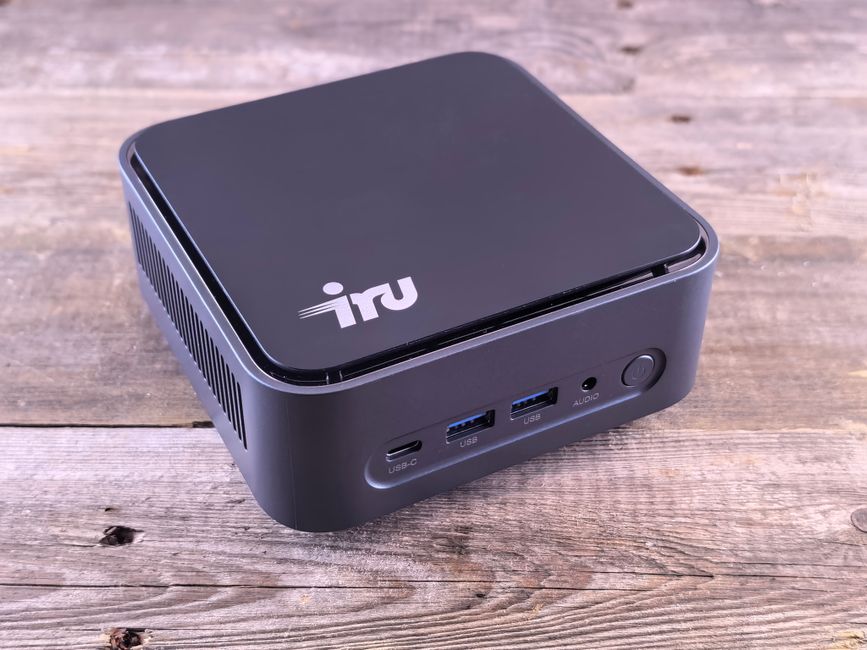
- Mini-ITX Builds: These small form factor (SFF) PCs are incredibly popular. Cases like the Cooler Master NR200P or the Fractal Design Node 202 can house surprisingly powerful components. They take up minimal desk space or can even be tucked away.
- Pre-built SFF PCs: Brands like HP Omen or Dell Alienware offer compact pre-built systems that are ready to go. While generally more expensive than building your own, they save time and often come with warranties.
- Laptops: A gaming laptop is the ultimate space-saver. When not in use, it can be stowed away. Modern gaming laptops from brands like ASUS ROG or Acer Predator offer impressive performance, though they can run hotter and be pricier for equivalent power compared to a desktop. They’re excellent for those who need portability, perhaps splitting time between an apartment in Madrid and a relative’s house.
Consoles: Simplicity and Affordability
If you’re primarily interested in playing the latest AAA games and don’t mind a more restricted ecosystem, a console is a fantastic, often more budget-friendly and space-efficient choice. A PlayStation 5 (PS5) or Xbox Series X/S takes up relatively little space, particularly the digital-only versions or the smaller Xbox Series S.
- Xbox Series S: This console is a true champion for small spaces and budgets. It’s incredibly compact, relatively inexpensive, and offers access to Xbox Game Pass, a subscription service packed with hundreds of games, including many popular titles. It targets 1440p resolution, which is perfectly fine for most budget monitors.
- PlayStation 5 Digital Edition: While still a substantial console, the digital-only PS5 is slightly slimmer than its disc-drive counterpart and saves you money upfront. It provides access to exclusive PlayStation titles and a solid online ecosystem.
The Workspace: Desk, Chair, and Monitor
This trio forms the physical backbone of your budget gaming setup for a small apartment.
The Desk: Maximize Every Inch
Forget giant L-shaped gaming desks. For a small apartment, you need smart, compact solutions.
Adventure Games for Travelers Who Love Exploration: A Realistic Look for Parents
- Wall-Mounted Desks: These are brilliant for tiny spaces. They fold down when needed and fold up when not, disappearing against the wall. IKEA’s Norberg or similar designs are excellent examples.
- Small Corner Desks: Utilize often-ignored corner space. A simple corner desk can provide enough surface area for a monitor and keyboard without dominating the room.
- Standing Desks: A compact standing desk, even a manual crank one, can offer flexibility. You can game standing up, or use it as a regular desk. Some smaller electric models are available too, for example, from brands like Flexispot.
- Monitor Arms: Free up precious desk space by mounting your monitor on an arm clamp or wall mount. This is non-negotiable for compact setups.
The Chair: Don’t Compromise Comfort
Spending hours gaming means investing in a decent chair. A budget doesn’t mean sacrificing your back.
- Ergonomic Office Chairs: Often a better value than ‘gaming’ chairs. Look for adjustable lumbar support and armrests. Brands like SIHOO or even used Herman Miller (if you can find a deal) offer superior ergonomics.
- Foldable Chairs: If space is truly at a premium, a comfortable, foldable chair can be an option, but ensure it offers adequate support for extended use. Think more along the lines of a well-padded conference chair rather than a basic folding chair.
The Monitor: Sweet Spot for Budget and Size
For a budget gaming setup in a small apartment, you’re looking for a balance of size, refresh rate, and resolution.
- 24-27 Inch Monitors: This size range is ideal. It’s large enough for immersive gaming but won’t overwhelm a small desk.
- 1080p or 1440p: A 1080p (Full HD) monitor is budget-friendly and pairs well with mid-range GPUs or the Xbox Series S. If your budget allows, a 1440p monitor offers sharper images without demanding as much power as 4K. Look for refresh rates of 75Hz or 144Hz for smoother gameplay.
- IPS Panels: Offer better color accuracy and viewing angles than TN panels, which is good for general use beyond gaming.

Peripherals: Essential Gear Without the Fluff
This is where you can easily overspend or buy unnecessary items. Stick to the essentials when building a budget gaming setup for small apartments.
Keyboard and Mouse: Performance Over RGB
Focus on functionality and comfort.
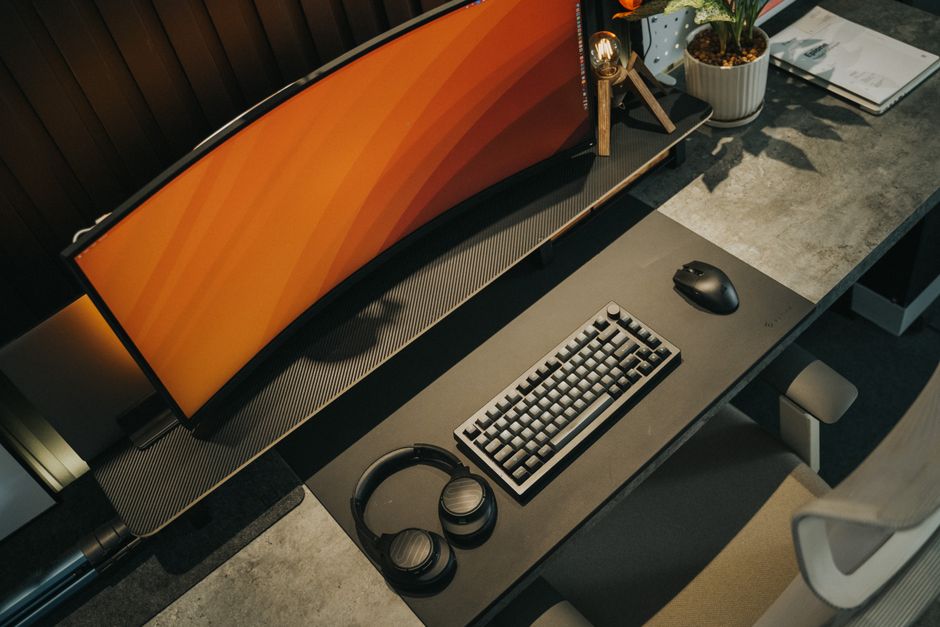
- Keyboard: A tenkeyless (TKL) or 60% mechanical keyboard saves significant desk space. Brands like Tecware or Redragon offer surprisingly good budget mechanical keyboards. If noise is a concern in a small apartment (especially at night), consider membrane keyboards or mechanical switches with quiet dampened keys.
- Mouse: A reliable gaming mouse with decent DPI (dots per inch) and a couple of programmable buttons is enough. Logitech G203 or SteelSeries Rival 3 are excellent budget options. Wireless mice offer a cleaner look, but wired ones eliminate battery concerns and latency for competitive play.
- Mouse Pad: A medium-sized mouse pad is sufficient. You don’t need a desk-sized one.
Headset: Immersion and Communication
A good headset is crucial for immersion and communicating with friends, especially when playing games like Minecraft or Valorant.
- Wired Headsets: Generally more affordable and reliable. Brands like HyperX (Stinger Core) or Corsair (HS Series) offer great sound quality and comfortable designs without breaking the bank.
- Integrated Microphones: A headset with a built-in microphone saves you from needing a separate mic, further reducing clutter.
Smart Solutions for Space and Budget
Beyond the core components, these practical tips can make a big difference for your budget gaming setup in a small apartment.
Cable Management: Your Best Friend
Messy cables make a small space feel even smaller and more chaotic. Invest a few dollars and some time here:
- Cable Ties/Velcro Straps: Bundle cables neatly.
- Cable Sleeves/Raceways: Hide cables along the back of your desk or wall.
- Under-Desk Cable Tray: A simple tray can hide power bricks and excess cable length.
- Power Strip Mount: Mount your power strip to the underside of your desk to keep it off the floor.
Storage and Organization: Think Vertically
When horizontal space is limited, look up.
Choosing From the Games: Your Guide to Language Practice and Vocabulary
- Wall Shelves: Perfect for displaying collectibles, storing games, or even holding a small external hard drive.
- Monitor Riser with Storage: Some monitor risers come with built-in drawers or shelves for small items.
- Headset Stands: Keep your headset off the desk and within easy reach.
Networking: Don’t Skimp on Speed
For online gaming, a stable internet connection is paramount. If possible, use an Ethernet cable directly from your router to your PC or console. If Wi-Fi is your only option, ensure your router is in an optimal location and consider a Wi-Fi 6 compatible adapter for better speeds and stability in congested apartment buildings common in cities across Europe and North America.
FAQ: Budget Gaming Setup for Small Apartments
What’s the best console for a budget gaming setup in a small apartment?
The Xbox Series S is arguably the best console choice for a budget gaming setup in a small apartment. It’s incredibly compact, significantly cheaper than its larger siblings, and offers access to a vast library of games via Xbox Game Pass, making it excellent value. It targets 1440p resolution, perfect for smaller monitors.
Can I play Roblox and Minecraft on a budget gaming setup?
Absolutely! Roblox and Minecraft are not very demanding games, making them perfect for budget gaming setups. Even an entry-level gaming PC with an integrated GPU or a basic discrete graphics card, or any current-generation console (PlayStation, Xbox, Nintendo Switch), can run these games smoothly at good frame rates.
How do I manage cables in a tiny gaming space?
Effective cable management in a tiny gaming space involves using cable ties or Velcro straps to bundle cables, employing cable sleeves or raceways to hide them along the desk or wall, and utilizing under-desk cable trays to conceal power bricks and excess lengths. Mounting your power strip to the underside of your desk also helps immensely.
Is a gaming laptop better than a compact PC for small apartments?
A gaming laptop offers superior portability and takes up virtually no space when not in use, making it an excellent choice for extremely small apartments or for gamers who travel frequently. However, for equivalent performance, gaming laptops are generally more expensive than compact desktop PCs and can run hotter and louder during intense gaming sessions.
What kind of monitor should I get for a small apartment gaming setup?
For a small apartment gaming setup, a 24-27 inch monitor with 1080p or 1440p resolution is ideal. Look for a refresh rate of at least 75Hz, though 144Hz is better for smoother gameplay. An IPS panel offers better color accuracy and viewing angles, which is beneficial for both gaming and general use in a confined space.
Key Takeaways for Your Compact Gaming Nook
Building a budget gaming setup for small apartments isn’t just possible; it’s an exciting challenge that forces smart, creative choices. The core idea is to prioritize efficiency and multi-functionality, making every component earn its place. Whether you opt for a compact PC build, a gaming laptop, or a console like the Xbox Series S or PlayStation 5 Digital Edition, focus on performance that aligns with your budget and space constraints.
Remember that smart space utilization is paramount. Wall-mounted desks, monitor arms, and vertical storage solutions can dramatically improve the usability and aesthetics of your gaming area. Don’t overlook the importance of a comfortable chair and effective cable management, which contribute significantly to both your long-term health and the overall feel of your small gaming sanctuary.
Ultimately, a successful budget gaming setup for a small apartment is one that lets you enjoy your favorite games, from the expansive worlds of Minecraft to the competitive arenas of modern shooters, without feeling cramped or breaking the bank. With careful planning and clever choices, your small apartment can house a powerful and enjoyable gaming experience.
Discover more gaming guides and tips on Le Daily Post.