
Achieving a minimal tech setup that still works well involves carefully selecting versatile, multi-purpose devices and streamlining their use to reduce digital clutter and distractions. The core idea is to identify essential functions – communication, work, entertainment, and learning – and then choose the fewest possible devices that can effectively handle these tasks. This often means opting for a powerful laptop, a reliable smartphone (like a Google Pixel or Samsung Galaxy), and perhaps one multi-functional peripheral, all connected efficiently, often relying on universal standards like USB-C for charging and data transfer, which simplifies cabling across devices.
It’s a common scene in households across Europe, North America, and South America: chargers in every drawer, old phones gathering dust, and a perpetual hunt for the ‘right’ cable. We accumulate technology with the best intentions—to be more productive, to entertain our kids, to stay connected. Yet, often, the inverse happens. Our devices become sources of clutter, distraction, and frustration rather than tools that simplify our lives.
As a seasoned observer of technology trends and practical household integration, I’ve seen countless families grapple with this digital deluge. The promise of every new gadget often masks a reality of added complexity. But what if we could flip the script? What if technology could genuinely serve us, rather than demanding our constant attention and management?
This guide isn’t about asceticism or living without modern conveniences. Instead, it’s about intentionality—choosing a minimal tech setup that still works well, fulfilling your family’s needs without the unnecessary baggage. It’s about creating a streamlined, efficient digital environment where every device earns its place.
The Hidden Costs of Too Much Tech for Families
Before diving into specific recommendations, let’s acknowledge why a minimal tech setup is increasingly vital for families. Beyond the obvious financial outlay, there are less tangible but equally significant costs associated with an abundance of devices:
- Mental Clutter: Each device, each app, each notification vies for your attention, contributing to cognitive overload. For parents juggling work and family life, this constant mental demand is exhausting.
- Physical Clutter: Chargers, cables, peripherals, and redundant gadgets fill drawers, countertops, and bags. This isn’t just an aesthetic issue; it can create friction in daily routines, especially in smaller living spaces common in urban centers like Buenos Aires or Paris.
- Maintenance Overload: Every device needs updates, charging, troubleshooting, and eventually, replacement. Managing a sprawling collection of tech becomes a significant time sink.
- Environmental Impact: The lifecycle of electronic devices, from manufacturing to disposal, has a substantial environmental footprint. A conscious reduction in consumption contributes positively to sustainability efforts, a growing concern from Scandinavia to Brazil.
- Digital Addiction and Screen Time: More devices often mean more opportunities for excessive screen time, a concern for families worldwide. A minimal setup encourages more deliberate and purposeful use of technology.
Understanding these costs helps underscore the value proposition of a more intentional approach. It’s not just about having fewer things; it’s about having more peace of mind and more time for what truly matters.
Building a Minimal Tech Setup That Still Works Well: Essential Principles
Here’s how to approach building a streamlined, effective tech environment for your family. The goal is versatility, reliability, and ease of use.
1. The Core Computing Hub: One Powerful Laptop
For most families, a single, capable laptop can serve as the primary computing device. This replaces the need for separate desktops, secondary laptops, and often, even a tablet for many tasks. Look for a laptop with decent processing power (e.g., Intel i5/i7 or AMD Ryzen 5/7 equivalents), ample RAM (16GB is a sweet spot for multitasking), and a fast SSD (512GB-1TB). Brands like Apple (MacBook Air/Pro), Dell (XPS), HP (Spectre/Envy), or Lenovo (ThinkPad/Yoga) offer excellent options. This central device handles complex tasks, schoolwork, creative projects, and serves as the main media hub.
2. The Ubiquitous Smartphone: Versatility in Your Pocket
A modern smartphone is undeniably central to a minimal setup. It combines communication, photography, navigation, banking, and a plethora of utility apps. The key is to choose one reliable device per primary user and maximize its capabilities. Whether you prefer an iPhone, a Google Pixel, or a Samsung Galaxy device, focus on its ability to integrate smoothly with your life. Resist the urge to keep old phones ‘just in case’ – they usually become e-waste. Utilize its camera instead of a dedicated point-and-shoot, and its calendar/note apps instead of physical planners.
Tech Gifts That People Actually Use That Are Worth Your Time
3. The Multi-Function Peripheral: Printer/Scanner/Copier
A single all-in-one printer is often indispensable, particularly for families with school-aged children or those needing to scan documents. Opt for an inkjet or laser model known for reliability and affordable ink/toner. Look for wireless connectivity and mobile printing features to reduce cable clutter. Avoid dedicated scanners or separate copy machines; the all-in-one covers these bases efficiently.
4. Smart Displays for Shared Spaces (Optional but Useful)
Devices like the Google Nest Hub or Amazon Echo Show can be incredibly useful in shared family spaces like the kitchen or living room. They offer quick access to timers, recipes, calendars, weather, and can double as digital photo frames or simple entertainment hubs (e.g., YouTube videos while cooking). They replace dedicated clocks, radios, and often prevent constant phone-checking for quick information. The key is strategic placement and limited, purposeful use.
5. Universal Charging with USB-C
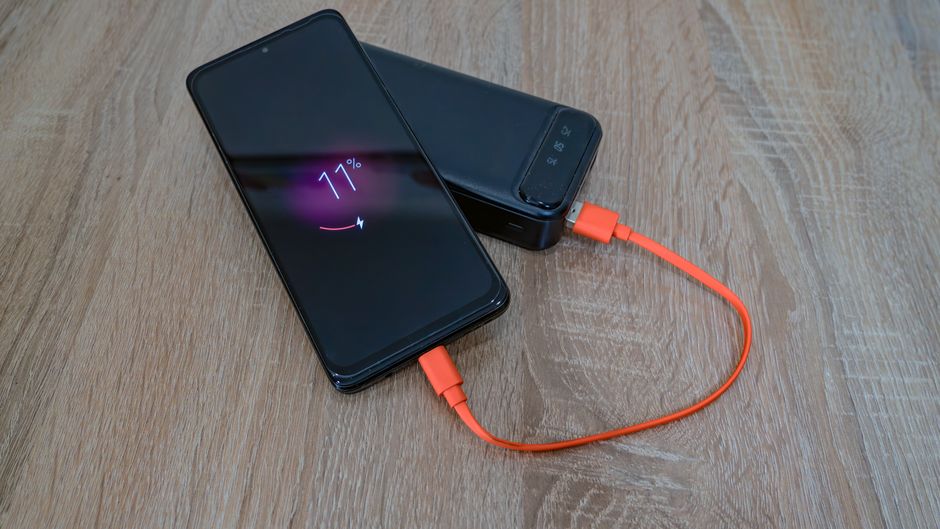
One of the biggest sources of tech clutter is chargers. Embrace USB-C. Most modern laptops, smartphones (especially Android devices like Google Pixel and Samsung Galaxy, and increasingly iPhones in Europe and North America), tablets, and even some headphones now use USB-C. Invest in a few high-quality, multi-port USB-C chargers (e.g., GaN chargers from Anker or Ugreen) and a selection of durable USB-C to USB-C cables. This dramatically reduces the number of bricks and cables needed, making charging simpler across all your devices, whether you’re in Vancouver or Lisbon.
6. Cloud Storage and Digital Organization
Physical storage devices (external hard drives, USB sticks) can contribute to clutter. Leverage cloud services like Google Drive, Microsoft OneDrive, or Apple iCloud for document storage, photo backups, and file sharing. This ensures your data is accessible from any device and reduces the need for physical backups sitting on a shelf. Good digital hygiene is crucial for a minimal tech setup – declutter your files and photos regularly.
Comparing Core Components for Your Minimal Setup
When selecting your main devices, consider how they integrate and what ecosystem you prefer. Here’s a quick comparison of common choices:
| Device Category | Apple Ecosystem | Google/Android Ecosystem | Windows/Cross-Platform |
|---|---|---|---|
| Laptop | MacBook Air/Pro (macOS) | Chromebook (ChromeOS) or Windows Laptop | Any Windows Laptop (e.g., Dell XPS, HP Spectre) |
| Smartphone | iPhone (iOS) | Google Pixel, Samsung Galaxy (Android) | Samsung Galaxy, Google Pixel, etc. (Android) |
| Smart Display | HomePod Mini (Audio only, limited display features) | Google Nest Hub (with Google Assistant) | Amazon Echo Show (with Alexa) |
| Wearables | Apple Watch | Samsung Galaxy Watch, Google Pixel Watch, Fitbit | Fitbit, Garmin (cross-platform) |
| Ecosystem Integration | Very high (AirDrop, Handoff, iMessage) | High (Google services, Android app sync) | Moderate (requires third-party apps for best sync) |

Common Mistakes to Avoid When Minimizing Tech
Embarking on a minimal tech setup journey is about strategic reduction, not just throwing things out. Many people stumble by making a few common errors:
Buying ‘Minimalist’ Gadgets That Aren’t Truly Useful
The market is flooded with devices marketed as ‘minimalist’ or ‘productivity boosters.’ Be critical. Does that single-purpose e-reader truly offer more than a tablet you already own? Does that specialized smart mug simplify your life or just add another app to manage? Focus on multi-functionality and genuine utility, not just sleek design.
Underestimating Storage Needs
While cloud storage is fantastic, make sure your primary devices (laptop, phone) have enough local storage for essential apps, offline work, and some media. Running out of space constantly is frustrating and counter-productive, forcing you to manage files excessively rather than focusing on tasks. Always leave a buffer.
Clean Up Your Email Inbox Without Starting Over in Real Life
Ignoring Cross-Device Compatibility
Choosing devices that don’t play well together can lead to frustration and the temptation to buy more gadgets to fill the gaps. For example, if your family uses iPhones, an Android tablet might create more headaches than it solves for sharing photos or using AirPlay. Stick to a cohesive ecosystem where possible, or ensure devices use universal standards like USB-C for charging and common file formats.
Forgetting Family-Specific Needs
A minimal tech setup for a single person is different from one for a family with diverse needs. Children might need a dedicated tablet for school or entertainment, or a family might benefit from a shared gaming console. Don’t sacrifice essential functionality for the sake of minimalism. The goal is to be *realistic* and effective.
Not Regularly Reviewing Your Setup
Technology evolves, and so do your family’s needs. What worked perfectly two years ago might be cumbersome now. Schedule an annual ‘tech audit’ to review your devices. What’s gathering dust? What’s causing friction? Be willing to sell, donate, or recycle devices that no longer serve a clear purpose. This ongoing process keeps your setup truly minimal and functional.
FAQ: Your Questions on a Minimal Tech Setup Answered
Q: What is the most essential piece of technology for a minimal tech setup?
A: For most families, the smartphone is the most essential device in a minimal tech setup due to its unparalleled versatility. It consolidates communication, photography, navigation, banking, and many utility apps into one portable unit, reducing the need for multiple specialized gadgets. Its constant presence makes it an irreplaceable hub for daily life.
Q: How can Google services support a minimal tech setup?
A: Google services like Google Drive, Google Calendar, and Gmail are excellent for a minimal tech setup because they provide powerful, cloud-based tools that reduce reliance on physical files or specialized software. They enable seamless synchronization across devices (Android, iOS, Windows, macOS), making information accessible anywhere and reducing the need for device-specific applications or local storage.
Q: Why is USB-C important for a minimal tech setup?
A: USB-C is crucial for a minimal tech setup because it offers a universal charging and data transfer standard. This allows you to use fewer cables and power bricks, simplifying your setup and reducing clutter. With one type of cable, you can charge your Samsung phone, your laptop, and various accessories, making travel and daily charging significantly easier and more organized.
Q: Can a Samsung smartphone be part of a minimal tech setup?
A: Absolutely. Samsung smartphones, especially models like the Galaxy S series, are highly versatile and powerful, making them ideal for a minimal tech setup. They offer excellent cameras, solid performance for multitasking, and access to a vast app ecosystem. Their ability to handle diverse tasks from communication to media consumption means fewer dedicated devices are needed.
Q: What should readers know about minimal tech setup?
A: Readers should know that a minimal tech setup is not about deprivation, but about intentionality and efficiency. It means choosing fewer, more versatile devices that genuinely enhance productivity and enjoyment without adding unnecessary clutter or distraction. The goal is to make technology serve you, rather than becoming another chore to manage.
Q: How does a minimal tech setup benefit family productivity?
A: A minimal tech setup boosts family productivity by reducing distractions, simplifying device management, and fostering clearer digital boundaries. With fewer gadgets vying for attention, family members can focus better on schoolwork, professional tasks, or quality time together. It also streamlines charging and troubleshooting, saving valuable time and reducing frustration in busy households.
Embracing a minimal tech setup that still works well is an ongoing journey of refinement, but the rewards—less clutter, more focus, and greater peace of mind—are well worth the effort. By making deliberate choices about the technology you invite into your home, you transform it from a source of overwhelm into a genuine enabler of your family’s best life. For more insights and practical advice on navigating the digital world effectively, read more useful technology guides on Le Daily Post.