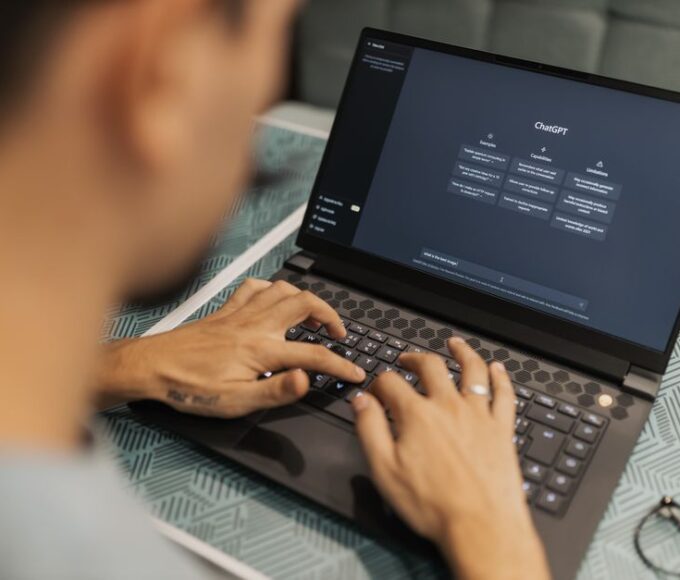
When new technology emerges, especially one as powerful and pervasive as artificial intelligence, it’s natural for teams to jump in. Maybe you’ve seen your marketing specialist use ChatGPT to brainstorm headlines, or your developer leverage Claude to debug code. It’s exciting, often efficient, and can really boost productivity. But, without some guardrails, that same enthusiasm can inadvertently lead to significant risks—from leaking confidential client data to generating biased content that undermines your brand.
I’ve witnessed small businesses, driven by curiosity and a desire for efficiency, adopt AI tools without a second thought, only to realize later they’ve exposed themselves to privacy concerns or IP issues. The good news is, you don’t need a 50-page legal document to prevent these headaches. What you need is a practical, clear framework for building a simple AI policy for a small team that everyone understands and can follow.
This isn’t about stifling innovation; it’s about channeling it responsibly. A thoughtful AI policy provides clarity, protects your company, and empowers your team to use these powerful tools effectively and ethically. It means less worrying about accidental data breaches and more focusing on the benefits AI can bring.
Why Your Small Team Needs an AI Policy, Not Just a Nod and a Wink
It’s easy to think, “We’re a small team, we trust each other, we’ll figure it out.” That’s a common sentiment, especially in agile startups in places like Toronto or Buenos Aires, or even small design studios in Berlin. However, the nature of AI tools like OpenAI’s ChatGPT or Anthropic’s Claude means that user input often becomes part of their training data, or at the very least, is processed on their servers. This immediately raises concerns about client data, proprietary information, and even employee privacy. Without a clear policy, individual interpretations of “safe use” can vary wildly, creating vulnerabilities.
Imagine a scenario where a team member, trying to summarize a confidential client report, pastes sensitive details into a public AI tool. Or, perhaps, another uses AI to generate content without fact-checking, leading to inaccuracies published under your company’s name. These aren’t far-fetched hypotheticals; they’re daily occurrences in businesses lacking clear guidelines. An AI policy is essentially your team’s playbook for responsible AI engagement, mitigating risks related to data security, intellectual property, ethical conduct, and legal compliance, especially with varying regulations across Europe, North America, and South America.

Building a Simple AI Policy for a Small Team: What Actually Works
Forget the corporate jargon and legal complexities. For a small team, an effective AI policy is concise, actionable, and easy to understand. Here’s how to build one that truly works:
1. Start with a “Why”: Educate Your Team
Before outlining rules, explain why these rules exist. Hold a short meeting to discuss the benefits and risks of AI. Talk about data privacy, intellectual property, and potential biases. When your team understands the rationale behind the policy, they’re far more likely to adhere to it voluntarily. Use real-world examples, perhaps even local news stories about data breaches or AI misuse, to make it tangible.
2. Define Confidentiality: What NEVER Goes Into AI
This is arguably the most critical part. Clearly state that no confidential client information, proprietary company data, trade secrets, or personal identifiable information (PII) should ever be entered into public AI tools like ChatGPT or Claude. Specify what constitutes ‘confidential’ – client names, project details, internal financial data, employee records, etc. Make it a hard and fast rule, with no exceptions.
Practical AI for Excel and Google Sheets: Practical Examples for Beginners
3. Emphasize Verification: AI as an Assistant, Not an Authority
AI models can “hallucinate” – generating plausible-sounding but incorrect information. Your policy should mandate that all AI-generated content (text, code, images) must be fact-checked and reviewed by a human expert before use, especially for client-facing materials, legal documents, or critical internal communications. This is non-negotiable.
4. Address Intellectual Property & Attribution
Who owns the output generated by AI? For now, the legal landscape is murky. Advise your team against using AI to create original works they intend to copyright or patent without significant human modification. For content creation, emphasize that AI output, if used, should be considered a starting point, heavily edited and transformed by a human to ensure originality and alignment with your brand voice. Consider a policy around disclosing AI assistance when appropriate, for example, for initial drafts of articles or social media posts.
5. Outline Approved Tools & Use Cases
Not all AI tools are created equal. If your company uses specific AI-powered tools (e.g., Grammarly Business, Adobe Sensei features, or a securely hosted internal AI model), list them as approved. For general-purpose AI, specify acceptable uses: brainstorming, summarizing public domain information, drafting internal communications (with review), or generating creative ideas. Discourage using AI for critical decision-making without extensive human oversight.
6. Training & Continuous Learning
AI technology evolves rapidly. Your policy shouldn’t be a static document. Encourage ongoing learning about AI best practices and updates. Periodically review and update your policy to reflect new tools, emerging risks, and changes in local regulations, perhaps annually or every six months, with a dedicated review meeting for the team.
7. Define Consequences for Misuse
While the goal is education, there should be clear consequences for policy violations, especially those that risk data breaches or harm the company’s reputation. This doesn’t need to be punitive initially; often, a conversation and retraining are sufficient. However, for severe or repeated violations, team members should understand the implications for their employment.
Comparing Popular AI Tools for Team Use
When considering which AI tools your team might use, understanding their general characteristics is helpful. Most small teams will interact with large language models (LLMs) like ChatGPT or Claude. Here’s a quick comparison:
| Feature | OpenAI (ChatGPT) | Anthropic (Claude) | General Small Business Internal AI (Hypothetical) |
|---|---|---|---|
| Key Focus | Broad applicability, creativity, code generation | Safety, helpfulness, less prone to “hallucinations” | Specific task automation, secure data processing |
| Data Privacy | Input typically used for training unless opt-out/enterprise. | Strong emphasis on not using user data for training by default. | Complete control over data, hosted securely (on-premise or private cloud). |
| Cost Model | Free tier, various paid subscriptions (Plus, Teams, Enterprise). | Free tier, various paid subscriptions (Pro, Business). | Setup costs, recurring hosting/maintenance, customization fees. |
| Typical Use Cases | Brainstorming, drafting emails, creative writing, code snippets. | Summarizing long documents, complex reasoning, content generation with ethical guardrails. | Automating customer support, internal data analysis, personalized recommendations. |
| Availability | Globally, with some regional restrictions. | Growing global availability, generally strong in North America. | Depends entirely on your internal development or vendor. |
Common Mistakes to Avoid When Crafting Your AI Policy
In practice, many small teams stumble not because they don’t want an AI policy, but because they approach it incorrectly. One common pitfall is over-engineering. A lengthy, legalese-filled document designed for a multinational corporation will overwhelm a small team. Keep it concise, practical, and focused on core principles rather than trying to anticipate every single possible scenario. Aim for clarity over comprehensive legal language.
Another frequent error is a “set it and forget it” mentality. AI is evolving at an incredible pace. A policy created today might be outdated in six months. Regularly review and update your guidelines. Perhaps a new AI tool emerges with stronger privacy features, or a local regulation (like those being debated in Europe) introduces new compliance requirements. Your policy needs to be a living document.
The Difference Between Chatbots, Copilots, and AI Agents: A Practical Guide for Remote Workers
Ignoring the human element is also a mistake. Simply publishing a document on your intranet isn’t enough. People need training, opportunities to ask questions, and a clear understanding of the ‘why’ behind the rules. Foster an open dialogue, encouraging team members to report new AI tools they’re using or innovative (and safe) ways they’ve found to apply AI in their work. This builds a culture of responsible usage rather than one of fear.
Finally, some teams make the error of being overly restrictive, effectively banning AI use altogether. While caution is good, outright prohibition can hinder productivity and innovation, putting your team at a disadvantage. Instead, focus on guiding responsible use. Empower your team to leverage AI’s benefits while minimizing the risks. This balance is key to building a simple AI policy for a small team that genuinely works.
FAQ: What Should Readers Know About Small Team AI Policy?
What is the most important thing to include in a small team AI policy?
The absolute most important inclusion is a clear directive on what confidential and proprietary information must never be entered into public AI tools. This protects your clients, your company’s intellectual property, and reduces significant legal and reputational risks. Make this rule unambiguous and communicate it frequently.
Can we use ChatGPT or Claude for client work under a small team AI policy?
Yes, but with strict caveats. Your policy should mandate that any AI-generated output for client work must be thoroughly reviewed, fact-checked, and substantially edited by a human expert before being delivered. Never input confidential client data into these tools, and consider them as assistants for drafting or brainstorming, not final content creators.
How often should we update our small team AI policy?
Given the rapid pace of AI development, it’s advisable to review and update your small team AI policy at least every 6-12 months. This allows you to incorporate new tools, address emerging risks, and adapt to changes in data privacy regulations, which vary significantly across regions like North America, South America, and Europe.
What are the biggest risks of not having an AI policy for a small team?
The biggest risks include inadvertent exposure of confidential client data or proprietary company information, potential intellectual property infringement, generation of inaccurate or biased content that damages your reputation, and legal non-compliance with data protection laws like GDPR in Europe or various state-level privacy acts in North America.
Should our small team AI policy ban certain AI tools?
Rather than a blanket ban, your policy should specify approved tools for certain tasks and outline general principles for using any AI tool. For public LLMs like OpenAI’s ChatGPT or Anthropic’s Claude, focus on data input restrictions and human oversight requirements. A complete ban can stifle innovation; guidance for responsible use is more effective.
What about using AI for code generation in a small team?
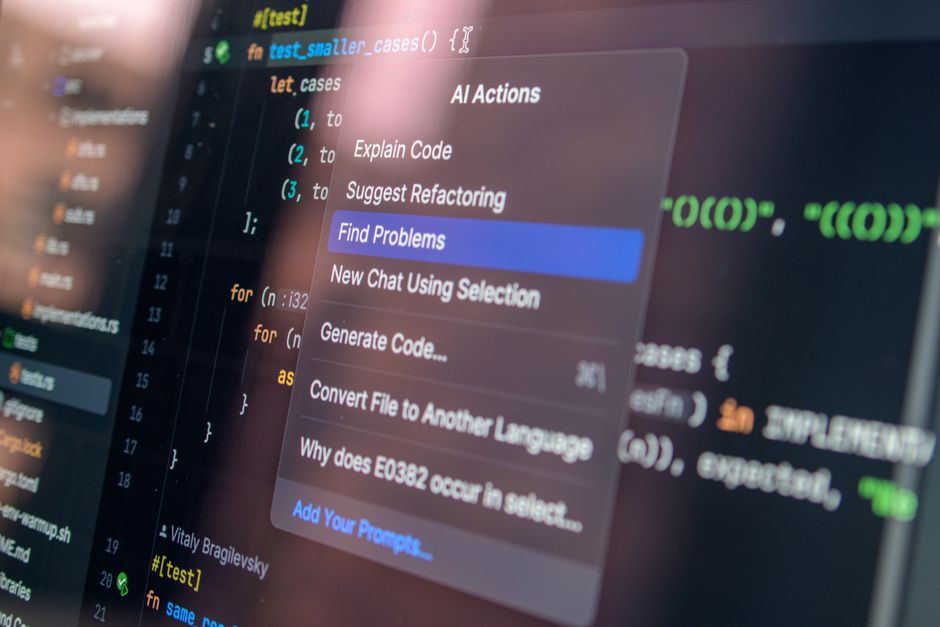
When using AI for code generation, your policy should require thorough human review for security vulnerabilities, intellectual property concerns, and efficiency. Never input proprietary company code into public AI models for debugging or generation. Treat AI-generated code as a suggestion that needs rigorous testing and validation by an experienced developer.
Adopting AI doesn’t have to be a gamble for small teams. By thoughtfully crafting and implementing these practical guidelines, you’re not just avoiding pitfalls; you’re setting your team up to leverage AI’s powerful benefits responsibly and ethically. For more clear AI explainers and practical advice, follow Le Daily Post for clear AI explainers.