
For small business owners looking into smart home basics, the most impactful initial purchases focus on security and efficiency. Start with smart security cameras for surveillance, especially those with cloud storage and motion detection. Next, consider smart lighting for energy savings and automated scheduling. Smart plugs are also a cost-effective entry point for automating existing appliances. Skip more complex, integrated systems or entertainment-focused devices initially, as these often have a higher upfront cost and less direct business benefit compared to essential security and automation tools.
Stepping into the world of smart technology for your business doesn’t have to feel like building a spaceship. Many small business owners, from boutique shopkeepers in Berlin to café owners in Buenos Aires or even a startup in Sacramento, often ask: ‘Where do I even begin with smart home tech?’ It’s a valid question, especially when every other advertisement screams about the next ‘must-have’ gadget. The reality is, for a small business, the goal isn’t to have every smart device under the sun, but to strategically implement technology that genuinely enhances security, streamlines operations, and ideally, saves money.
Think about it: a well-placed smart camera can deter theft, smart lighting can reduce your electricity bill, and automated systems can free up valuable time. The key is understanding which devices offer tangible benefits for your specific operation, focusing on the smart home basics that deliver real value rather than just novelty. This guide will help you sort through the options, pinpointing what’s essential and what’s likely an unnecessary expense for your small business.
Building a Smarter Foundation: Why Smart Tech Matters for Small Businesses
In today’s competitive landscape, even small businesses need every advantage they can get. Smart technology isn’t just for homes; it’s a powerful tool for commercial investigation, offering solutions that were once only available to large corporations. From enhancing physical security to optimizing energy consumption, the right smart devices can significantly impact your bottom line and operational efficiency. Consider a small artisanal bakery in Paris, for instance. Monitoring oven temperatures remotely, securing the premises after hours, or even controlling storefront lighting can all be managed with smart solutions, providing peace of mind and tangible benefits.
The integration of smart devices can also provide valuable data. Foot traffic patterns, peak operating hours, or even temperature fluctuations can be tracked, offering insights that can inform business decisions. This proactive approach to managing your business, whether you’re in Europe, North America, or South America, can be a practical advantage, moving you from reactive problem-solving to strategic foresight.
Smart Home Basics: What to Buy First and What to Skip for Your Business
When starting with smart tech, a phased approach is usually best. Don’t try to automate everything at once. Focus on areas where you can achieve the biggest impact with the least complexity. Here’s a breakdown of what to prioritize and what to hold off on.
1. Smart Security Cameras: Your First Line of Defense
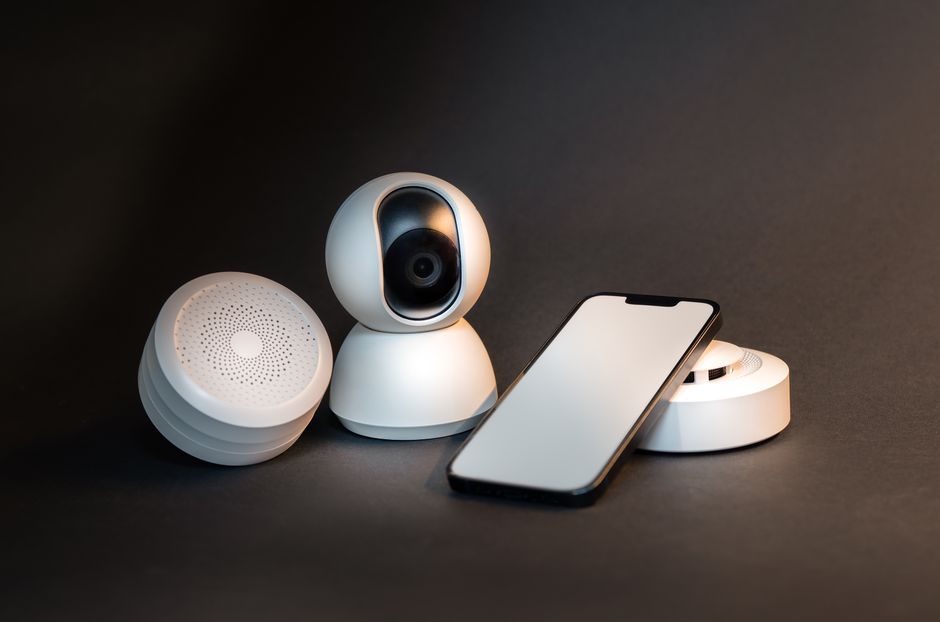
For any small business, security is paramount. Smart security cameras are a non-negotiable first purchase. Look for cameras with high-definition video, night vision, and motion detection. Brands like Arlo, Ring, and Eufy offer reliable options that integrate well with most smart ecosystems. Many provide cloud storage for recorded footage, which is crucial for evidence if an incident occurs. Some even offer two-way audio, allowing you to speak to delivery drivers or potential intruders remotely. A good starting point is strategically placing cameras at entry points and in high-value areas within your premises.
2. Smart Lighting: Efficiency and Ambiance
Energy costs can eat into profits. Smart lighting, such as Philips Hue or Wyze bulbs, allows you to control lights remotely, set schedules, and even adjust brightness and color. This is particularly useful for storefronts, offices, or workshops. You can schedule lights to turn on and off automatically, ensuring you never leave them running overnight by mistake. Beyond energy savings, smart lighting can create an inviting atmosphere for customers or provide adequate task lighting for employees.
How to Spot Phishing Emails and Fake Login Pages in Real Life
3. Smart Plugs: Automate Existing Devices
Smart plugs are incredibly versatile and cost-effective. These small devices plug into standard outlets, turning any non-smart appliance into a smart one. Want to remotely turn off a forgotten coffee maker or automate your signage lighting? A smart plug can do it. Brands like TP-Link Kasa and Amazon Smart Plug are easy to set up and use. This is an excellent way to dip your toes into automation without replacing all your existing equipment. They are fantastic for automating fans, small heaters, or even charging stations for company devices.
4. Smart Thermostats: Optimize Climate Control
If your business has a dedicated heating, ventilation, and air conditioning (HVAC) system, a smart thermostat like Nest or Ecobee can be a significant investment with quick returns. These devices learn your schedule, can be controlled remotely, and often include sensors to monitor occupancy or open windows. This intelligent control prevents energy waste and maintains a comfortable environment for both staff and customers. Imagine adjusting the temperature of your retail store in Vancouver from your phone before you even arrive.
5. Smart Locks: Enhanced Access Control
For businesses with multiple employees or contractors, smart locks offer superior access control. Instead of physical keys, you can issue digital codes that can be time-limited or revoked instantly. This is ideal for managing access for cleaning crews, part-time staff, or even deliveries after hours. Brands like August and Schlage Encode are popular choices. This eliminates the risk and cost associated with lost keys and lock changes.
What to Skip (Initially)
Avoid complex, whole-home automation hubs or entertainment-focused devices like advanced multi-room audio systems in your initial phase. While fun for a home, they rarely offer direct business benefits that justify the upfront cost and complexity for a small operation. Also, hold off on smart mirrors, smart pet feeders (unless you run a pet shop!), or intricate robotic assistants until your core smart infrastructure is established and proving its worth. The goal is practical application, not technological novelty.
Choosing Your Smart Ecosystem: A Quick Comparison
Understanding which ecosystem to build around is crucial for compatibility and future expansion. Most smart devices integrate with one or more major platforms. Here’s a brief look at the primary players:
| Ecosystem | Key Strengths | Common Devices | Best For |
|---|---|---|---|
| Amazon Alexa | Broad device compatibility, voice control, affordable devices | Echo speakers, Ring cameras, Blink cameras | Businesses prioritizing voice control and budget-friendly expansion |
| Google Assistant | Strong AI capabilities, natural language processing, seamless integration with Android | Nest cameras, Google Home/Nest Hubs, Chromecast | Businesses using Google Workspace, Android devices, or valuing AI insights |
| Apple HomeKit | High security, privacy focus, tight integration with iOS/macOS | Aqara sensors, Eufy cameras, Philips Hue (via HomeKit) | Businesses prioritizing privacy, security, and using Apple devices extensively |
| Samsung SmartThings | Excellent device interoperability (Z-Wave, Zigbee), powerful automation rules | Samsung SmartThings Hub, various sensors and switches | Businesses wanting a solid, customizable platform with wide hardware support |
Common Mistakes to Avoid When Implementing Smart Tech
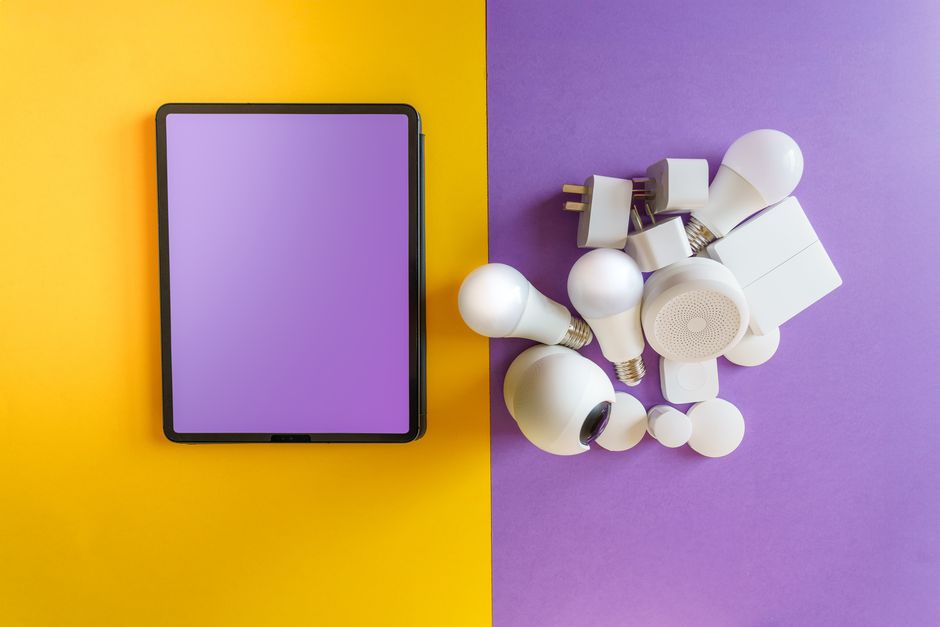
Implementing smart technology for your small business can be incredibly beneficial, but common pitfalls can turn innovation into frustration. A common mistake is going all-in too quickly, buying numerous devices without a clear strategy. This often leads to compatibility issues, underutilized features, and unnecessary expenses. Instead, start small, test, and expand gradually.
Another frequent oversight is neglecting network security. Every smart device connected to your business Wi-Fi is a potential entry point for cyber threats. Ensure your Wi-Fi network is secured with a strong, unique password and consider segmenting your network so smart devices are on a separate guest network if possible. Regular firmware updates for your devices are also critical for patching security vulnerabilities. For businesses, implementing a solid Microsoft Defender for Business solution could be a worthwhile consideration to help protect against advanced cyberattacks.
Use QR Codes Safely in Restaurants, Travel, and Payments More Effectively: A Modern Guide
Furthermore, many businesses overlook the importance of reliable Wi-Fi. Smart devices depend on a stable connection. If your Wi-Fi signal is weak or inconsistent, your smart devices won’t perform as expected. Investing in a good quality router and potentially Wi-Fi extenders or a mesh system is crucial. With new technologies like Wi-Fi 7 on the horizon, offering faster speeds and lower latency, ensuring your network infrastructure can support current and future smart devices is a smart move. Don’t cheap out on your network infrastructure; it’s the backbone of your smart business.
Finally, neglecting to train staff on new smart systems can lead to confusion and lack of adoption. If employees don’t understand how to use the smart lock or the automated lighting system, they won’t use it effectively, negating the investment. Simple, clear instructions and brief training sessions can make a big difference in the successful integration of new technology.
Frequently Asked Questions About Smart Home Basics for Businesses
What is the most crucial smart device for small business security?
For small business security, smart security cameras are the most crucial device. They provide real-time surveillance, motion alerts, and recorded footage, which are invaluable for deterring theft, monitoring activity, and providing evidence in case of an incident. Look for options with night vision and cloud storage.
Can smart home devices save my business money?
Yes, smart home devices can absolutely save your business money. Smart lighting and thermostats reduce energy consumption by automating schedules and optimizing climate control. Smart plugs help prevent phantom power drain. Over time, these small savings accumulate into significant reductions in operational costs.
What role do password managers play in smart home security for businesses?
Password managers are vital for smart home security in businesses. They ensure strong, unique passwords for every smart device, Wi-Fi network, and cloud service. This prevents unauthorized access, reduces the risk of data breaches, and streamlines password management for multiple users, significantly enhancing your overall security posture.
Is it difficult to install smart home technology for a business?
Many smart home devices are designed for easy, DIY installation, especially for smart plugs, bulbs, and basic cameras. More complex systems like integrated security setups or smart locks might benefit from professional installation, but for most entry-level smart home basics, the process is straightforward with app-guided setup.
Should my small business consider Wi-Fi 7 for its smart devices?
While Wi-Fi 7 offers significant improvements in speed and efficiency, it’s not strictly necessary for most current smart home devices, which typically operate fine on Wi-Fi 5 or Wi-Fi 6. However, if you are planning a complete network overhaul and anticipate a large number of high-bandwidth smart devices in the future, investing in Wi-Fi 7 infrastructure could be a forward-thinking move.
Equipping your small business with the right smart technology doesn’t have to be a daunting task. By focusing on smart home basics: what to buy first and what to skip, you can create a more secure, efficient, and cost-effective operation. For more insights and useful guides on leveraging technology for your business, consider reading more useful technology guides on Le Daily Post.