For students in Europe and the Americas, useful and safe AI tools include large language models like ChatGPT, Gemini, and Claude for brainstorming and understanding complex topics, provided they are used as assistants, not replacements for original thought. Notion AI offers integrated note-taking and writing support, while specialized tools for grammar (Grammarly) and citation management (Zotero, often with AI plugins) also provide significant academic support. The key is understanding university policies and using these tools ethically to enhance learning and productivity without compromising academic integrity.
Students today face an unprecedented deluge of information, tighter deadlines, and the constant pressure to excel. The traditional methods of research, note-taking, and essay writing, while foundational, can often feel overwhelming and time-consuming. You’re trying to balance classes, extracurriculars, part-time jobs, and a social life, all while aiming for top grades. It’s a lot.
Enter Artificial Intelligence, a technology often presented as a magic bullet for academic woes. But with so many new tools emerging daily, figuring out which ones are genuinely helpful, reliable, and — crucially — acceptable under your university’s policies can be a headache. The hype around AI often overshadows the practical, ethical considerations that every student in Paris, New York, or Buenos Aires needs to address.
Which AI tools are truly useful and safe for students in Europe and the Americas? The most useful AI tools for students are those that act as intelligent assistants, augmenting human capabilities rather than replacing them. This includes large language models like ChatGPT, Gemini, and Claude for brainstorming and initial content generation, integrated productivity suites such as Notion AI for organization and writing, and specialized AI-powered assistants for tasks like grammar checking and research summarization. Safety largely depends on ethical use and adherence to academic integrity guidelines, understanding that AI outputs require critical human review.

Getting Started with AI Tools for Students: Key Considerations
Before diving into specific AI tools, it’s essential to set the stage. Here are some quick but critical points for any student looking to integrate AI into their study routine:
- Understand University Policies: This is paramount. Most universities in Europe (like the Sorbonne in France or ETH Zurich in Switzerland), North America (e.g., Harvard in the US, University of Toronto in Canada), and South America (e.g., University of São Paulo in Brazil, University of Buenos Aires in Argentina) are rapidly developing guidelines for AI use. Some allow AI for brainstorming, others ban it outright for graded work. Always check your syllabus and institutional guidelines.
- AI as an Assistant, Not a Replacement: Think of AI tools as sophisticated calculators for words and ideas. They can help you organize, summarize, and generate drafts, but the critical thinking, analysis, and original insight must always come from you.
- Fact-Checking is Non-Negotiable: Large Language Models (LLMs) can “hallucinate” – meaning they can confidently present false information as fact. Never cite an AI directly without verifying every piece of information it provides.
- Privacy Matters: Be cautious about inputting sensitive personal information or proprietary research into public AI models. Data privacy laws like GDPR in Europe are strict, but it’s generally good practice to assume anything you input might be stored or used for training.
- Ethical Use and Plagiarism: Presenting AI-generated text as your own original work without proper attribution (if allowed by your institution) is a form of plagiarism. The goal is to learn, not to cheat.
- Learn the Prompts: The quality of AI output heavily depends on the quality of your input. Learning how to write effective prompts is a skill in itself.
Large Language Models (LLMs): Your Brainstorming Partner
When most people talk about AI tools for students, they’re often referring to LLMs. These are powerful conversational AI systems that can generate text, answer questions, summarize information, and even help with coding. They are incredibly versatile but come with significant caveats.
ChatGPT (OpenAI)
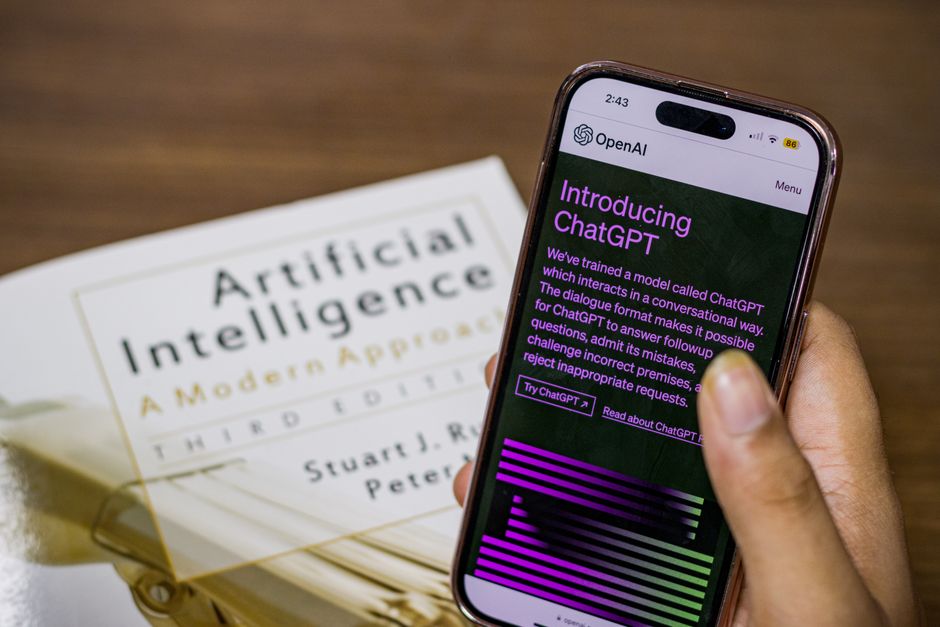
ChatGPT remains a frontrunner due to its early adoption and continuous development. Available globally, it’s a go-to for many students.
- How students use it: Brainstorming essay topics, outlining arguments, explaining complex concepts (e.g., a challenging theorem in mathematics or a historical event’s nuances), summarizing lengthy articles, practicing language skills, and even generating code snippets for programming assignments. For instance, a student in Berlin might ask ChatGPT to explain the Treaty of Versailles from multiple perspectives or a student in Bogotá might use it to generate ideas for a research paper on Amazonian biodiversity.
- Pros: Wide knowledge base, generally coherent output, user-friendly interface. The free version (GPT-3.5) is powerful enough for most student needs, while the paid GPT-4 offers greater accuracy and reasoning.
- Cons: Can ‘hallucinate’ facts, has a knowledge cutoff (meaning it might not know about very recent events), and lacks real-time internet access in its free version. Output can sometimes be generic or lack critical depth.
- Ethical consideration: Do not submit AI-generated text as your own. Use it to refine your thinking, not replace it.
Gemini (Google)
Google’s answer to ChatGPT, Gemini (formerly Bard), integrates more smoothly with other Google services and offers real-time internet access, even in its free tier.
The Best AI Translation Tools for Travelers and Remote Teams
- How students use it: Similar to ChatGPT, but its real-time web access makes it excellent for researching current events, looking up recent scientific discoveries, or comparing products for a consumer behavior class. A student in Mexico City could ask Gemini to summarize recent economic trends in Latin America, citing sources, or a student in Rome could ask for comparisons between different philosophical schools with current information.
- Pros: Real-time internet access, can generate multiple drafts for comparison, integrates with Gmail and Google Docs, making it convenient for those already in the Google ecosystem.
- Cons: Can still suffer from accuracy issues, and its tone can sometimes be overly conversational.
- Ethical consideration: Verify any facts, especially those pulled from the live web, as search results can be biased or inaccurate.
Claude (Anthropic)
Claude is another strong contender, often praised for its longer context window, meaning it can handle and analyze much larger texts than its competitors.
- How students use it: Ideal for summarizing entire books, long research papers, or complex legal documents. If you have a 100-page PDF to review for a sociology class in Toronto or a literature course in Rio de Janeiro, Claude can help you extract key themes and arguments more efficiently than other LLMs. It’s also known for being less prone to ‘hallucinations’ in certain contexts.
- Pros: Excellent for processing large amounts of text, often provides more nuanced and less generic answers, and tends to be more cautious about generating harmful or inappropriate content.
- Cons: Not as widely known or integrated as ChatGPT or Gemini, and its free version might have usage limits.
- Ethical consideration: Even with a longer context, always cross-reference summaries with the original text to ensure no critical information was missed or misinterpreted.
AI-Powered Note-Taking & Organization: Streamlining Your Workflow
Beyond content generation, AI can significantly improve how you capture, organize, and retrieve information.
Notion AI
Notion is an all-in-one workspace popular with students for notes, project management, and databases. Notion AI adds intelligent capabilities directly into your pages.
- How students use it: A student in Paris preparing for exams might use Notion AI to summarize their class notes with a single click, translate complex terms into simpler language, or even generate action items from meeting minutes. It can also help brainstorm content for presentations or blog posts for a student organization. For instance, if you’ve been taking notes on a history lecture, Notion AI can instantly create a summary, extract key concepts, or even draft a quiz based on your notes.
- Pros: Deep integration with existing Notion workflows, versatile for various academic tasks, improves productivity by automating repetitive writing/summarizing tasks.
- Cons: Requires an existing Notion subscription for full features (though a free tier exists with limited AI use), and its AI capabilities are specific to the Notion environment.
- Ethical consideration: Be mindful of intellectual property if you’re summarizing or generating content based on another person’s notes or copyrighted material.
AI Research Assistants: Deepening Your Understanding
Navigating academic databases and peer-reviewed journals can be daunting. AI is emerging to help students cut through the noise and find relevant information more quickly.
Elicit & Semantic Scholar
These tools are designed to help students discover, summarize, and understand academic literature.
- How students use them: A student in Vancouver writing a research paper on climate change might use Elicit to find relevant papers, summarize their abstracts, and identify key methodologies without manually opening dozens of PDFs. Semantic Scholar, meanwhile, uses AI to analyze research papers, identify influential citations, and suggest related works, helping students in Santiago or Manchester build a comprehensive bibliography more efficiently.
- Pros: Saves immense time in literature reviews, helps identify gaps in research, and makes complex papers more accessible.
- Cons: Primarily focuses on published academic literature, so might not be suitable for all types of research. Requires careful interpretation of summaries, as nuance can be lost.
- Ethical consideration: These are discovery tools; you still need to read and critically evaluate the full papers yourself. Never cite a summary without consulting the original source.
AI-Powered Writing & Grammar Tools: Polishing Your Work
Even the most brilliant ideas can fall flat without clear, concise writing. AI can be a powerful proofreading and style assistant.
Grammarly
Widely used across all academic levels, Grammarly offers real-time grammar, spelling, punctuation, and style suggestions.
- How students use it: From a high school student in Dublin writing their first essay to a PhD candidate in Buenos Aires drafting their dissertation, Grammarly helps catch errors that human eyes might miss. Its premium version offers suggestions for clarity, engagement, and even detecting tone, which is invaluable for professional emails or academic submissions.
- Pros: Integrates with most writing platforms (Google Docs, Microsoft Word), comprehensive error detection, improves overall writing quality.
- Cons: The free version is limited to basic checks; the premium version can be costly. Sometimes over-corrects or offers awkward phrasing.
- Ethical consideration: Using a grammar checker is generally acceptable. The goal is to improve your writing, not to have the AI write for you.
Zotero (with AI plugins)
While Zotero itself is a fantastic open-source citation management tool, various third-party AI plugins are emerging to enhance its capabilities.
How Small Businesses Can Use AI Without Losing Customer Trust
- How students use it: A student in London or Montreal managing hundreds of sources for a thesis can use Zotero to organize PDFs, generate citations in various styles (APA, MLA, Chicago), and build bibliographies. With AI plugins, some versions can now extract key information from PDFs, summarize articles before you even open them, or suggest related papers based on your existing library, significantly speeding up the research process.
- Pros: Excellent for academic integrity by ensuring correct citations, saves time in bibliography creation, and AI plugins can make literature review more efficient.
- Cons: Core Zotero isn’t AI, so AI functionality depends on third-party plugins which vary in quality and reliability. There’s a learning curve for effective use.
- Ethical consideration: Citation generation is standard practice. Always double-check AI-generated summaries against the original document, especially for accuracy in quoting or paraphrasing.
FAQ: Common Questions About AI Tools for Students
Can I use AI to write my entire essay?
No, you should not use AI to write your entire essay. While AI tools can generate text, submitting it as your own original work is considered plagiarism by virtually all academic institutions. Use AI for brainstorming, outlining, or grammar checks, but ensure all final content reflects your own critical thinking and writing.
Are AI tools free for students?
Many AI tools, like ChatGPT, Gemini, and basic versions of Grammarly, offer free tiers that provide significant functionality for students. However, more advanced features, higher usage limits, or premium models often require a paid subscription. Some universities may also offer institutional access to certain AI tools.
How do I know if my university allows AI use?
The best way to know your university’s stance on AI use is to check your course syllabus, academic integrity policy, or departmental guidelines. When in doubt, always ask your professor or academic advisor. Policies vary widely by institution and even by specific course, so it’s crucial to stay informed.
Will using AI make me a worse student?
Not if used properly. AI tools, when used as aids to learning and productivity, can enhance your understanding, improve your writing, and save time on tedious tasks. The risk arises when students rely on AI to bypass the learning process, which can hinder critical thinking and skill development. It’s about responsible integration, not replacement.
What about data privacy when using AI tools?
Data privacy is a significant concern. Be cautious about inputting sensitive personal information, confidential research, or proprietary data into public AI models, as the data may be used for training or stored. Always read the privacy policy of any AI tool you use. For highly sensitive work, consider secure, institution-approved alternatives.
Key Takeaways for Students Using AI
The world of AI tools for students is rapidly evolving, offering incredible potential for academic enhancement. However, the most important lesson is that **AI is a tool, not a shortcut**. Its value lies in how you, the student, intelligently and ethically wield it.
For students across Europe, North America, and South America, the consistent message from academic institutions is clear: **prioritize academic integrity and original thought**. Leverage AI to refine your ideas, streamline tedious processes like note-taking and citation, and deepen your understanding of complex subjects. Tools like ChatGPT, Gemini, Claude, Notion AI, and Grammarly are powerful allies when used responsibly.
Ultimately, the best AI tools for students are those that empower you to think more critically, research more efficiently, and communicate more effectively, all while upholding the standards of academic honesty. The future of learning involves working alongside these intelligent assistants, but the human element of inquiry, analysis, and creativity remains irreplaceable.
For more clear explainers on navigating the world of artificial intelligence and its practical applications, make sure to follow Le Daily Post for clear AI explainers.