
Running a small business means you’re always juggling, and often, that includes handling sensitive data across various locations. Maybe you’re checking emails from a client in Paris on public Wi-Fi at a cafe, or your team is collaborating on a project from different cities across North America. In these scenarios, the security of your internet connection isn’t just a convenience; it’s a fundamental part of your business’s integrity and reputation.
It’s easy to feel overwhelmed by the sheer volume of VPN marketing out there. Many ads lean heavily on a sense of impending doom – hackers lurking, data breaches around every corner, your every move being watched. While digital security is genuinely important, this ‘fear marketing’ can obscure the practical considerations that truly matter when selecting a Virtual Private Network, especially for a small business.
Instead of panicking, let’s cut through the noise and talk about what really makes a VPN a valuable tool for your operations, allowing you to make an informed decision that protects your business without unnecessary worry.
Understanding the Real Need for a VPN in Your Business
Before diving into specific VPN providers, it’s crucial to understand why your small business truly needs one. It’s not just about hiding your IP address from your internet service provider. For most small businesses, the primary motivations for a VPN revolve around three pillars: data security, protecting remote workers, and maintaining access to vital services.
When your team uses public Wi-Fi – say, at a hotel in Europe or an airport lounge in South America – their connection is inherently less secure. A VPN creates an encrypted tunnel, shielding your business communications from potential eavesdroppers. This is critical for protecting customer information, financial data, and intellectual property. Furthermore, a VPN can provide secure access to internal company resources for employees working from home or on the road, effectively extending your office network securely across the internet. It’s about creating a consistent, protected environment no matter where work happens.
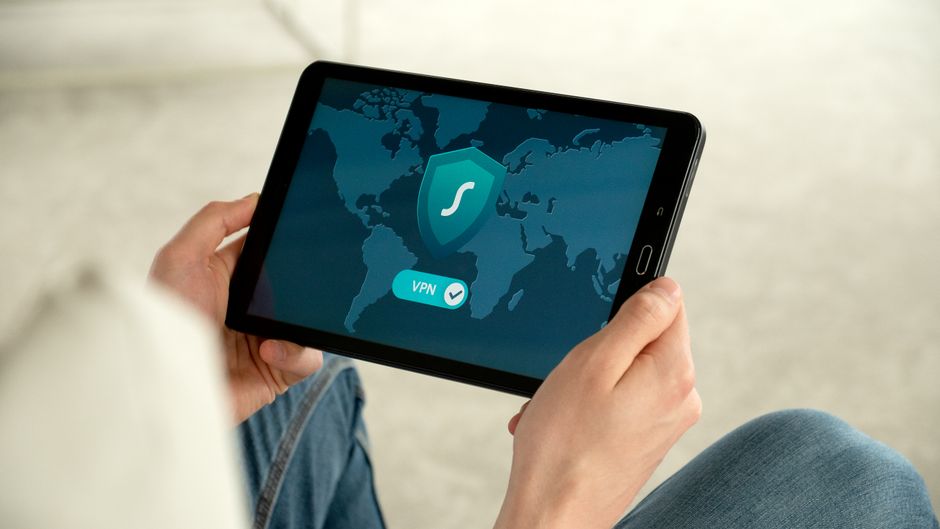
What Matters Most When Choosing a VPN Without Falling for Fear Marketing
Let’s strip away the hyperbole and focus on the core attributes that define a good VPN for a small business. These aren’t just buzzwords; they’re the practical elements that contribute to your company’s digital resilience.
1. Verifiable No-Logs Policy and Jurisdiction
A ‘no-logs’ policy means the VPN provider doesn’t record your online activities. This is paramount for privacy. However, a claim alone isn’t enough. Look for providers that have undergone independent third-party audits to verify their no-logs policy. Also, consider their jurisdiction. Providers based in countries with strong privacy laws (like Switzerland or Panama) are often preferable to those in ‘Five Eyes,’ ‘Nine Eyes,’ or ‘Fourteen Eyes’ intelligence-sharing alliances (e.g., the US, UK, Canada) as they may be compelled to hand over data.
2. Strong Encryption and Protocols
The strength of the encryption is what protects your data. Aim for VPNs that use AES-256 encryption, which is the industry standard. Additionally, pay attention to the VPN protocols offered. OpenVPN and WireGuard are generally considered the most secure and efficient options. Avoid older, less secure protocols like PPTP. Modern VPNs will often offer multiple protocols, allowing for flexibility.
Your Beginner Guide to Passkeys and Passwordless Login: Ditching the Digital Dilemma
3. Server Network and Performance
A wide distribution of servers can improve speed and reliability. If your team operates globally, having servers in key regions (like multiple locations across North America, Europe, or South America) ensures low latency and faster connections. Check for server availability in countries where your employees frequently travel or where your target audience resides, which can be useful for accessing region-locked content or services.
4. Dedicated IP Addresses (for specific needs)
While most consumer VPNs offer dynamic IPs, a dedicated IP address can be beneficial for small businesses. It means you always connect from the same IP, which can prevent IP blacklisting, simplify access to geo-restricted services, and make it easier to whitelist your IP for internal company resources. Not all VPNs offer this, and it often comes at an extra cost, but it’s worth considering for certain applications.
5. Kill Switch and DNS Leak Protection
These are non-negotiable security features. A kill switch automatically cuts off your internet connection if the VPN drops, preventing your real IP address from being exposed. DNS leak protection ensures that your DNS requests (which translate website names into IP addresses) go through the encrypted VPN tunnel, not your ISP’s servers. Both features are critical for maintaining privacy and security.
6. Ease of Use and Cross-Platform Compatibility
A VPN is only useful if your team can actually use it. Look for user-friendly apps across all relevant platforms – Windows, macOS, Android, iOS, and even Linux. Simple setup and a clear interface minimize user error and support requests, allowing your team to focus on work rather than troubleshooting technical issues.
Comparing VPN Options for Small Businesses
When evaluating VPN providers, it helps to look at some well-known names and what they offer. This isn’t an exhaustive list, but it gives a sense of the market.
| Feature/Provider | NordVPN | ExpressVPN | Surfshark |
|---|---|---|---|
| No-Logs Policy | Audited | Audited | Audited |
| Encryption | AES-256 | AES-256 | AES-256 |
| Protocols | OpenVPN, WireGuard (NordLynx) | OpenVPN, Lightway | OpenVPN, WireGuard |
| Server Network | 5000+ servers in 60+ countries (Strong in North America, Europe) | 3000+ servers in 94+ countries (Good global coverage including South America) | 3200+ servers in 100+ countries (Broad global reach) |
| Dedicated IP | Yes (add-on) | No | No |
| Simultaneous Devices | 6 | 8 | Unlimited |
| Business Focus | NordLayer (dedicated business service) | Strong general privacy | Good for small teams due to unlimited devices |
Each of these has its strengths. NordVPN, for example, offers a separate product called NordLayer specifically tailored for business use, providing centralized management. ExpressVPN is known for its excellent speeds and broad server distribution. Surfshark offers unlimited simultaneous connections, which can be cost-effective for growing small teams.

Common Mistakes to Avoid When Choosing a VPN
Steering clear of fear marketing is one thing; avoiding practical pitfalls is another. Here are some common errors small business owners make:
A common mistake is prioritizing the absolute cheapest option without scrutinizing its features. Free VPNs, in particular, often come with hidden costs, such as data logging, limited bandwidth, or even injecting ads. For a business, this can compromise security and operational efficiency. Investing a reasonable amount in a reputable VPN is an investment in your business’s safety.
Another error is neglecting to train your team on VPN usage. Even the best VPN is useless if employees don’t consistently use it or understand its purpose. Implement clear policies and provide simple instructions for connecting, especially when working remotely or using public Wi-Fi at a conference in Europe or a client site in South America.
Over-relying on a VPN as a complete security solution is also a pitfall. A VPN is a powerful tool for securing your internet connection, but it’s not an antivirus, anti-malware, or firewall. It’s part of a broader security strategy. You still need to practice good password hygiene, use multi-factor authentication, and keep your software updated, including for devices like smart home hubs if you’re using them in a home office setting.
Finally, falling for marketing that promises complete anonymity is misleading. While a VPN significantly enhances your privacy, no online tool offers 100% anonymity. Your activities can still be linked through other means (e.g., logging into your Google or Samsung accounts), so realistic expectations are key.
Frequently Asked Questions About Choosing a VPN
What makes a VPN important for small businesses?
A VPN is crucial for small businesses primarily for securing data. It encrypts internet traffic, protecting sensitive company and client information from interception, especially when employees use public Wi-Fi or work remotely. This prevents data breaches and ensures business continuity and compliance with privacy standards.
Can I use a free VPN for my small business?
Using a free VPN for a small business is generally not recommended. Free VPNs often have limited features, slower speeds, and, critically, may log user data or show ads to generate revenue, compromising the very privacy and security your business needs. Paid VPNs offer stronger encryption, better performance, and audited no-logs policies.
How does a VPN protect me on public Wi-Fi?
On public Wi-Fi, a VPN protects you by creating an encrypted tunnel between your device and the VPN server. This tunnel scrambles all your internet traffic, making it unreadable to anyone else on the same network, including potential hackers or malicious actors. It effectively shields your data from snooping and interception.
Should I consider a dedicated IP address?
A dedicated IP address can be beneficial for specific small business needs. It ensures your internet traffic always appears to come from the same IP, which can help avoid CAPTCHAs, prevent IP blacklisting, or allow for IP whitelisting to access specific internal company resources securely. It’s an add-on, but valuable for consistent access.
What should I look for in a VPN’s privacy policy?
In a VPN’s privacy policy, look for a clear, explicit statement of a no-logs policy, detailing what, if any, data is collected (e.g., connection times, bandwidth) and ensuring it’s not personally identifiable. Also, confirm they don’t sell user data and ideally, that their policies have been independently audited for verification.
Choosing a VPN for your small business doesn’t need to be a journey through a fear-mongering maze. By focusing on practical security, verifiable privacy claims, and reliable performance, you can select a tool that genuinely protects your operations and empowers your team, whether they’re connecting from a bustling city in North America or a quiet village in Europe. Take a moment to understand your real needs, assess providers based on concrete features, and make an informed decision that truly serves your business. Read more useful technology guides on Le Daily Post.